

Most B2B sales and marketing teams at small and medium enterprises run email campaigns the same way: grab a list, write a message, hit send, and wonder why results are inconsistent. Building an effective email campaign workflow changes that equation entirely. Instead of random activity, you get a repeatable, measurable system that generates leads predictably. This guide walks you through each step, from foundational setup to automation logic to performance measurement, using frameworks that actually work in 2026.
- Building and automating your email campaign workflow for scalable engagement
- Optimizing and measuring your email workflow performance for continuous improvement
- Common pitfalls and expert tips for mastering your email campaign workflow
- Why mastering your email campaign workflow is more about process than technology
- Streamline your email campaigns with SphereScout's targeted business email lists and lead generation tools
- Frequently asked questions
Key Takeaways
| Point | Details |
|---|---|
| Define clear goals | Set specific, measurable objectives like revenue or lead conversion before planning your campaign. |
| Segment dynamically | Use behavior-based segmentation rather than static attributes to improve relevance and engagement. |
| Ensure deliverability | Implement SPF, DKIM, and DMARC authentication to avoid spam filters and ensure inbox placement. |
| Automate with logic | Build workflows with triggers and branching based on real customer behavior for personalized messaging. |
| Measure and optimize | Track revenue-related metrics and continuously test elements like subject lines and send times. |
Preparing for success: foundational elements of an effective email campaign workflow
Before you write a single subject line, there are three things that campaign programs fail without: a defined goal, a clean segmented list, and properly authenticated sending infrastructure. Skip any of these and your results will be inconsistent no matter how good your copy is.
Define one specific, measurable goal per campaign. "Generate leads" is not a goal. "Book 15 discovery calls from cold outreach to manufacturing firms in the Midwest by March 31" is a goal. That specificity shapes your subject line, your call to action, and your success metrics. It also prevents your team from building a campaign that tries to do everything and ends up doing nothing well.

Segment dynamically, not just demographically. Most teams segment by job title or company size and call it done. That's a starting point, not a strategy. Behavior-based dynamic segmentation matches message intent to where your prospect actually is in their buying journey. Someone who visited your pricing page three times this week should not receive the same email as someone who downloaded a whitepaper six months ago. For a deeper look at how to structure this, the email list segmentation techniques overview is worth reviewing.
Set up email authentication before you scale. This one is non-negotiable. SPF, DKIM, and DMARC alignment is required by major inbox providers before they will reliably deliver your mail at volume. SPF tells receiving servers which IPs are allowed to send on your behalf. DKIM adds a cryptographic signature to each message. DMARC ties them together and tells providers what to do when something fails. If these three are not configured, you're building campaigns on a broken foundation. Check your email verification guide to confirm your setup is solid before your first large send.
Here is a quick preflight checklist for every campaign:
- ✅ Campaign goal defined with a measurable outcome and deadline
- ✅ Audience segment built from behavioral and demographic criteria
- ✅ SPF, DKIM, and DMARC records verified and aligned
- ✅ List cleaned and unsubscribes suppressed
- ✅ Double opt-in enabled for any new sign-up sources
- ✅ Bounce rate from previous sends reviewed and addressed
Pro Tip: Use a dedicated subdomain for cold outreach (e.g., mail.yourdomain.com) so that deliverability issues from prospecting campaigns never damage the reputation of your primary domain used for transactional or customer emails.
With a clear understanding of foundational requirements, you can now design and execute campaigns effectively.
Building and automating your email campaign workflow for scalable engagement
A well-built automated workflow does what no human team can do manually: it sends the right message to the right person at the right moment, every time, at scale. Automation built around triggers, branching logic, and delivery rules is the core architecture of any workflow that performs consistently.
Here is a step-by-step process for building your workflow:
1. Identify your entry trigger. This is the action that starts the workflow. Common triggers include form submissions, content downloads, demo requests, or behavioral milestones like visiting a specific page twice within a set time period. Your trigger determines the assumed intent of every contact who enters the workflow.
2. Map the journey from entry to goal. Before building anything in your email marketing workflow software, draw the path on paper or a whiteboard. What does the contact need to believe, understand, or feel before they take your desired action? Each email in the sequence should move them one step closer.
3. Build branching logic based on engagement. Not everyone who enters your workflow behaves the same way. Adding wait times and behavior-based branches (for example, "wait 3 days, then check if email was opened, and branch accordingly") dramatically improves the relevance of your nurture sequences. Contacts who opened and clicked should receive a different next message than those who ignored the first email entirely.
4. Set delivery rules. Control when emails go out. Sending at 3 a.m. on a Saturday is rarely optimal for B2B. Set send windows aligned to your audience's working hours. Add personalization tokens, and double-check that segmentation criteria are applied correctly at each step.
5. Test the workflow end-to-end before activating. Enroll a test contact and verify that every branch, delay, and condition fires correctly. This sounds obvious, but it is one of the most skipped steps in B2B email campaigns.
For a broader view of how different B2B email campaign types fit into your overall automation architecture, it helps to compare the two main structural approaches:
| Feature | Drip campaign workflow | Behavior-driven automated workflow |
|---|---|---|
| Trigger | Time-based (e.g., day 1, 3, 7) | Action-based (e.g., link click, page visit) |
| Personalization | Low to moderate | High |
| Flexibility | Fixed sequence | Dynamic branching |
| Best for | Onboarding, newsletters | Lead nurturing, re-engagement |
| Setup complexity | Low | Medium to high |
| Performance | Predictable but static | Higher ceiling with more variability |
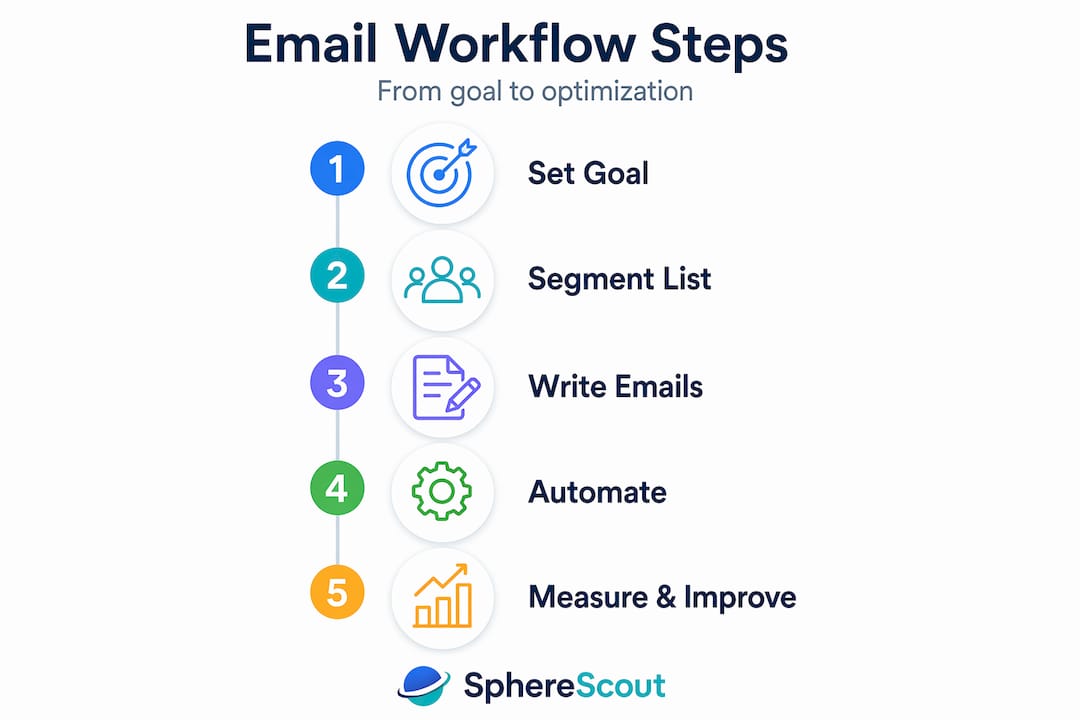
Drip campaigns are easier to set up and still work well for consistent nurture. Behavior-driven workflows take more time to build but consistently outperform drip campaigns for qualified B2B lead generation. If you are starting out, build a simple drip first, validate your messaging, then migrate to behavior-driven logic. Need inspiration for your sequences? These high-response outreach examples are a practical reference.
Pro Tip: Limit your initial workflow to five emails or fewer. Long sequences feel ambitious in planning but often see engagement fall off a cliff after email three. Master a short sequence before building anything longer.
With automated workflows structured, optimizing campaign relevance and execution becomes the next priority.
Optimizing and measuring your email workflow performance for continuous improvement
Measuring the wrong things is almost as bad as measuring nothing. Vanity metrics like open rates feel good but tell you almost nothing about business impact. The metrics you should be watching are the ones tied directly to revenue and pipeline.
| Metric | Why it matters | Where to track it |
|---|---|---|
| Conversion rate | Measures how many recipients took your intended action | CRM or landing page analytics |
| Revenue per recipient | Ties email volume directly to dollars generated | CRM + email platform integration |
| Pipeline influence | Shows email's role in deals currently in progress | CRM attribution reporting |
| Click-to-open rate | Indicates content relevance among engaged readers | Email marketing workflow software |
| List growth rate | Measures the health and trajectory of your audience | Email platform dashboard |
Here is how to build a testing culture that actually improves results over time:
- Document every test before you run it. Write down your hypothesis, the variable you are changing, your success metric, and the minimum sample size you need. Continuous A/B testing without documentation creates noise, not learning.
- Test one variable at a time. Subject line, send time, CTA copy, email length: change one, not all four.
- Use suppression lists religiously. Suppression lists and backwards lifecycle stage prevention protect your data integrity and prevent contacts from receiving emails meant for a stage they have already passed. This is a guardrail that most teams skip until something breaks badly.
- Review your email marketing strategies periodically against your actual results to identify gaps between planned and actual performance.
AI tools are increasingly useful here. Platforms with predictive send-time optimization, subject line scoring, and engagement forecasting can surface patterns that manual analysis would miss. Use them to generate hypotheses, but always validate with your own data.
Pro Tip: Run a quarterly "dead weight" audit. Pull every email in your active workflows and ask: is this message still relevant to the contacts receiving it? Outdated content in automated sequences quietly damages your sender reputation and your brand.
After optimizing your workflow, understanding expert best practices sharpens your approach even further.
Common pitfalls and expert tips for mastering your email campaign workflow
Even well-designed workflows break down in predictable ways. Knowing where failures typically happen lets you build safeguards before they become problems.
- Lifecycle stage corruption. Automation without guardrails can corrupt lifecycle stages and make your funnel reporting unreliable. If a contact re-enters a workflow and gets moved backward from "opportunity" to "lead," your sales team loses visibility. Block backward stage movement explicitly in your CRM workflow logic.
- Deliverability failures blamed on content. Teams frequently rewrite emails trying to fix engagement when the real issue is authentication or list hygiene. Separating preflight deliverability checks from journey logic helps you diagnose the actual problem faster. Always check your spam score, authentication records, and bounce rate before concluding the copy needs work.
- AI personalization gone wrong. AI-generated email content has gotten remarkably good, but it still requires human review by segment. Validating AI-powered personalized outputs by audience segment prevents tone mismatches, factual errors, and regulatory issues that can damage your brand quickly. One badly personalized email sent to 10,000 contacts is a serious problem.
- Spamming unqualified leads. Sending nurture emails to contacts who never fit your ideal customer profile wastes budget and damages your domain reputation. Review your cold emailing best practices and build disqualification logic into every workflow from day one.
The most expensive email campaign mistake is not a bad subject line. It is a well-crafted message delivered to the wrong person, at the wrong stage, from a domain that inbox providers already distrust.
For teams who export lists for outreach, contact list export tips cover how to structure your files for clean CRM imports that reduce downstream workflow errors.
Pro Tip: Create a "workflow health" document that logs every active automation, its entry trigger, its goal, its suppression rules, and the last date it was reviewed. Treat it like a system you maintain, not a campaign you launch and forget.
These expert insights prepare you for smarter, cleaner implementation and long-term campaign health.
Why mastering your email campaign workflow is more about process than technology
Here is something most platform vendors will never tell you: your email marketing software is probably not the problem. We have seen teams with access to the most capable email marketing workflow software still running campaigns that generate almost no qualified pipeline. The reason is almost always the same. The process is immature.
Email performance problems are process problems. Treating your email strategy as infrastructure, with documented goals, defined audience criteria, and review cycles, prevents the category of failures that no amount of automation features can fix. A team with clear standard operating procedures and a basic email platform will outperform a team with an enterprise tool and no workflow discipline every time.
The deliverability issue is particularly telling. Teams frequently blame content for poor engagement when the actual problem is that their domain reputation is eroded from sending to unverified lists or skipping authentication setup. You can write the best email in your industry and have it land in spam because of a technical step that takes 30 minutes to fix. Process would have caught that before the send.
We also see companies invest in AI tools and advanced segmentation features before they have documented what a qualified lead looks like for their business. That is technology being used to compensate for unclear thinking rather than to accelerate clear thinking. The email marketing strategy insights that consistently predict better results are the boring ones: documented goals, reviewed workflows, verified lists, and suppression rules that are actually maintained.
Technology should enable a well-designed process. It cannot replace one.
Streamline your email campaigns with SphereScout's targeted business email lists and lead generation tools
You have the workflow knowledge. Now you need clean, accurate contact data to fuel it.
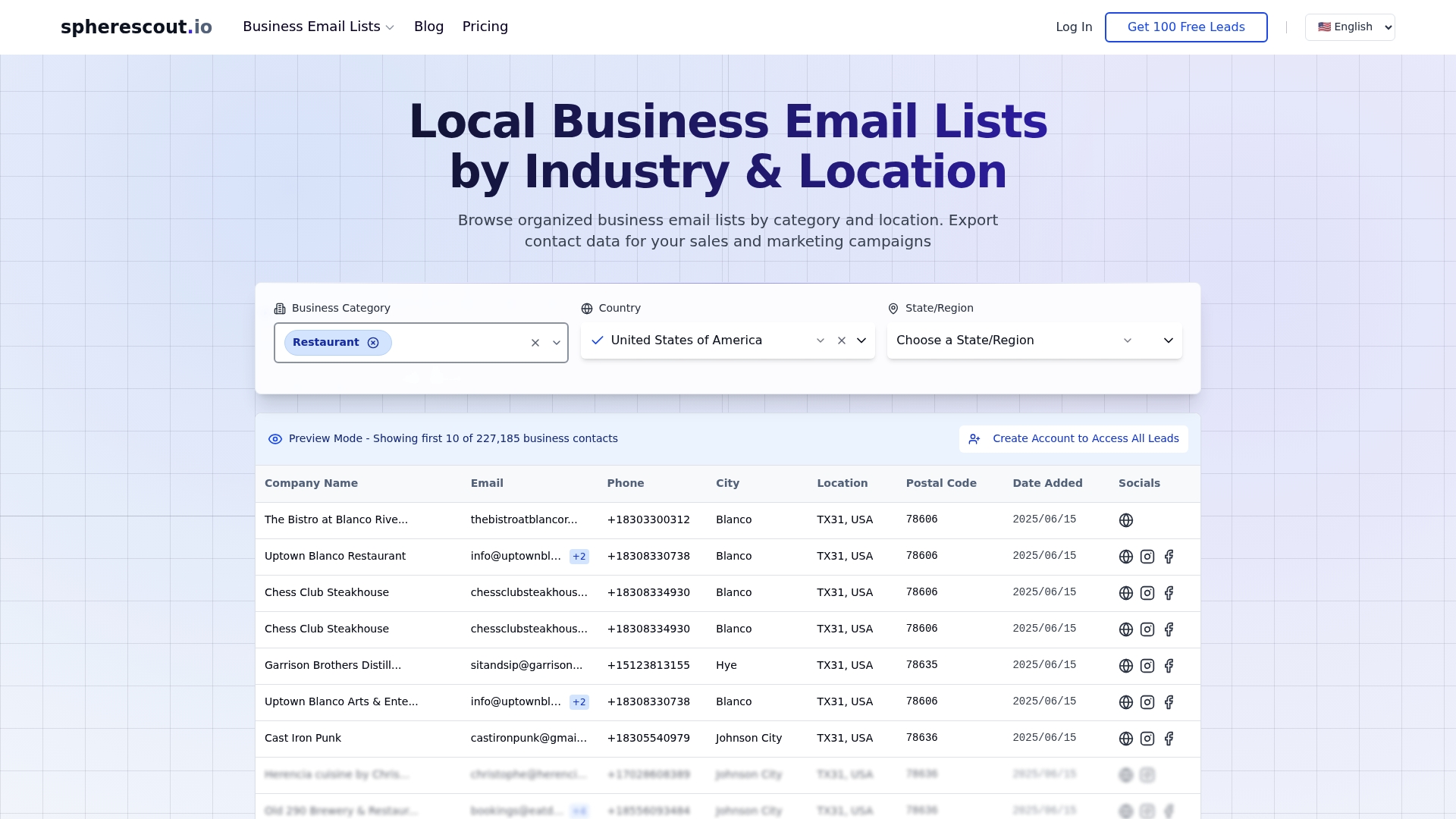
SphereScout gives B2B sales and marketing teams direct access to over 30 million verified business contacts, filterable by industry, city, postal code, and more. Every list you export is structured for immediate CRM import and ready to slot into the segmented, targeted workflows we covered in this guide. No manual scraping, no messy data cleanup. Browse USA business email lists by industry to find the exact audience your next campaign needs, or explore the full suite of lead generation functions to see how SphereScout fits into your outreach process. Try free sample leads and see the data quality for yourself before committing.
Frequently asked questions
What is the most important first step in building an effective email campaign workflow?
Defining a clear, measurable business goal for each campaign is the critical first step, since it shapes every subsequent decision from audience selection to success measurement. Every campaign should map to one specific business goal.
How can I ensure my automated email campaigns deliver relevant content?
Use behavior-based triggers and dynamic segmentation that adapt to subscriber actions and lifecycle stages rather than sending a fixed sequence to everyone. The most effective automation mirrors the customer's actual journey so every message aligns with their relationship stage.
Why is email authentication like DMARC important for B2B email campaigns?
DMARC alignment verifies that your sending domain matches your authenticated identity, which prevents your emails from being rejected or routed to spam. Without DMARC policy, mailbox providers can reject or junk messages even if SPF and DKIM individually pass.
How do I prevent my email nurture workflows from sending messages to unqualified leads?
Build suppression rules that exclude current customers, open opportunities, unsubscribed contacts, and any leads outside your ideal customer profile from the start. Suppressing these contacts prevents wasted sends and protects your domain reputation.
What key metrics should I focus on to measure email campaign success?
Prioritize conversion rate, revenue per recipient, and pipeline influence over open rates, since these connect directly to business outcomes. The metrics that matter include click-through rate, conversion rate, revenue per recipient, and list growth rate.
Recommended
- B2B email campaign types that drive lead generation | spherescout.io Blog
- Email marketing strategies that drive real B2B results | spherescout.io Blog
- B2B Email Marketing Process for Lead Generation Success | spherescout.io Blog
- Email verification: A complete B2B outreach guide | spherescout.io Blog