

Sending the same message to every contact on your list is one of the fastest ways to tank your open rates and burn your sender reputation. Yet a surprising number of B2B marketers still do it. Knowing how to segment contact lists properly is what separates teams that consistently convert prospects into customers from those chasing vanity metrics. This guide walks you through the exact steps, from getting your data house in order to building automated segments that update themselves, so your outreach lands with the right person at the right time.
- How to segment contact lists: getting your data ready
- Defining segmentation criteria that actually matter
- Building and automating segments in your CRM
- Common segmentation pitfalls to avoid
- Measuring whether your segmentation is working
- My take: stop treating segmentation as a one-time setup
- Build better segments with Spherescout's B2B data
- FAQ
Key Takeaways
| Point | Details |
|---|---|
| Start with clean, unified data | Segmentation only works reliably when your contact properties are consistent and synchronized across tools. |
| Prioritize lifecycle and engagement | Segment by lifecycle stage and engagement level first before layering in firmographics or behaviors. |
| Use dynamic lists for automation | Dynamic segments auto-update as data changes, making them ideal for ongoing nurture campaigns. |
| Document every segment | Clear naming conventions and written criteria prevent list sprawl and keep teams aligned over time. |
| Measure and refine regularly | Track engagement and conversion rates by segment to spot drift and improve criteria continuously. |
How to segment contact lists: getting your data ready
Before you build a single segment, your data needs to be in shape. Think of it this way: segmentation is only as precise as the contact properties feeding it. Clean, unified data across your CRM and connected tools is the non-negotiable foundation that makes everything else work.
Here is what you need to audit before you start segmenting:
- Lifecycle stage: Is every contact tagged as a prospect, lead, marketing qualified lead (MQL), opportunity, or customer? Without this field populated consistently, your segments will mix audiences who need completely different messages.
- Engagement metrics: Email opens, link clicks, form submissions, and page visits tell you who is paying attention and who has gone cold.
- Firmographic data: Industry, company size, job title, and location are the backbone of targeted email lists in B2B. If these fields are inconsistent or empty, your firmographic segments will be unreliable.
- Consent and subscription status: Always filter out unsubscribed contacts and honor any consent flags. This is not optional.
Static vs. dynamic segments: which one do you need?
The choice between list types matters more than most marketers realize. Dynamic lists auto-update using field-based, event-based, and time-based filters, so a contact moves in or out automatically when their data changes. Static lists are fixed snapshots. You update them manually, which makes them ideal for one-time campaigns like an event invite or a product launch announcement where the audience should stay frozen.
For most ongoing B2B nurture work, dynamic segments are the right call. They stay current without your team needing to babysit them.
| List Type | Best Use Case | Update Method |
|---|---|---|
| Dynamic | Ongoing nurture, automation triggers | Auto-updates based on rules |
| Static | One-time campaigns, fixed audiences | Manual edits only |
Pro Tip: Run a data audit before building any segments. Export your full contact list and check the fill rate on key fields like lifecycle stage, industry, and engagement date. If core fields are below 80% populated, fix the data gaps first. Segments built on incomplete data will mislead you.
Defining segmentation criteria that actually matter
Once your data is clean, the next challenge is deciding which criteria to actually use. The best ways to segment a B2B list combine multiple dimensions rather than relying on a single filter.
The most reliable segmentation types for B2B are:
- Lifecycle stage: Prospects, active leads, MQLs, customers, and churned contacts all need different messaging. Segment by lifecycle stage at a minimum before anything else. This single dimension alone will lift your relevance significantly.
- Engagement level: Active contacts (those who clicked or opened in the last 30 days) versus inactive contacts (90+ days of silence) should never receive the same campaign. Mixing them hurts deliverability and muddies your performance data.
- Firmographic signals: Industry vertical, company headcount, and decision-maker title allow you to tailor content to specific buyer contexts. A VP of Operations at a 500-person manufacturing firm has very different pain points than a founder at a 10-person SaaS startup.
- Behavioral triggers: Downloaded a whitepaper? Attended a webinar? Visited your pricing page three times? These actions signal intent and deserve their own segments.
Combining filters for precision
The real power comes from stacking criteria. Start with field-based segments like lifecycle stage and industry, then layer in behavioral and recency filters to tighten the audience. A well-built "active prospect" segment might look like: lifecycle stage = Lead, AND last email click within 30 days, AND company size between 50 and 500 employees, AND NOT currently in an active sales sequence.

Use AND logic to narrow down your audience and OR logic to broaden it when needed. For example, job title = "Marketing Director" OR "Head of Marketing" captures the same role expressed in different ways across your database.
Pro Tip: Create an engaged segment based on recent click activity within a 2 to 4 week window. Pair your inclusion criteria with explicit exclusions, like "NOT unsubscribed" and "NOT currently a customer," to keep the segment tight and prevent message overlap.
For a deeper look at how segmentation dimensions map to campaign types, the guide on targeted B2B campaigns at Spherescout covers this territory well.
Building and automating segments in your CRM
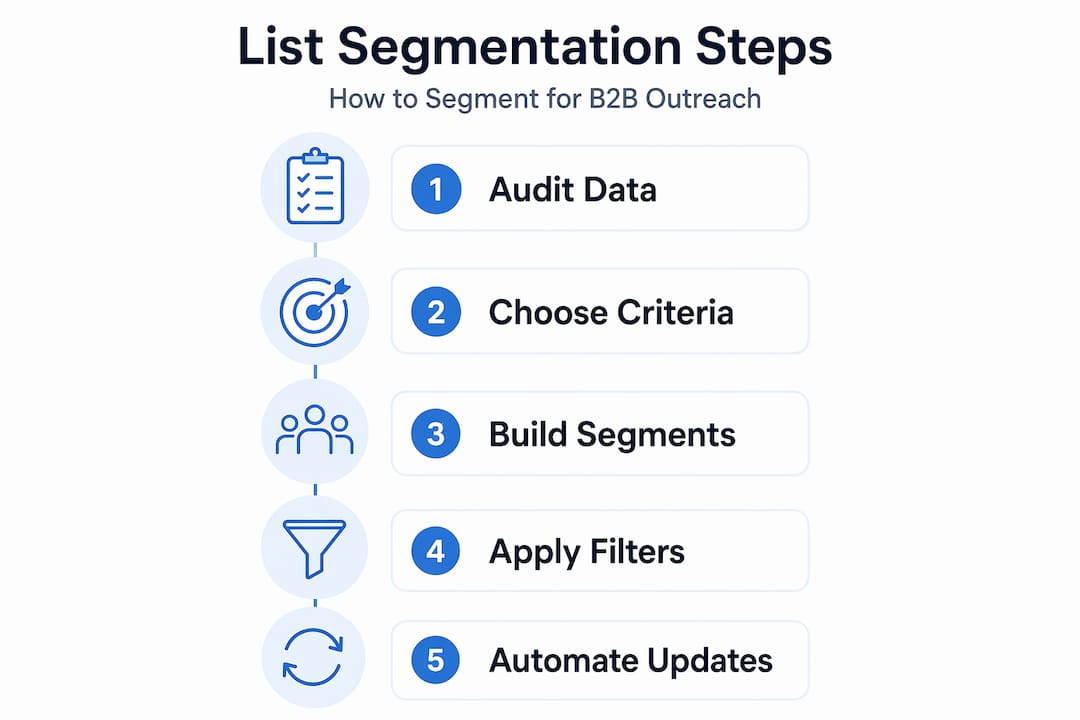
Now for the execution. Translating your segmentation strategy into actual lists inside a CRM like HubSpot takes a structured approach. Here is a step-by-step process that works:
1. Define your business goal first. Are you trying to re-engage cold leads? Onboard new customers? Convert MQLs who attended a demo? Your goal dictates your segment criteria. Never build a list and then figure out what to do with it afterward.
2. Build your inclusion rules. Open your CRM's list builder and start with the broadest required criteria, such as lifecycle stage and industry. Add filters one at a time and watch how the estimated member count changes. If the list shrinks to under 50 contacts, you may be over-filtering.
3. Add your exclusion rules. These are just as important as inclusions. Exclude unsubscribed contacts, current customers from prospect campaigns, and anyone already enrolled in a conflicting workflow.
4. Choose your list type. For campaigns that run on automation, active segments stay current as data changes. For one-off sends, use static lists.
5. Connect the segment to a workflow. Once the list is live, tie it to a nurture sequence, a task creation trigger for your sales team, or a personalized email series. The segment is meaningless without the downstream action.
6. Preview and spot-check. Before activating anything, pull a random sample of 10 to 20 contacts from the segment. Verify that each one actually matches your intended criteria. It sounds tedious, but it catches data issues before they become campaign problems.
Pro Tip: Build segmentation criteria in stages: start with lifecycle and firmographics, then add behaviors and recency. This layered approach keeps segments stable and avoids the common problem of a list that shrinks to almost nothing after adding too many filters at once.
| Step | Action | Output |
|---|---|---|
| 1 | Define business goal | Segment purpose and intended message |
| 2 | Build inclusion rules | Initial filtered contact pool |
| 3 | Add exclusion rules | Cleaned, accurate audience |
| 4 | Choose list type | Dynamic or static list |
| 5 | Connect to workflow | Automated nurture or sales trigger |
| 6 | Spot-check the segment | Verified, ready-to-use list |
The Spherescout guide on segmentation-driven workflows offers additional detail on connecting list logic to automation sequences.
Common segmentation pitfalls to avoid
Even well-intentioned segmentation breaks down in predictable ways. Here is what tends to go wrong:
- Stale static lists. A static list built six months ago and never updated will include contacts who have since become customers, unsubscribed, or changed companies. Always schedule a review date when you create a static list.
- Inconsistent property values. If your industry field contains "SaaS," "Software as a Service," "Technology," and "Tech" for the same type of company, your firmographic segments will fracture. Standardize picklist values before you segment.
- Overlapping segments. When a contact can qualify for two competing segments, they may receive conflicting messages. Use enrollment logic and exclusions to prevent this.
- Missing data masking the real audience. Contacts with blank fields will fall through the cracks of your segments. Decide up front how to handle unknowns: either exclude them or create a separate segment to investigate.
Documentation of segment definitions and consistent naming conventions are what prevent list sprawl as your database and team grow. A naming convention like "PROS-ENGAGE-30D-SAAS" tells anyone on the team exactly what that list contains without opening it.
Pro Tip: Treat every segment like a contract. Write down the exact inclusion and exclusion criteria, the intended use, and the list type. Store it in your team's shared documentation. When someone leaves or your CRM gets restructured, that documentation is the only thing standing between you and a broken segmentation setup.
Measuring whether your segmentation is working
Segmentation without measurement is just filing. You need to know whether the segments you built are actually producing better outcomes.
Track these metrics for each segment, not just for your campaigns as a whole:
- Open rate by segment: If your "active prospect" segment has a 40% open rate but your "cold lead" segment sits at 8%, that gap tells you the segmentation is working. It also tells you those cold leads need a re-engagement campaign before they receive standard nurture.
- Click-through rate: Engagement rates by segment reveal which audiences find your content relevant and which do not.
- Conversion rate: Ultimately, segmentation by lifecycle and engagement should drive higher conversion rates at each stage of the funnel.
- Unsubscribe rate by segment: A high unsubscribe rate on a specific segment often means the messaging is wrong for that audience, or the segment criteria pulled in people who were never a good fit.
Review your segment performance monthly. If a segment's engagement is declining, check whether the criteria still make sense, whether the data feeding it is current, and whether the messaging has been refreshed recently. Automated segmentation effectiveness depends on maintaining the data governance processes behind it, not just setting filters and walking away.
My take: stop treating segmentation as a one-time setup
I've seen B2B teams spend two weeks building a beautiful segmentation architecture in their CRM, launch their campaigns, and then never touch those segments again. Six months later, the lists are a mess. Contacts have moved through the funnel, data has decayed, and the "active prospect" list includes people who closed deals or churned out ages ago.
The honest lesson I've taken from working with segmentation at scale is this: the setup is maybe 30% of the work. The other 70% is maintenance, documentation, and alignment with your sales team. Segment drift is real, and it happens quietly. You will not notice until a sales rep calls a contact to follow up on a "prospect nurture email" that went to an existing customer.
I also want to push back on the idea that more segments are always better. I've watched teams create 40 hyper-specific lists that their marketing automation system can barely keep up with. The contacts end up in multiple conflicting sequences, and no one can explain what each list is supposed to do. Start with five to seven core segments, make them work well, and only add complexity when you have a clear reason. Clean, documented, well-maintained segments that you actually use will outperform a sophisticated taxonomy that nobody fully understands.
— Raphael
Build better segments with Spherescout's B2B data
Great segmentation starts with great data. If your CRM is thin on firmographic fields or your contact lists are missing key industry and location details, your segments will reflect that gap no matter how well you build them.
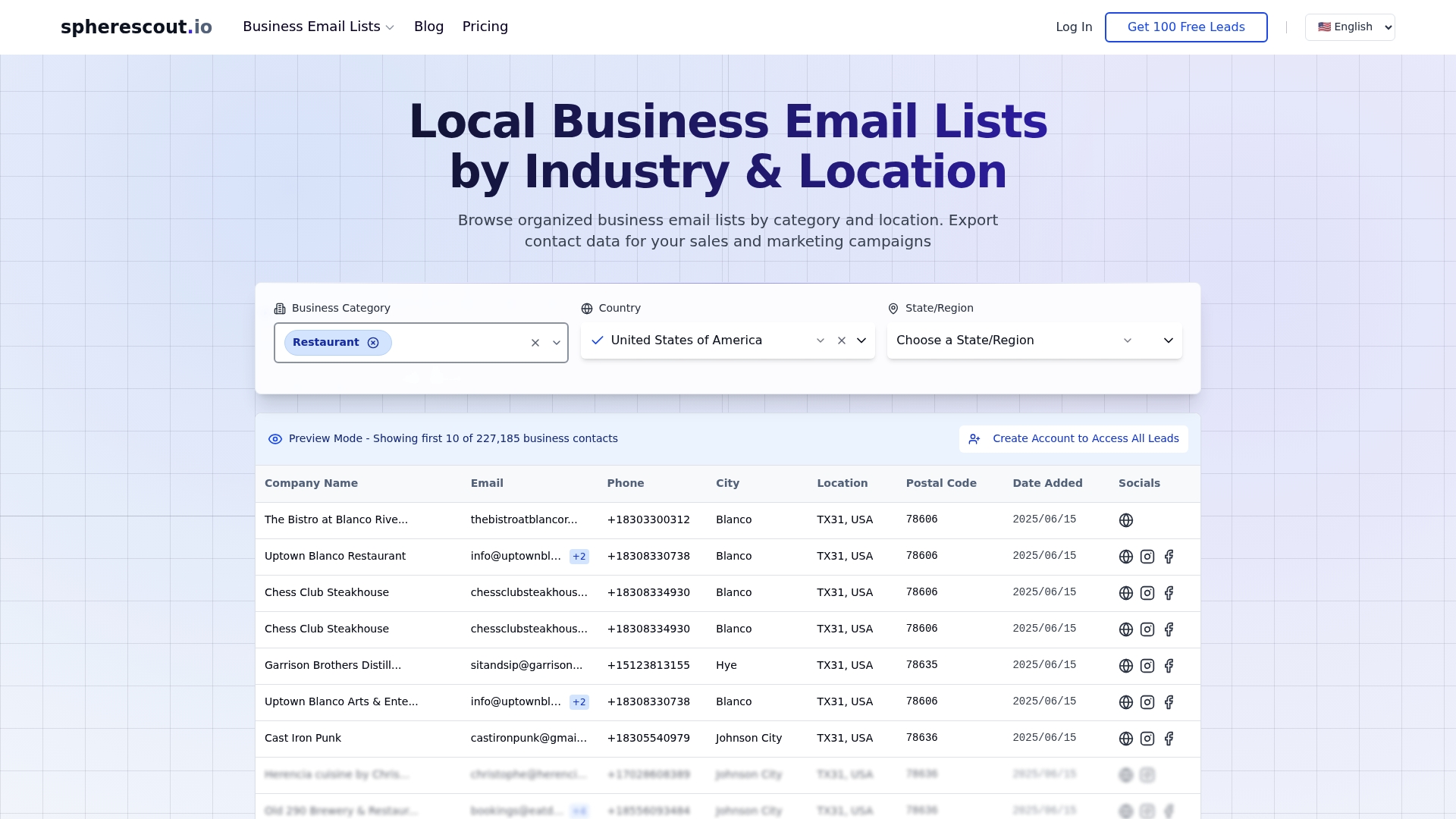
Spherescout gives B2B sales and marketing teams access to over 30 million business contacts, organized by industry, location, and business category. You can filter by postal code, city, or sector and export clean CSV files that map directly into your CRM fields. That means your segmentation criteria, whether by industry vertical, company type, or geography, actually have the data to work with. Explore industry-targeted email lists to build a starting contact pool that is already structured for segmentation, or browse lead generation by buyer type to find contacts that match your ideal customer profile from day one.
FAQ
What is the first step in contact list segmentation?
Start by auditing your data for completeness and consistency. Before building any segments, confirm that key fields like lifecycle stage, industry, and engagement date are populated across your contact database.
When should you use a dynamic vs. static list?
Use dynamic lists for ongoing nurture campaigns where your audience changes over time. Use static lists for fixed-audience sends like event invites or one-time announcements where the contact pool should not change.
How many segments should a B2B team maintain?
Most B2B teams perform well with five to seven core segments covering lifecycle stage and engagement level. Adding more complexity is worthwhile only when you have a specific campaign goal that existing segments cannot serve.
How do you prevent segments from overlapping?
Use explicit exclusion criteria in every segment you build. For example, a "prospect" segment should exclude anyone already tagged as a customer or currently enrolled in a sales sequence to prevent conflicting messages.
How often should you review and update your segments?
Review segment performance and membership at least once a month. Check for data drift, outdated criteria, and changing engagement patterns. Segmentation quality over time depends on consistent maintenance, not just the initial setup.
Recommended
- How to export contact lists efficiently for B2B outreach | spherescout.io Blog
- How to structure outreach email for B2B lead generation | spherescout.io Blog
- Boost lead generation with effective business list segmentation | spherescout.io Blog
- Boost B2B outreach: maximize phone numbers for results | spherescout.io Blog