

Most marketers think of data export as clicking a "Download CSV" button and calling it done. It's not. What is data export for marketing is actually a much broader question, and the answer shapes everything from your campaign attribution to your compliance obligations. When done well, data export connects siloed platforms, powers unified analytics, and enables the kind of personalization that actually moves the needle. When done poorly, it wastes hours every week and introduces data quality problems you won't catch until a campaign goes sideways.
- What data export for marketing actually means
- How the data export process fits into marketing workflows
- Legal compliance and data export
- Automation and best practices for reliable exports
- My honest take on where teams go wrong
- How Spherescout makes data export work for you
- FAQ
Key takeaways
| Point | Details |
|---|---|
| Export is a pipeline, not a download | Data export for marketing involves extraction, transformation, validation, and loading into destination systems. |
| Format choice matters | CSV works for simple datasets, JSON handles complex nested data, and XML suits enterprise integrations. |
| Compliance is non-negotiable | GDPR Article 20 requires personal data to be delivered in machine-readable format within one month of request. |
| Automation saves real time | 73% of B2B marketers waste 5+ hours weekly on manual exports that automated pipelines can eliminate entirely. |
| Data integrity requires care | Exporting during live transactions skews aggregates; use snapshots or read-only replicas to protect accuracy. |
What data export for marketing actually means
Data export in marketing means extracting campaign and customer data from source systems like CRMs, ad platforms, and analytics tools into structured formats for further use. The destination might be a spreadsheet, a data warehouse, a marketing automation platform, or a BI tool. According to Customers.ai, common formats include CSV for simple datasets, JSON for complex nested data, and XML for enterprise use. Your choice of format depends entirely on what the receiving system can ingest and how much structure your data carries.
The data sources marketers draw from are wide-ranging. Here are the most common ones:
- CRM platforms (contact records, deal stages, activity history)
- Ad platforms (spend, impressions, clicks, conversions by campaign)
- Email marketing tools (open rates, click rates, unsubscribes, segment data)
- Web analytics platforms (sessions, events, attribution paths)
- E-commerce systems (order history, revenue, customer lifetime value)
Export types also split along two dimensions: purpose and method. When you're exporting for analytics, you want full historical records with as much granularity as possible. When you're exporting for compliance, the scope is narrower and specifically tied to what a data subject consented to provide. On the method side, manual exports from a platform's native UI get the job done for occasional use. But native exports often lack granular interaction data and require manual cleanup, while APIs enable reliable, automated extraction at scale.
A real-world example worth knowing: Salesforce data export requires different tools depending on what you're pulling. Structured records use CSV, file attachments use binary APIs, and metadata exports use XML. Complete extraction demands multiple approaches, not a single download. That complexity is the norm in mature CRM environments, not the exception.
How the data export process fits into marketing workflows
Understanding the mechanics of export is one thing. Understanding where it sits inside your broader marketing data management is where the real value unlocks.
Here is a practical overview of how a well-structured export process works:
1. Identify the source and scope. Decide which system you're pulling from, what date range applies, and which fields you need. Scoping errors here cascade into garbage results downstream.
2. Extract the data. Pull records via the platform's export UI, API, or a third-party connector. For large datasets, bulk API access is typically faster and more reliable than UI-based exports.
3. Transform the data. Flatten nested structures, normalize field names, handle null values, and remove duplicates. This step is where most teams underinvest. The transformation phase is essential beyond extract and load to produce data that destination systems can actually use.
4. Validate the output. Check row counts against source records, verify key field completeness, and test for referential integrity before loading.
5. Load into the destination. Push the cleaned data into your data warehouse, CRM, BI tool, or marketing platform.
6. Schedule and monitor. Set up recurring runs and configure alerting for failures. A pipeline that runs unmonitored is a pipeline you'll only notice when something breaks.
The strategic payoff here is significant. Data export enables marketers to unify siloed data from email platforms, CRMs, and analytics into a single customer view that powers real-time personalization. Without export pipelines connecting those platforms, each tool stays an island. You get reports within each platform but no unified picture of how a customer actually moves through your funnel.
Modern ETL and ELT pipelines go well beyond the simplification of "export." They involve transforming and loading data into unified warehouses so analysts can run cross-channel queries that no single platform supports natively. This is how marketing analytics drives 57% better ROI compared to gut-feel decision-making.

The most common pitfall? Treating export as a one-time event. Teams pull a CSV, do their analysis, and move on without building any repeatable infrastructure. The next time someone needs the same data, the whole manual process starts over.
Pro Tip: Before building a new export pipeline, audit whether the data you need already exists in an existing warehouse or reporting layer. You may be solving a problem that's already been solved one level up.
Legal compliance and data export
If you handle personal data (and in marketing, you almost certainly do), export is not just a technical process. It carries real legal obligations that your marketing team needs to understand, even if your legal or data team handles implementation.
Here is what GDPR Article 20 requires of your organization:
- Provide personal data held under consent or contract in a structured, machine-readable format
- Respond to data subject portability requests within one month
- Include only data the subject directly provided, not derived or inferred attributes
- Support direct transmission to another controller where technically feasible
"Organizations must provide personal data subject to consent or contract in a structured, machine-readable format within one month of request, excluding derived or inferred data." GDPR Article 20 data portability
The exclusion of derived data is more significant than it sounds. If you've scored a contact as a "high-value prospect" based on behavioral modeling, that score is yours. The underlying behavioral data that the contact generated directly may be portable. Your model outputs are not. This distinction matters when you're designing your export architecture and deciding which fields flow through which pipelines.
Practically speaking, compliance-conscious export means building separate processes for marketing analytics exports (broad, high-volume, internal) and data subject request fulfillment (narrow, auditable, time-bound). Mixing them up creates both operational complexity and legal risk.
Automation and best practices for reliable exports
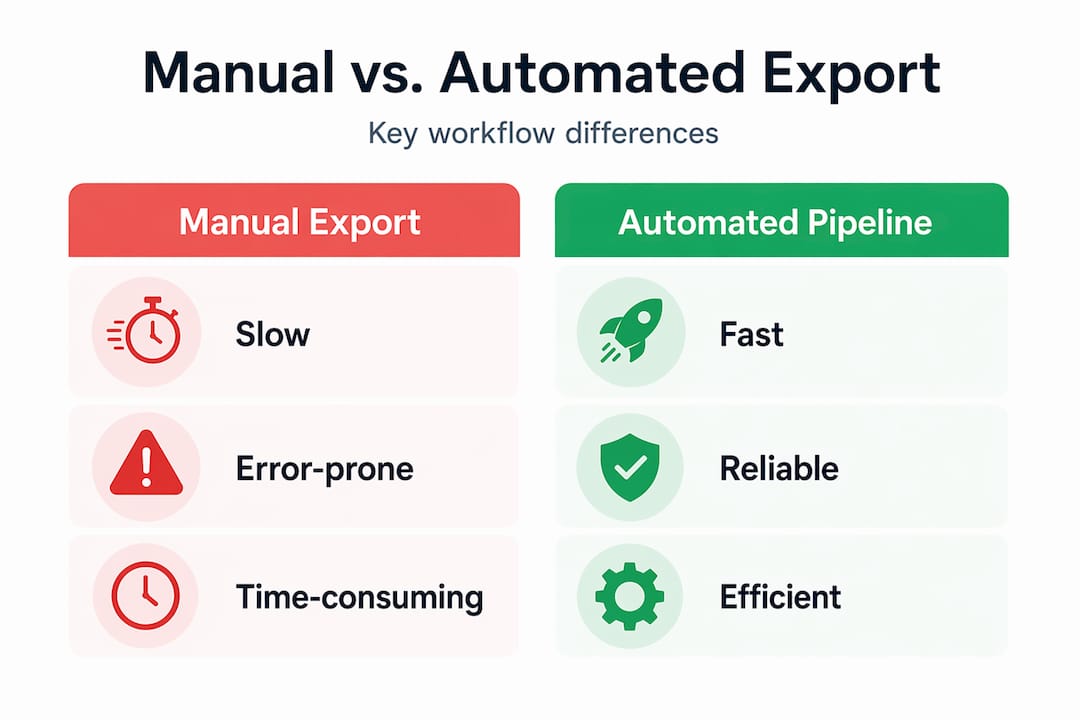
Manual export processes are slow, error-prone, and expensive in hidden time costs. The data makes this uncomfortable to ignore: 73% of B2B marketers waste 5+ hours weekly on manual tasks like downloading CSVs that automated pipelines can eliminate entirely.
Here's how manual and automated export compare across the metrics that matter to marketing teams:
| Factor | Manual export | Automated pipeline |
|---|---|---|
| Time investment | 5+ hours/week on recurring reports | Near zero after initial setup |
| Data freshness | Snapshot at time of download | Configurable: daily, hourly, or real-time |
| Error risk | High (human error in field selection, date ranges) | Low (consistent logic, version-controlled) |
| Scalability | Breaks down with data volume growth | Scales with source system capacity |
| Compliance audit trail | Weak (hard to reconstruct what was pulled) | Strong (logged, timestamped, reproducible) |
| Cross-platform unification | Requires manual merging | Handled in transformation layer |
The tools doing this work in practice include Fivetran, Stitch, and Airbyte on the ETL side, with platforms like dbt handling transformation logic. For marketers without dedicated data engineering support, marketing automation checklists that include export automation steps are a good starting point before committing to full pipeline infrastructure.
One data integrity issue that gets overlooked: exporting while transactions are still in progress. Using transaction snapshots or read-only replicas ensures you capture a consistent point-in-time picture rather than a mix of pre and post-transaction states. For revenue reporting or cohort analysis, this difference is material.
Pro Tip: After building a new export pipeline, run a parallel test for two weeks. Compare your automated output against a manual pull for the same period. Any discrepancies will reveal transformation logic errors before they corrupt downstream reports.
Understanding the practical benefits of CSV exports in the context of lead nurturing also clarifies why format standardization should be part of your export design from day one, not retrofitted later.
My honest take on where teams go wrong
I've watched marketing teams invest serious money in analytics tools, only to discover months later that their data never actually connected. The dashboards looked good. The exports were running. But nobody had validated whether the transformation logic matched how the business actually defined "a converted lead."
What I've found is that most teams treat data export as a delivery problem. Get the data from point A to point B, and you're done. The real work is in the definition layer: what does each field mean, where does it come from, and what gets lost in transit? In my experience, derived fields, custom attribution models, and campaign taxonomy mismatches account for the majority of analytical errors I've seen traced back to export logic.
The other thing I'd push back on is the instinct to build complex pipelines before you've proven the data is worth piping. I've seen teams spend months automating exports from a platform they were about to migrate away from. Start with your highest-value, most stable data sources. Validate the output relentlessly. Then scale.
If you're a marketer without deep technical resources, your most valuable move is a candid conversation with your data team about what export processes already exist and what you'd need to make them support your actual campaign questions. You'll often find the data is closer than you think. It just hasn't been wired to the right destination yet.
A solid B2B email marketing process depends on clean, well-structured data flowing through reliable export pipelines. That's not a data team problem. It's a shared problem that marketers need to own their half of.
— Raphael
How Spherescout makes data export work for you
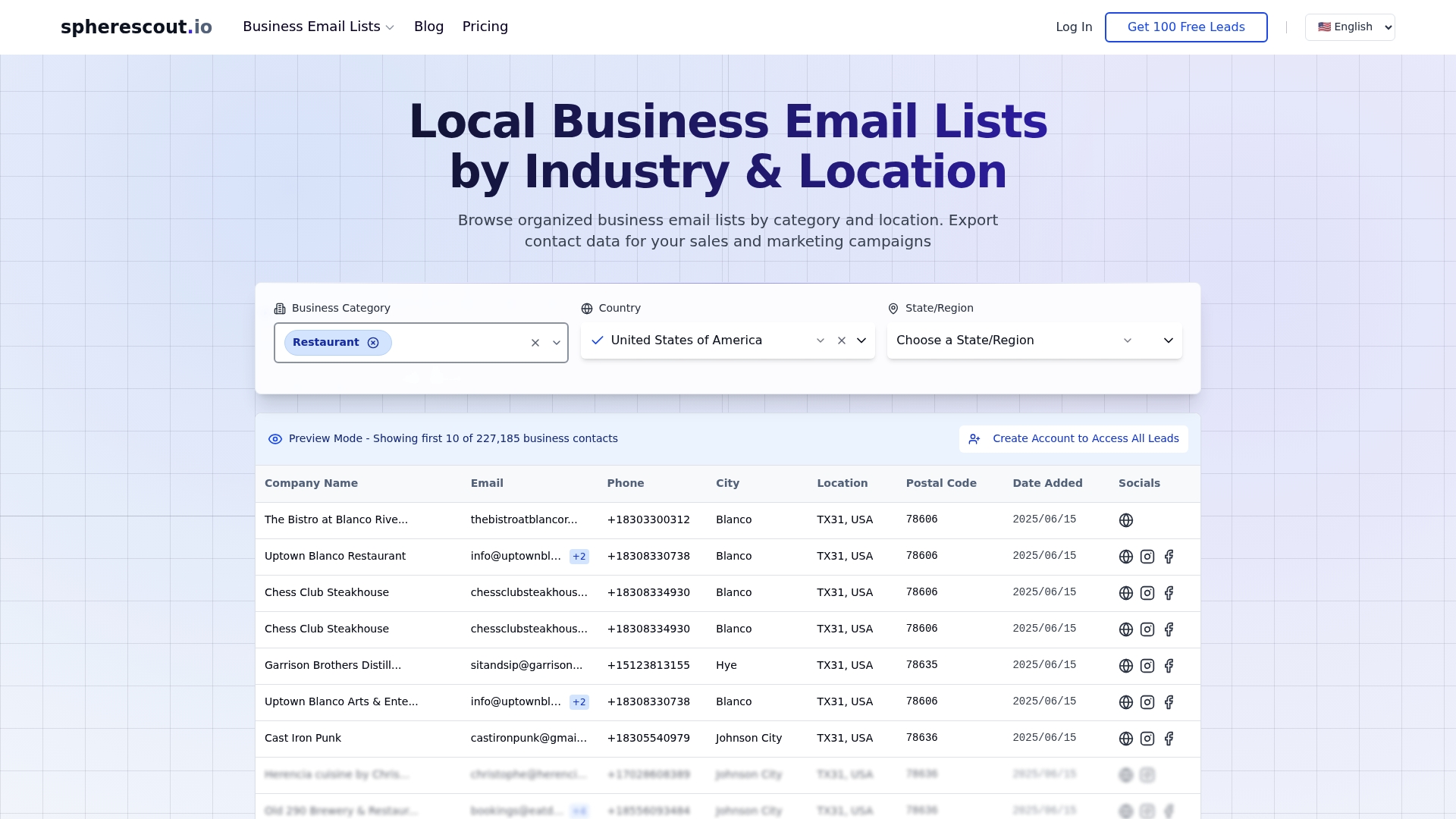
If you've spent time building export pipelines only to realize your contact data is outdated or incomplete, that's a solvable problem. Spherescout gives B2B marketing teams access to over 30 million verified business contacts, pre-organized by industry, location, and business type. Every list downloads as a clean CSV, ready for CRM import or direct campaign use. You get the targeted business email lists your outreach actually needs, with none of the manual research and data cleaning that eats up your week. Start with a free sample to see the data quality firsthand, then scale your prospecting to match your campaigns.
FAQ
What is data export for marketing?
Data export for marketing is the process of extracting campaign, customer, and behavioral data from source systems like CRMs, ad platforms, and analytics tools into structured formats such as CSV, JSON, or XML for analysis, integration, or compliance use.
What formats are used when exporting marketing data?
The three most common formats are CSV for simple tabular datasets, JSON for complex nested data structures, and XML for enterprise system integrations. Your format choice should match what the destination system can reliably ingest.
How does data export relate to GDPR compliance?
Under GDPR Article 20, organizations must provide personal data held under consent or contract in a machine-readable format within one month of a data subject's request. Derived or inferred data, such as lead scores, is excluded from this requirement.
Why should marketers automate their export processes?
Manual exports cost B2B marketers 5+ hours per week on recurring tasks. Automated ETL pipelines eliminate that waste, improve data freshness, reduce human error, and create an auditable trail that supports both analytics and compliance needs.
What is the difference between manual and API-based data export?
Manual export uses a platform's built-in download function and typically produces a point-in-time snapshot with limited field selection. API-based export pulls data programmatically, supports automation, delivers more granular records, and integrates directly into data pipelines without manual intervention.
Recommended
- Why CSV exports unlock efficient sales outreach | spherescout.io Blog
- How to export contact lists efficiently for B2B outreach | spherescout.io Blog
- B2B Email Marketing Process for Lead Generation Success | spherescout.io Blog
- Email marketing strategies that drive real B2B results | spherescout.io Blog