

Your contact database is either your biggest asset or your biggest liability. Sales and marketing teams that follow solid contact database best practices consistently outperform those that don't, and the gap is wider than most people expect. Stale records inflate bounce rates. Duplicates embarrass reps mid-call. Poor segmentation turns promising campaigns into noise. This article breaks down exactly what separates high-performing contact databases from the ones quietly sabotaging your outreach. You'll walk away with a clear, prioritized plan to fix what's broken and build something that actually scales.
- Contact database best practices: the criteria that matter most
- 1. Choose the right contact management system for your needs
- 2. Standardize and validate data entry from the start
- 3. Clean and de-duplicate contacts regularly
- 4. Design a scalable contact data model
- 5. Leverage automation for syncing and updating contact information
- 6. Integrate email and communication tracking directly
- 7. Implement security permissions and privacy compliance
- 8. Use tagging and segmentation for targeted outreach
- 9. Adopt interaction-based follow-up reminders
- 10. Monitor database health and trigger maintenance by performance signals
- Comparing contact database management strategies
- Day-to-day database maintenance and team adoption
- My honest take on contact database management
- Build better outreach with Spherescout's contact data
- FAQ
Key takeaways
| Point | Details |
|---|---|
| Data accuracy is non-negotiable | Maintaining verification above 92% protects sender reputation and reduces bounce rates significantly. |
| Structure your data model in layers | Separating identity, relationship, and interaction data improves CRM performance as your database grows. |
| Automate maintenance triggers | Performance-based maintenance is more effective than calendar schedules for keeping databases clean and fast. |
| Adoption depends on workflow fit | Systems embedded in email and daily tools get used. Systems that require separate logins get ignored. |
| Segmentation drives outreach results | Tagged, well-organized contacts produce targeted campaigns with measurably better conversion rates. |
Contact database best practices: the criteria that matter most
Before you overhaul your contact data setup, you need clear criteria. Not all databases are built the same, and the right approach depends heavily on your team's size, tech stack, and outreach goals.
Here's what to evaluate before committing to any system or workflow:
- Data accuracy and verification frequency. How often are records verified against live sources? Verified contacts reduce wasted sends and improve campaign efficiency. Any system that can't answer this question clearly is a red flag.
- Scalability. 71% of CRM scalability problems in SaaS companies stem from data models designed for small volumes that break down past 10,000 records. Plan for growth before you hit the wall.
- Security and compliance. GDPR, CCPA, and industry-specific regulations aren't optional. Your database design needs permission controls, audit trails, and data retention policies baked in from day one.
- Integration with your tech stack. A contact database that doesn't connect cleanly to your CRM, email platform, or sales tools creates manual work. Manual work creates errors.
- User adoption. This one is underrated. The best database design in the world fails if your team doesn't use it consistently.
These criteria aren't a checklist you run once. They're the lens you use to evaluate every decision you make about your contact data.
1. Choose the right contact management system for your needs
There's no universal best CRM or contact management tool. What matters is fit. A 10-person sales team prospecting in a single vertical has different needs than a 200-person revenue org running multi-channel campaigns across industries.
Start by mapping your actual workflow before evaluating tools. Where do reps spend most of their time? What does a typical outreach sequence look like? The answers tell you what integrations are non-negotiable.
2. Standardize and validate data entry from the start
Garbage in, garbage out. If you don't control how data enters your system, you can't trust what's in it. Standardization means defining exactly how fields get populated: full names formatted consistently, phone numbers in a single format, company names without abbreviation variations.
Validation means building rules that reject or flag entries that don't meet standards. This is one of the most important best practices for data entry because it catches problems before they compound. A bad record caught at entry costs seconds to fix. A bad record caught six months later costs campaigns, reputation, and time.
3. Clean and de-duplicate contacts regularly
Duplicate records are the silent killers of outreach performance. A contact receiving the same email twice notices. More critically, your team wastes time working the same lead in parallel without knowing it.

Build a de-duplication schedule into your workflow. Most modern CRMs offer merge logic, but it rarely runs automatically without configuration. Set rules around matching email addresses, phone numbers, and company name combinations. Then run batch de-duplication at least quarterly.
Pro Tip: Don't wait for obvious duplicates to surface. Run a duplicate audit before any major campaign launch. It takes less than an hour and saves you from embarrassing outreach overlaps.
4. Design a scalable contact data model
This is where most teams skip steps and pay for it later. The best scalable contact data models segment data into layers: identity data that rarely changes (name, email, company), relationship data that shifts periodically (job title, team, lifecycle stage), and interaction data that updates frequently (last email opened, calls logged, meetings booked).
Keeping these layers separate reduces load on your CRM's core contact object and prevents performance degradation as your database grows. Storing engagement data outside the main Contact object specifically improves CRM performance at scale. Most teams dump everything into one object and wonder why reporting slows to a crawl at 50,000 records.
5. Leverage automation for syncing and updating contact information
Manual updates don't scale. When a contact changes jobs, you won't know until a bounce tells you. Automating updates through enrichment tools, LinkedIn signal integrations, or periodic re-verification cycles keeps your data fresher without adding headcount.
The key is understanding that no database can refresh all records continuously. Data drift happens daily. Automating contact updates reduces drift, but it doesn't eliminate it. Combine automation with periodic manual audits for your most strategic accounts.
6. Integrate email and communication tracking directly
Contact systems that integrate email directly into the workflow see higher adoption rates. This is one of those insights that sounds obvious but gets ignored constantly. Reps don't want to switch tabs to log a call or update a contact record. When your contact management lives inside the inbox, it actually gets used.
Look for tools that offer two-way email sync, automatic activity logging, and reply detection. These features remove the manual step that kills adoption. You can read more about embedding this into your email campaign workflow for maximum efficiency.
7. Implement security permissions and privacy compliance
Every person on your team doesn't need access to every contact. Implement role-based permissions so reps see their accounts, managers see their team's accounts, and admins manage the full database. This protects data integrity and reduces accidental edits or deletions.
On the compliance side, build consent tracking directly into your database. Know which contacts opted in, when, and through which channel. This isn't just about avoiding fines. It's about maintaining the trust that makes outreach work in the first place.
8. Use tagging and segmentation for targeted outreach
Segmentation is what turns a contact database into a revenue tool. Without it, you're blasting the same message to everyone and hoping something sticks. With it, you're sending the right message to the right person at the right stage.
Tag contacts by industry, company size, lifecycle stage, product interest, and engagement level. Then build dynamic segments that automatically update as those tags change. This is contact list optimization in practice. The more granular your segmentation, the more relevant your outreach. And relevance is what drives reply rates.
9. Adopt interaction-based follow-up reminders
Static follow-up schedules ("follow up in 3 days") don't account for real engagement patterns. Interaction-based timers reset follow-up reminders based on the last engagement, so your cadence matches actual activity rather than a fixed calendar. If a contact replies, the clock resets. If they go dark, escalation logic kicks in.
Balancing fixed-date and interaction-based timers gives you coverage for both deadline-driven follow-ups and ongoing relationship nurturing. This approach prevents reps from over-contacting warm leads and under-contacting cold ones.
10. Monitor database health and trigger maintenance by performance signals
Calendar-based maintenance is better than nothing. Performance-based maintenance is better than both. Automated maintenance triggered by monitored indicators is more effective than rigid schedules. Watch for signals like query slowdowns, rising bounce rates, storage pressure, and sync failures. These symptoms tell you maintenance is needed now, not next quarter.
Build a simple dashboard that tracks these signals weekly. When thresholds are crossed, that's your trigger to run a batch cleanup, audit your indexing strategy, or purge inactive records.
Comparing contact database management strategies
Different approaches carry real trade-offs. Here's a straightforward comparison to help you match your strategy to your situation:
| Strategy | Pros | Cons | Best for |
|---|---|---|---|
| Static database model | Fast access, predictable costs | Data staleness grows over time | High-volume campaigns with frequent refresh cycles |
| Live contact research | Freshest data at search time | Slower, higher per-contact cost | Targeted prospecting on strategic accounts |
| Manual data management | Full control over data quality | Doesn't scale, prone to human error | Small teams with fewer than 1,000 contacts |
| Automated sync and validation | Scales well, reduces manual work | Requires upfront configuration | Growing teams with CRM and email integration |
| Integrated CRM workflows | Higher adoption, fewer data gaps | Tool selection and setup complexity | Teams where adoption is the primary challenge |
The common pitfall: companies pick a strategy based on what sounds best in a vendor demo rather than what matches their actual workflow. A comparison of database versus live research approaches shows that neither is universally superior. The right mix depends on your outreach volume, budget, and how quickly your target market changes.
Day-to-day database maintenance and team adoption
Keeping a contact database healthy is not a quarterly event. It's a daily discipline built into how your team works.
Here's what that looks like in practice:
- Batch operations for bulk updates. Instead of updating records one by one, schedule batch jobs to re-verify emails, standardize field formats, or apply new tags across segments. This is database maintenance strategy done efficiently.
- Embed contact management in existing tools. Many teams fail to adopt contact management software because it sits outside their daily workflow. Put it in the inbox. Put it in Slack. Put it wherever your team already spends time.
- Mobile access for on-the-go updates. Field sales reps and anyone who takes a lot of calls needs to log updates in real time. If that requires a laptop, it won't happen. Mobile-friendly tools close this gap.
- Periodic data model audits. As your business evolves, your contact data model should evolve with it. Review field usage, segment logic, and indexing at least twice a year.
Pro Tip: Over-indexing contact fields degrades performance. Focus your indexing on frequently searched fields like email, last name, company, and lifecycle status. Everything else slows the system down without adding value.
My honest take on contact database management
I've watched teams invest thousands of dollars in new CRM platforms and see zero improvement in outreach performance. The technology wasn't the problem. The structure was.
In my experience, the biggest failure mode in contact database management isn't choosing the wrong tool. It's dumping data into whatever system you have without defining how it should be organized, updated, or used. No amount of automation fixes a database with no logical structure behind it.
The other thing most articles won't tell you: data volume is not data quality. I've seen teams with 200,000 contacts generate worse results than teams with 20,000 carefully maintained records. Freshness, accuracy, and segmentation matter far more than the size of your list. The email verification guide from Spherescout makes this point clearly. Start with verification before you worry about volume.
If I had to tell you where to put your energy first, it would be this: nail your data entry standards, build a segmentation system that reflects how you actually sell, and pick tools your team will actually use. Everything else is optimization on top of a solid foundation.
— Raphael
Build better outreach with Spherescout's contact data
Applying these best practices is significantly easier when you start with clean, structured data rather than trying to fix a messy list after the fact.
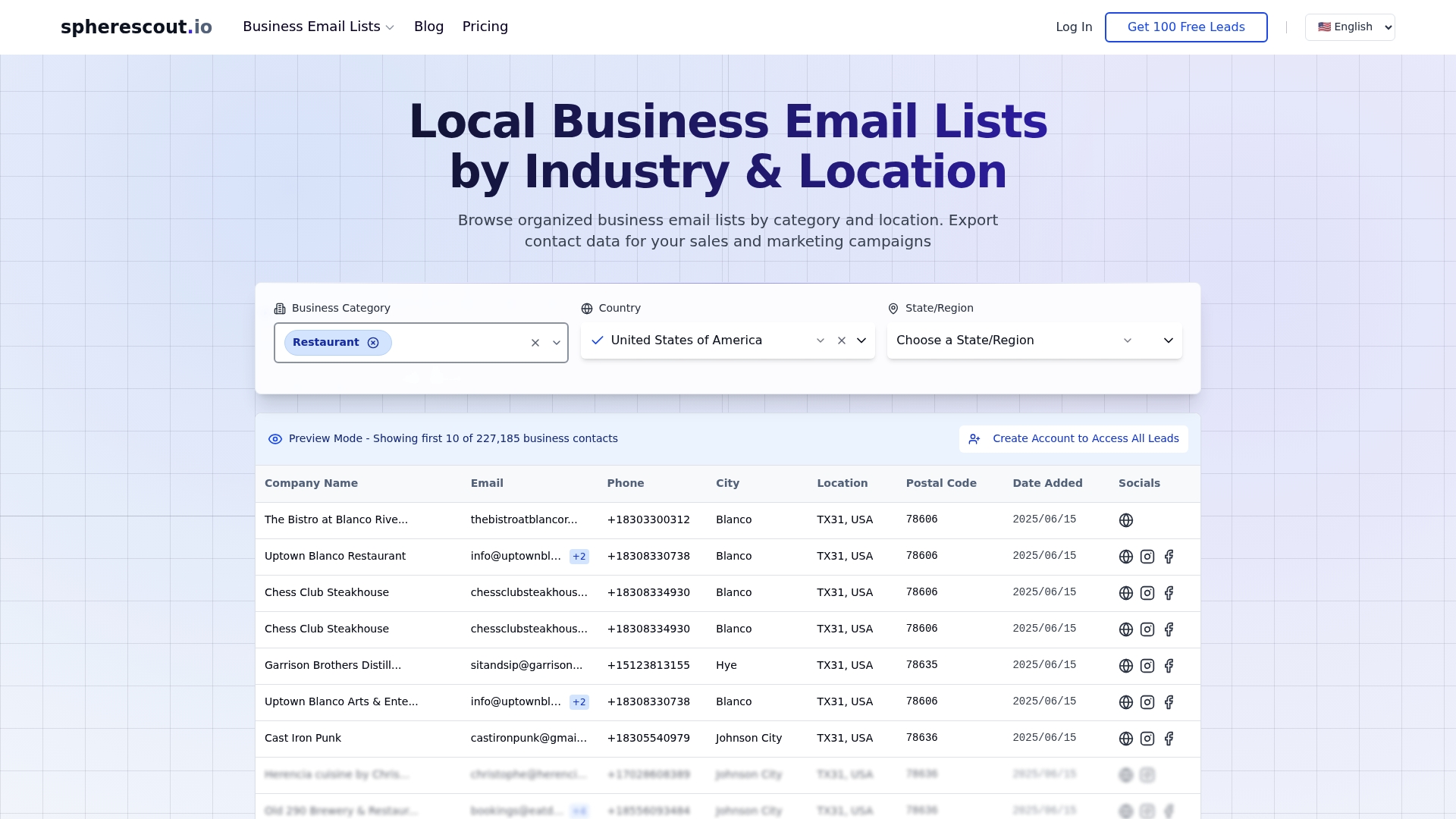
Spherescout gives B2B sales and marketing teams direct access to over 30 million verified business contacts, filterable by industry, city, and postal code. Every export is CRM-ready, with emails, phone numbers, and company details formatted for immediate use. You can explore targeted email lists by industry to launch campaigns built on accurate, segmented data from day one. For teams looking to scale prospecting across multiple markets, Spherescout's lead generation platform offers the structure and data quality that turns best practices into measurable results. Try a free sample to see the contact quality for yourself.
FAQ
What is the most important contact database best practice?
Data accuracy is the foundation. Maintaining email verification above 92% protects sender reputation and keeps bounce rates low enough for campaigns to actually reach inboxes.
How often should you clean your contact database?
Run batch de-duplication and re-verification at least quarterly, but also trigger maintenance whenever you see performance signals like rising bounce rates or query slowdowns. Reactive maintenance catches problems faster than fixed schedules alone.
Why do sales teams struggle to adopt contact management tools?
Adoption fails when tools require reps to leave their existing workflow. Systems that integrate directly with email see consistently higher usage because teams stay in the environment they already work in.
What's the difference between a static database and live contact research?
A static database gives you fast, high-volume access to pre-aggregated contacts but carries the risk of data staleness over time. Live research verifies contacts at the moment of search for maximum freshness, but it's slower and costs more per contact.
How do you organize contacts for better segmentation?
Tag contacts by industry, company size, lifecycle stage, and engagement level, then build dynamic segments that update automatically as those tags change. This approach makes your contact list optimization continuous rather than a one-time project.