
The B2B data market still carries a legacy model from postal marketing: list rental. Many buyers do not know the operational difference between renting and buying. This guide compares both models and explains what each one really means.
1. How email list rental works
Rental is not real access to your data. It is access to a send. The provider sends on your behalf or gives temporary access, and you usually never receive the raw contacts.
That means you cannot import the data into your CRM, enrich it, or reuse it after the campaign.
- Zecible
- Mediaposte
- DBI France
- EasyFichiers
Each new campaign is billed again, even when the audience is similar.
2. Why rental costs more over time
Rental can make sense for a single campaign with no intent to reuse the contacts. Outside that case, you pay repeatedly without building an asset.
The hidden cost is not only the invoice. It is also the lost ability to improve, score and reuse the same contact base.
3. How buying an email list works
With purchase, you export the data and keep it. You can import it into your CRM, run verification, segment, score, and reuse contacts across campaigns.
Quality still varies by provider, so check email verification, freshness, filters and export fields.

4. SphereScout: direct purchase without lock-in
SphereScout uses a direct access model: search by sector or location, preview contacts, export CSV or Excel, and keep the data.
The free sample lets you test the format before paying. Paid plans make the cost per thousand contacts transparent.

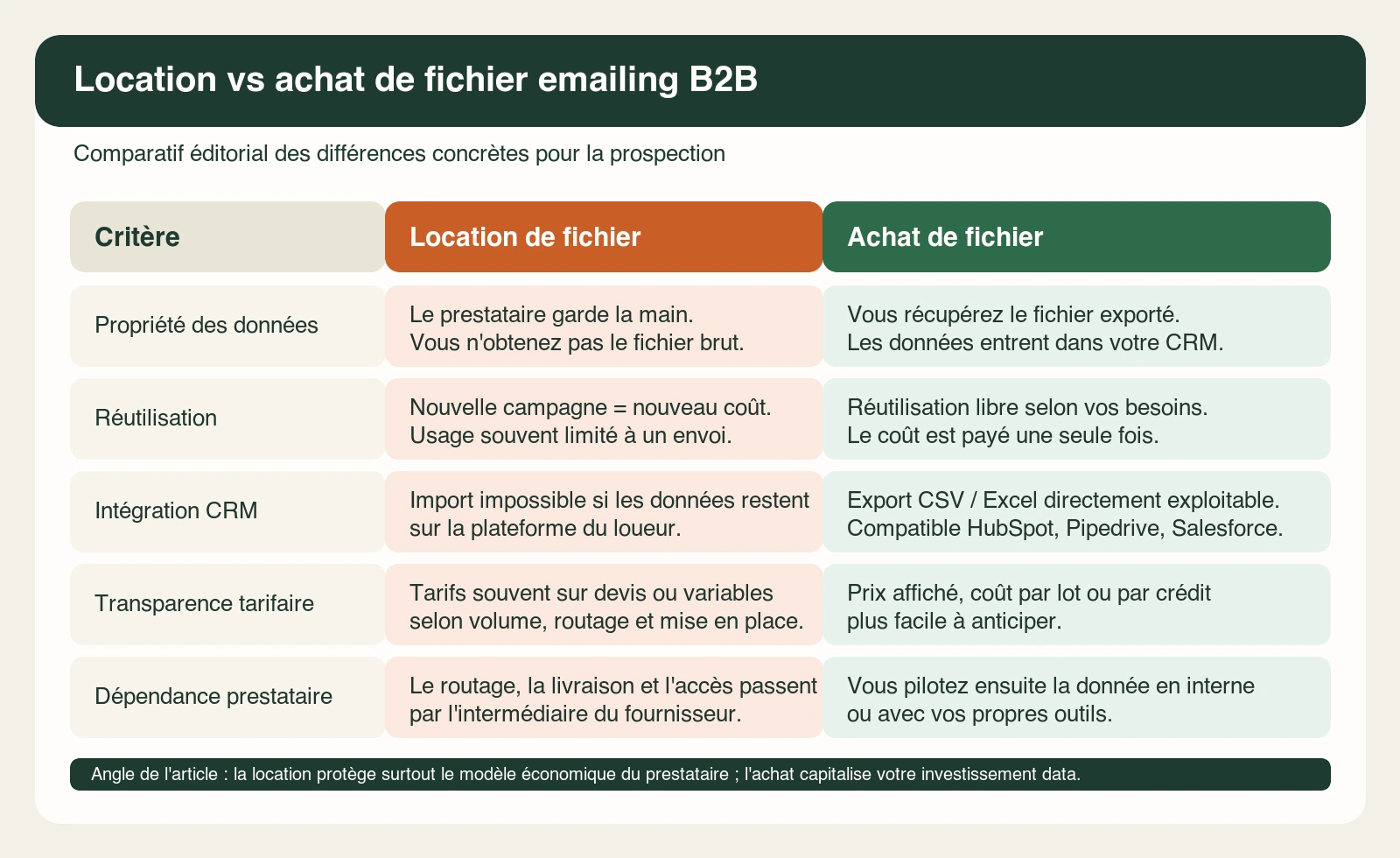
5. Comparison table: rental vs purchase
| Criterion | Rental | Purchase |
|---|---|---|
| Data ownership | Provider | You |
| Reuse | One campaign | Unlimited |
| CRM | Usually impossible | CSV/Excel import |
| Pricing | Quote or campaign fee | Public plan |
| Provider dependency | High | Low |
Rental means paying for each send. Purchase means building a reusable prospecting asset.
6. Legal responsibilities
In B2B, email prospecting rules depend on the message, the recipient role, and the opt-out process. Renting instead of buying does not remove those obligations.
You still need to identify your company, contact professionals in a relevant context, and provide an easy unsubscribe mechanism.
Data ownership and compliance are separate questions: owning a file gives operational control, but you still need responsible outreach.
When renting can still make sense
Renting is not always wrong. It can be acceptable for a one-off awareness campaign, a publisher partnership, or a market test where you do not need CRM ownership afterward.
The problem starts when the same audience matters over time. If sales needs follow-up, segmentation, enrichment, exclusions, or account history, rented access becomes restrictive.
Buyer checklist before paying
- Do you receive the raw data or only a managed send?
- Can contacts be imported into your CRM?
- Are email verification and update dates visible?
- Can you exclude existing customers and previous opt-outs?
- Will you be able to reuse the file for follow-up?
If the answer is no on ownership or reuse, compare the quote with the cost of buying a smaller but usable database. Control often matters more than nominal volume.
Operational recommendation
If the goal is one broadcast and no follow-up, renting may be enough. If the goal is pipeline creation, buying is usually the more useful model because the team can keep notes, suppress bad-fit accounts, enrich contacts, and reuse the segment for later campaigns.
For a first purchase, avoid buying the broadest possible list. Start with a narrower segment, verify quality, then expand once the team knows which categories reply and which fields matter in the CRM.
Choose the usable model
Related guides
- Free email list: 100 B2B contacts by industry - Test a small verified sample before buying or scaling an email list.
- Prospecting list Excel: model and columns
- How to create a prospecting list