

You've built a solid business email list, maybe even grown it to thousands of contacts, but your open rates are flat and replies are scarce. Sound familiar? The problem usually isn't your list size. It's that you're sending the same message to everyone on it. Email list segmentation is the practice of dividing your contacts into smaller, more defined groups so each group receives messages tailored to their specific needs, role, or behavior. Done right, it transforms a generic blast into a precision campaign that actually moves the needle.
- Key ways to segment your email lists for B2B success
- Dynamic vs. static segmentation: Which is right for you?
- Practical steps for implementing segmentation in your campaigns
- Our take: Why smart segmentation beats big lists every time
- Supercharge your B2B campaigns with targeted lists
- Frequently asked questions
Key Takeaways
| Point | Details |
|---|---|
| Segmentation boosts results | Targeted email list segmentation drives higher engagement and campaign ROI for B2B teams. |
| Dynamic beats static | Automated, real-time segments ensure your messages stay relevant as contacts' data changes. |
| Simple actions work | Start with just a few relevant segments and grow sophistication as you track results. |
| Quality over quantity | A smaller, well-segmented list outperforms a massive untargeted one every time. |
Defining email list segmentation: The cornerstone of effective B2B marketing
In B2B marketing, email list segmentation means organizing your contacts into distinct groups based on shared attributes, whether that's industry, company size, job title, purchase history, or how recently they engaged with your last campaign. Instead of sending one message to your entire list, you send targeted messages to each group. The difference in results can be dramatic.
Think about what a generic blast looks like from the recipient's side. A CFO at a 500-person manufacturing firm and a marketing coordinator at a five-person tech startup are not the same buyer. They have different pain points, different decision-making authority, and different timelines. Sending them identical emails wastes your budget and erodes trust. Segmentation fixes that.
Here's why segmentation matters so much for B2B teams specifically:
- Relevance drives engagement. Personalized emails consistently outperform generic ones because they speak directly to the reader's situation.
- Shorter sales cycles. When the right message reaches the right person at the right time, buying decisions happen faster.
- Better sender reputation. Lower bounce rates and higher engagement signals tell inbox providers your emails are wanted, protecting your deliverability.
There's also an important technical distinction worth knowing: static versus dynamic segmentation. Static lists are manually created and updated. You pull a segment, export it, and it stays frozen until someone updates it. Dynamic segmentation, on the other hand, automatically updates segments using real-time data and behavior rules, such as moving a contact into a "recent purchaser" group the moment they complete a transaction.
"Dynamic or automated segmentation uses real-time data and rules to automatically update segments, such as recent purchasers, contrasting with static lists that require manual updates." This shift from manual to automated list management is one of the biggest productivity gains a B2B team can make.
If you're just getting started with lead generation using segmentation, understanding this static versus dynamic divide early will save you a lot of rework down the road.
Key ways to segment your email lists for B2B success
After understanding what segmentation is and why it matters, the next step is knowing how to actually segment your B2B email list. There are several approaches, and the right one depends on your data quality, your sales process, and the tools you have available.
The most common and effective segmentation criteria for B2B email marketing include:
- Industry or vertical: A SaaS vendor messaging healthcare versus retail should adapt both the problem it's solving and the regulatory language it uses.
- Company size: SMEs and enterprise accounts have radically different buying committees, budget cycles, and onboarding expectations.
- Decision-maker role: A technical buyer like an IT manager evaluates differently than an economic buyer like a VP of Finance.
- Purchase or engagement history: Contacts who opened your last three emails are warm leads. Contacts who haven't engaged in six months need a re-engagement sequence, not a sales pitch.
- Geographic location: Regional regulations, time zones, and even cultural nuances can make location-based segmentation valuable for certain industries.
Now, here's a simple comparison of three common segmentation approaches to help you figure out where to start:
| Segmentation approach | How it works | Best for | Main limitation |
|---|---|---|---|
| Manual/static | Contacts sorted by hand into fixed lists | Small lists, simple campaigns | Time-consuming, gets stale fast |
| Rule-based automation | Filters applied automatically when contacts meet set criteria | Mid-size lists, consistent data | Requires clean, structured data |
| Dynamic/real-time | Segments update automatically as behavior or data changes | High-volume, complex campaigns | Needs robust CRM or ESP integration |
For most SME marketing teams, rule-based automation is the sweet spot. It's significantly more efficient than manual sorting, and it doesn't require the heavy technical setup that full dynamic segmentation demands.
Here's a practical three-step approach to implementing your first segmentation:
1. Audit your current list. Identify what data fields you already have. Email, company name, and industry are a good starting point. Missing fields highlight where you need to enrich your data.
2. Choose two to three initial segments. Don't try to create 15 segments at once. Pick the divisions that align most closely with your top buyer personas and build from there.
3. Map messaging to each segment. Before you send anything, document what makes each segment unique and what message is most relevant to their situation. Only then build your email templates.
Good B2B email marketing strategies always prioritize message-to-market fit. Segmentation is how you achieve that fit at scale.
Pro Tip: Start with broad segments and measure results before narrowing further. Over-segmentation early on leads to thin lists and unreliable performance data. Get a baseline, then refine.
Dynamic vs. static segmentation: Which is right for you?
Now that readers have segmentation strategies to try, it's critical to understand the technology and workflow differences between static and dynamic list management, because choosing the wrong approach for your team's resources can create more problems than it solves.
Static segmentation is straightforward. You create a list based on fixed criteria, say, all contacts in the manufacturing industry with more than 100 employees, export it, and use it. The segment doesn't change until you manually update it. This is fine for small campaigns or one-off outreach, but it becomes a liability quickly. Contacts change jobs, companies grow, and engagement levels shift. A static list doesn't know any of that.
Dynamic segmentation automatically reflects those changes. Using real-time rules and behavior data, contacts move between segments as their attributes or actions change. A lead who visits your pricing page gets added to a high-intent segment automatically. A contact who hasn't opened an email in 90 days gets flagged for re-engagement.

Here's a side-by-side breakdown of the pros and cons for SME teams:
| Factor | Static segmentation | Dynamic segmentation |
|---|---|---|
| Setup complexity | Low | Medium to high |
| Maintenance effort | High (manual updates) | Low (automated) |
| Data freshness | Degrades over time | Stays current |
| Cost | Minimal | Requires ESP/CRM investment |
| Best use case | One-time campaigns | Ongoing nurture sequences |
| Risk | Outdated contacts | Rules misconfiguration |
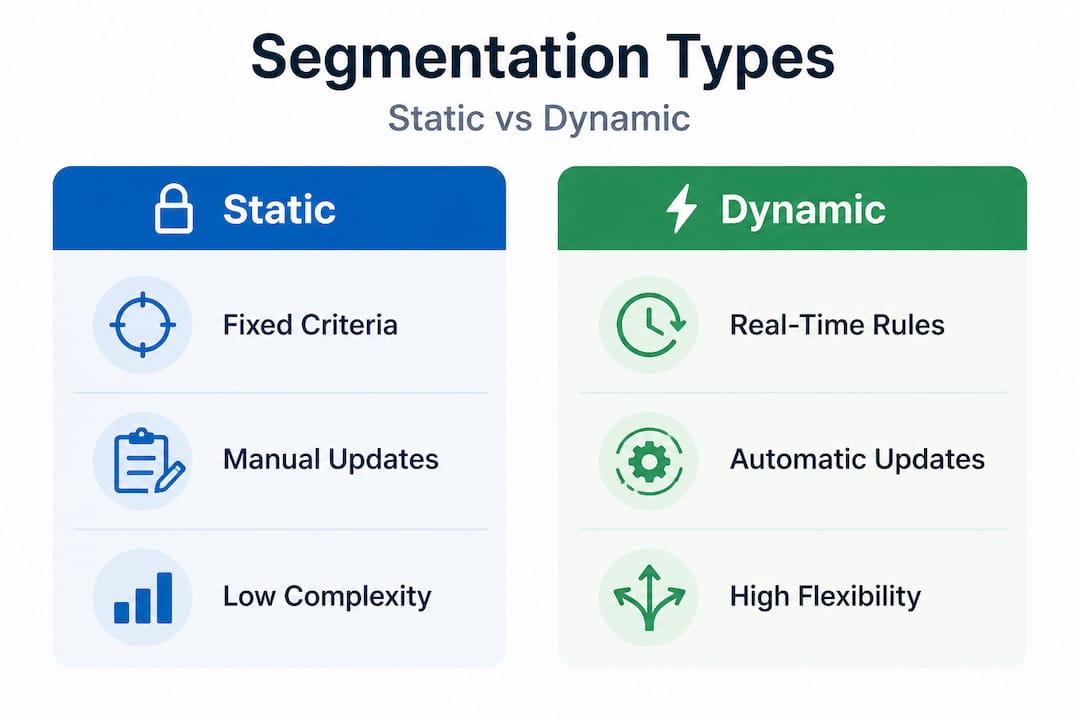
For many SMEs, the answer isn't choosing one or the other. It's using static lists for targeted one-off outreach and dynamic segments for ongoing nurture campaigns. You layer them based on campaign type and list size.
The critical factor is your data infrastructure. Dynamic segmentation is only as good as the data feeding it. If your CRM fields are inconsistent or incomplete, your automated rules will produce garbage segments. Garbage in, garbage out.
- Clean, standardized field values are non-negotiable before implementing dynamic rules.
- Define your segment logic in plain language first, then build the technical rules to match.
- Audit your dynamic segments monthly to catch rule errors or data drift.
If you're sourcing contacts externally, starting with buying segmented email databases that are already organized by industry or geography gives you a clean foundation to build on, rather than trying to enrich chaotic in-house data.
Pro Tip: For lists over 5,000 contacts, rule-based or dynamic segmentation tools pay for themselves quickly. Manual sorting at that scale leads to errors and is simply not sustainable for a lean marketing team.
Practical steps for implementing segmentation in your campaigns
Equipped with knowledge of segmentation types, teams need a clear roadmap to confidently implement segmentation in their B2B campaigns without common pitfalls derailing the effort.
Here's a five-step process that works for most B2B teams at the SME level:
1. Define your segmentation goals. Are you trying to improve open rates, drive demo bookings, or re-engage cold leads? Your goal determines which segmentation criteria matter most and which metrics you'll track.
2. Enrich and clean your data. Segmentation is only as good as the data behind it. Review your contact records for missing fields, duplicate entries, and outdated information. A CRM with data validation rules is invaluable here. Contacts without key fields like industry or role should be flagged for enrichment or removed.
3. Set up your segments in your CRM or email service provider (ESP). Most modern platforms like HubSpot, ActiveCampaign, or Mailchimp let you build segment filters using contact properties. Start with the simplest filter that creates a meaningful group. For example, "contacts in the healthcare industry who opened an email in the last 30 days."
4. Create tailored content for each segment. This is where most teams underinvest. Segmentation without personalized content is just a prettier version of the same generic blast. Write subject lines and body copy that directly address the specific challenges or goals of each segment.
5. Test, measure, and iterate. Run your first segmented campaign and track open rates, click-through rates, and conversion rates by segment. Compare against your previous unsegmented benchmarks. The data will tell you which segments are responding and which need refining.
Your CRM is central to making this work. It stores the behavioral and firmographic data that powers your segments and keeps everything connected across marketing and sales. If your CRM data is clean and current, business list segmentation tips will naturally translate into real campaign performance gains.
Common mistakes to avoid:
- Too many segments too soon. Fifteen micro-segments with 50 contacts each won't give you statistically meaningful data. Start broad.
- Ignoring list hygiene. Bounced emails and unsubscribes that stay in your active segments distort your results and hurt deliverability.
- Set-it-and-forget-it mentality. Segments need to be reviewed regularly. A "hot lead" segment from six months ago may now be filled with contacts who have gone cold.
- Misaligned messaging. The whole point of segmenting is to send more relevant messages. If the email content doesn't actually differ between segments, you've done the hard work for no payoff.
Pro Tip: Schedule a quarterly list hygiene audit. Remove contacts who haven't engaged in over 180 days, correct standardized field values, and verify that your dynamic segment rules still match your current targeting strategy. Clean lists outperform large, messy ones every time.
Our take: Why smart segmentation beats big lists every time
Here's something most marketers take too long to learn: obsessing over list size is a trap. We've seen teams with 50,000-contact lists get worse results than competitors running tightly segmented campaigns of 8,000 contacts. Volume feels like progress. Targeting is progress.
The real ROI of segmentation isn't just better open rates. It's better qualified pipeline. When the right message reaches the right person at the right stage of the buying journey, your sales team spends time on leads that are actually ready to talk. That's a compounding advantage.
Segment-driven nurture tracks are particularly powerful for long B2B sales cycles. Instead of following up generically every two weeks, you can build sequences that respond to a contact's specific behavior, whether that's downloading a whitepaper, visiting a product page, or attending a webinar. The segmentation's impact on marketing results shows up clearly in pipeline velocity and close rates, not just email metrics.
The uncomfortable truth is that most teams under-invest in segmentation because it requires upfront work on data quality and content strategy. It's easier to send a blast. But the campaigns that consistently perform are built on precise targeting, not volume. If you've been chasing list growth without equally investing in segmentation strategy, it's worth pausing and redirecting that energy.
Supercharge your B2B campaigns with targeted lists
If this guide has made one thing clear, it's that segmentation starts with good data. Without accurate, well-organized contact information, even the most sophisticated segmentation strategy falls apart before the first email goes out.
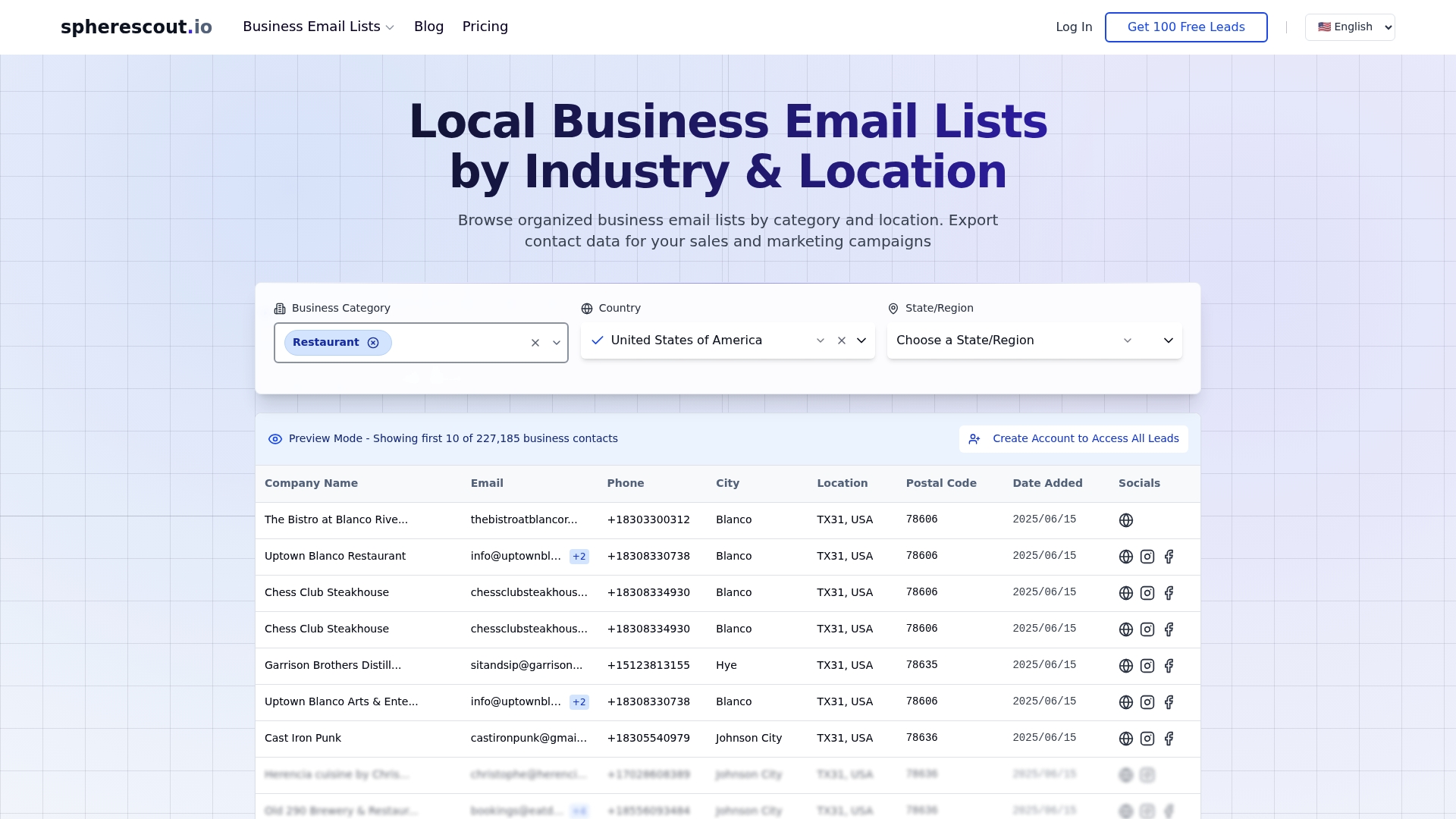
That's where SphereScout comes in. Our platform gives you access to over 30 million business contacts organized by industry, geography, company size, and more. Whether you need to buy B2B email lists for a national campaign or pull local business email lists for a city-specific push, SphereScout delivers clean, export-ready CSV files that plug directly into your CRM or email platform. You can start with a free sample to see exactly what the data looks like before committing. Skip the data cleanup headaches and go straight to building campaigns that convert.
Frequently asked questions
What is the main purpose of email list segmentation in B2B marketing?
Email list segmentation enables more personalized communication, which drives higher engagement and conversion rates in B2B campaigns. By targeting specific groups with relevant content, you reduce wasted outreach and improve your overall return on investment.
How does dynamic segmentation work?
Dynamic segmentation automatically updates email groups as contacts' data or behavior changes, ensuring messages stay relevant without requiring manual list maintenance. For example, a contact who makes a purchase is instantly moved into a post-sale nurture sequence.
Can email list segmentation really improve campaign ROI?
Yes, segmenting your email list makes your campaigns more targeted, often resulting in dramatically better ROI because your messages reach people with a genuine interest in what you're offering. Generic blasts spread the same message to vastly different buyers, diluting impact and wasting budget.
How many segments should a typical B2B company start with?
Most B2B teams should begin with three to five key segments aligned with their best buyer profiles, then refine over time as performance data accumulates. Starting with too many segments too early leads to thin lists and unreliable metrics.
Is list hygiene important when segmenting email lists?
Absolutely. Clean, up-to-date contact lists are essential for effective segmentation and strong email deliverability, since bounced emails and stale contacts distort your segment performance data and can damage your sender reputation over time.
Recommended
- Boost lead generation with effective business list segmentation | spherescout.io Blog
- Email marketing strategies that drive real B2B results | spherescout.io Blog
- Why email list verification is critical for B2B outreach | spherescout.io Blog
- B2B Email Marketing Process for Lead Generation Success | spherescout.io Blog
- Email Marketing - G4 Marketing Online