TL;DR
- I stopped trusting product pages and started testing tools myself.
- Reddit threads and real-user reviews showed the same pain points everywhere.
- Most tools break on outdated data, pricing, UI, CRM integration, and weak scalability.
- So I ran hands-on tests on 10+ data enrichment tools, focusing on accuracy, cost, and usability.
- I used SphereScout to generate local business leads — $3 for 1,000 raw leads.
Best-in-market pricing. - Clay was the only enrichment tool that consistently delivered results.
- It returned 76% verified emails on a narrow, SMB-focused dataset.
- Persana.ai didn’t return any people's data for the same test, so I dropped it.
- +8 more tools did not make it - Apollo.io, Lusha, Adapt, Kaspr, FullEnrich, RocketReach, Cognism, ZoomInfo, Clearbit.
Reports show that B2B data can decay by as much as 30% to 70% per year.
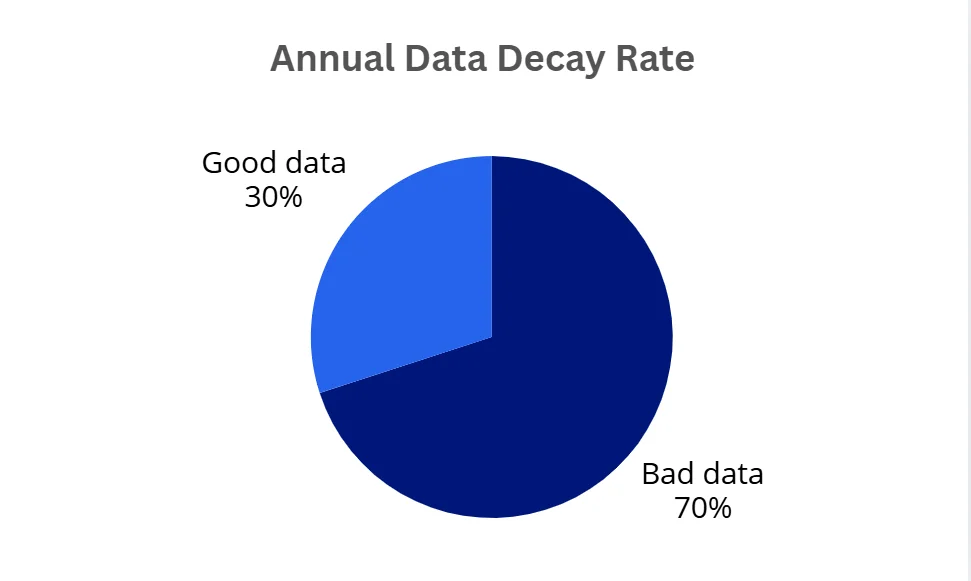
That makes enrichment necessary.
But with so many tools out there, how do you choose the best one that fits your budget and scale while providing freshest and accurate data?
With so many choices, it’s easy to get lost.
I did the homework so you don’t waste days figuring this out.
I ran hands-on tests and reviewed 10+ data enrichment tools to give you a concrete pick for your stack.
|
Tools |
Rating (G2) |
Price/1K enrichments |
Accuracy |
Best feature |
Major drawback |
|
Clay |
4.8 |
$629 |
💯 |
Multi-source, provider customization |
Expensive (If you’re not optimizing) |
|
Persana.ai |
4.6 |
$308 |
💯 |
AI prospect research agent (Autopilot) |
Poor fit for small and niche industries. |
|
Apollo.io |
4.7 |
$220 |
👎 |
Massive database |
Outdated database |
|
Adapt.io |
4.6 |
$99 |
👍 |
Easy to use |
Not scalable |
|
Kaspr |
4.4 |
$531 |
👍 |
High accuracy for european data |
Doesn’t find people from company data |
|
Lusha |
4.3 |
$700 |
👎 |
Chrome extension |
Doesn’t find people from company data |
|
Fullenrich |
4.8 |
$605 |
💯 |
Triple email Verification |
Doesn’t find people from company data |
|
RocketReach |
4.4 |
$175/seat |
💯 |
Massive database (700M profiles) |
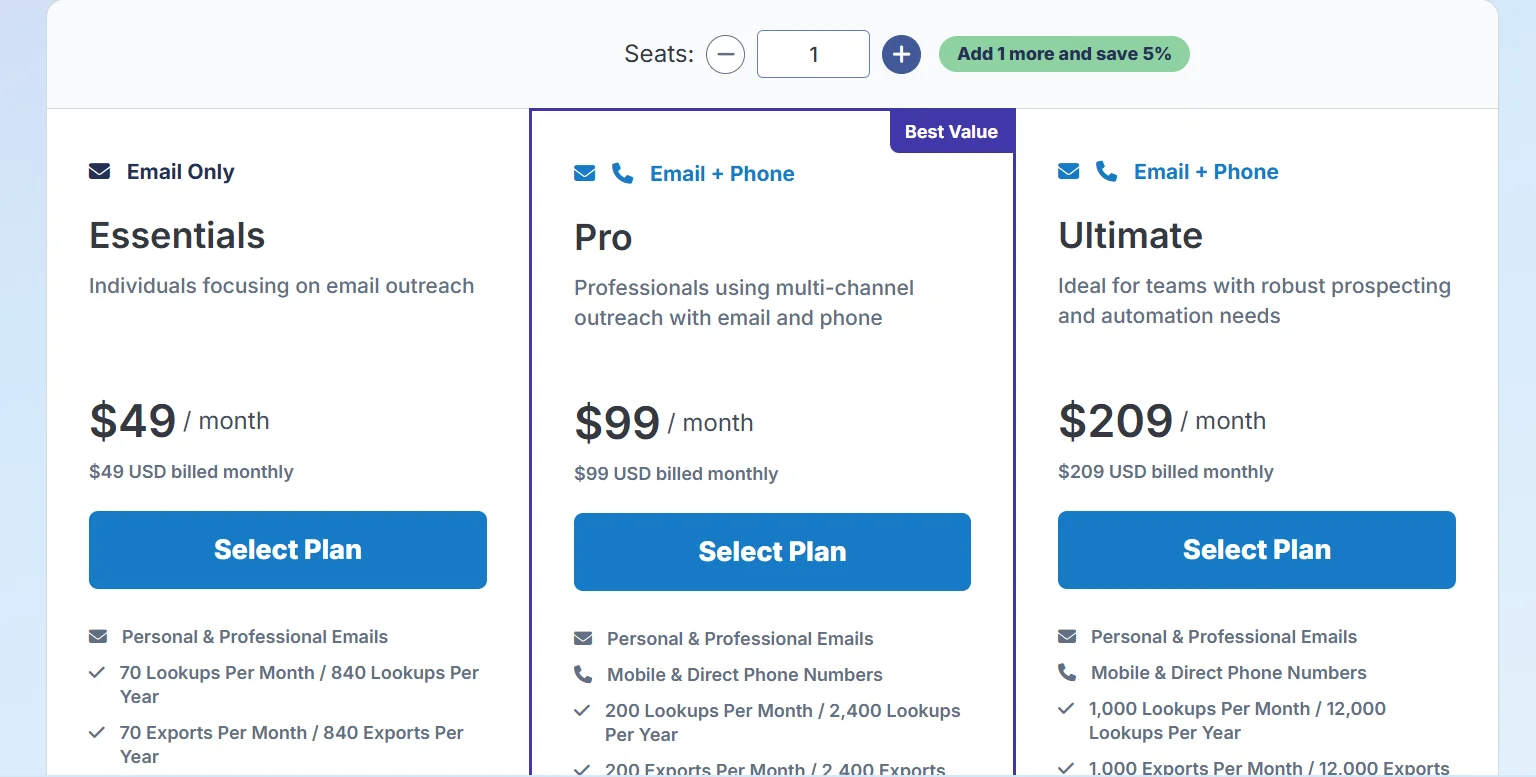
Pricing per seat, monthly lookup and export limit |
Endly, I hand-picked the most accurate tool for SMBs doing local lead generation.
And I also explain why the other tools didn’t make it to the top list.
But before that, let’s understand some basics about data enrichment…
What is data enrichment?
Data enrichment means adding extra information to your existing data to make it more complete and useful.
That includes verified work emails, direct dials, job titles/decision-maker roles, plus, company size, industry, and location.
Some tools also offer technographics and public signals (e.g., Google ratings/review counts) to help you qualify leads faster.
Why does data enrichment matter for local lead generation?
Bad data makes local lead generation harder.
When your contact list lacks essential details, like accurate phone numbers or valid email addresses, your team wastes time chasing dead ends.
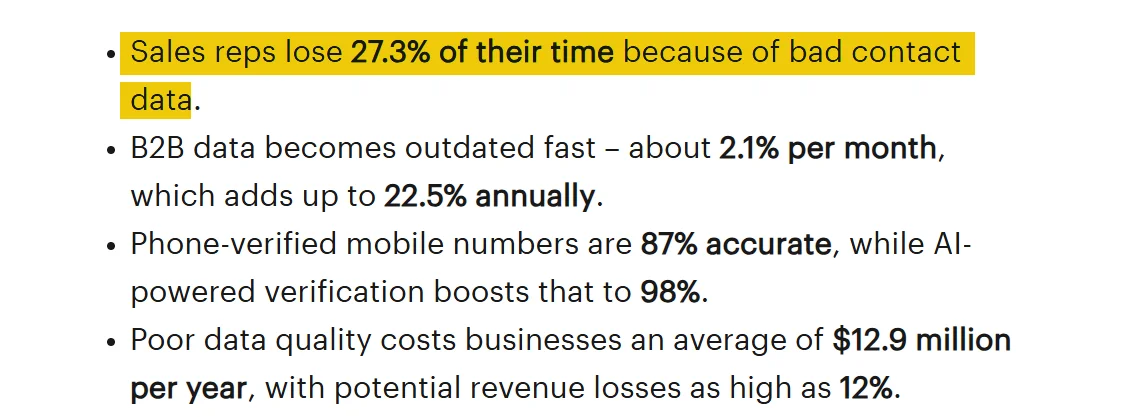
In fact, sales reps lose 27.3% of their time because of bad contact data.
Bad data doesn’t just slow your team down, it also hurts your revenue.
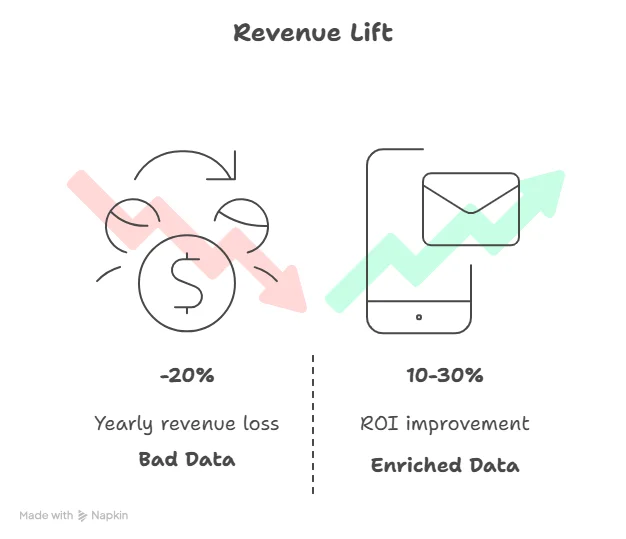
Research shows that bad data can cost up to 20% of a company’s annual revenue.
Another reason to care about enrichment? Good data increases efficiency.
It powers personalization.
With enriched data, you can craft relevant subject lines, tailor messages, and create localized offers.
And that matters because personalized outreach drives results, lifting revenue by 5–15% and improving ROI by 10–30%.
But as I said earlier, enrichment starts with existing data or basic records.
Now what if you don’t have existing records in the first place?
Where do you start?
How to find leads for local lead generation?
Google Maps is the obvious place to start because it hosts over 200 million businesses across every niche and location.
If you’re targeting local businesses, it makes sense to start where they already live online.
But there’s a limit—each search only returns a few hundred listings, and it’s far from exhaustive.
For example, I searched “lawyers in Tennessee” on Google Maps and only got 120 leads.
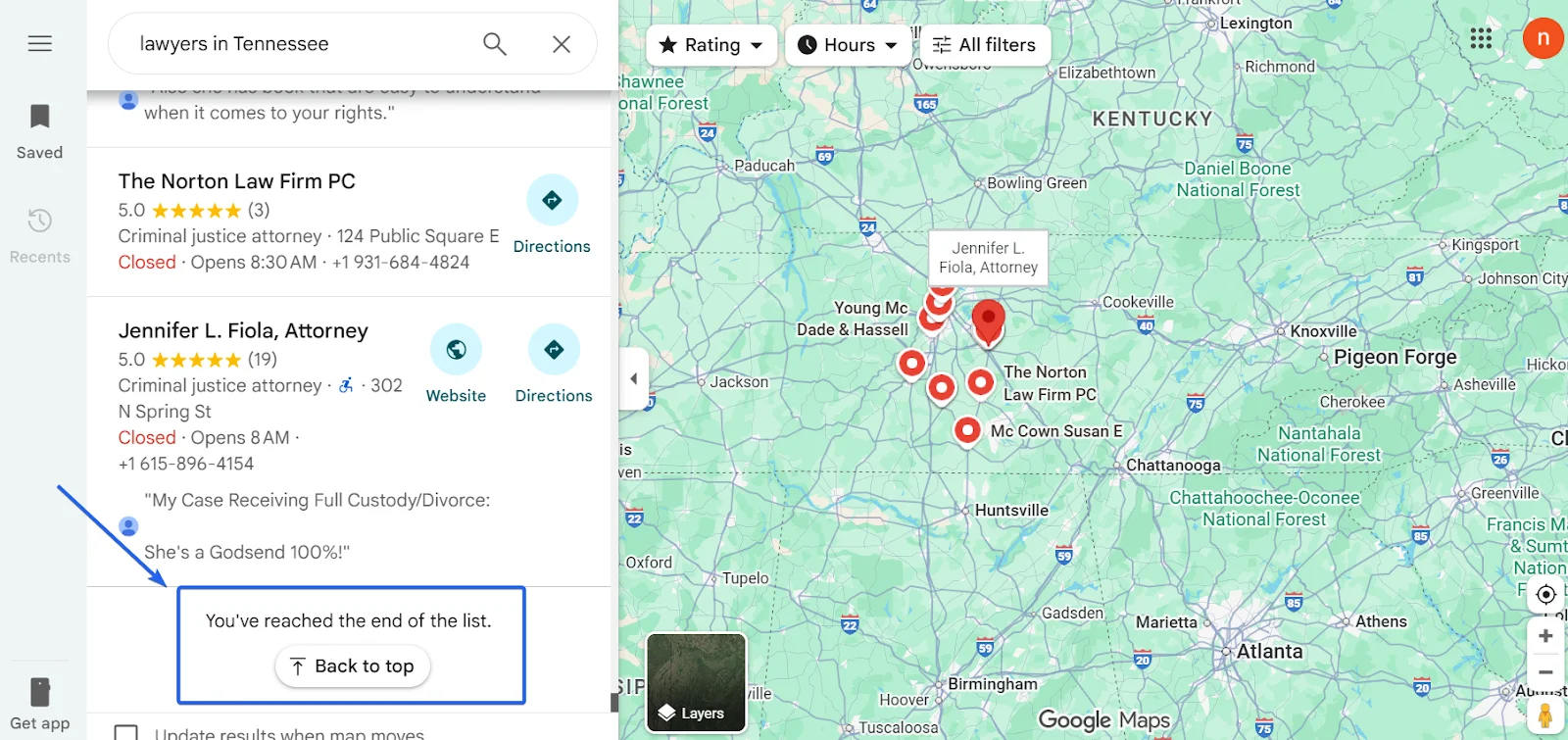
You can play around with zip codes and filters, but it’s tedious and you’ll still miss a lot.
If you want more control, tools like lobstr.io let you scrape leads directly from Google Maps.
But scraping takes time, about 5–10 minutes for every 1,000 leads, and even longer if you want richer data points.
So how do you actually build an exhaustive list of local businesses, fast?
How to build local leads fast?
I used SphereScout, the world’s largest B2B and small business database, with clean, fresh, ready-to-export local business leads.
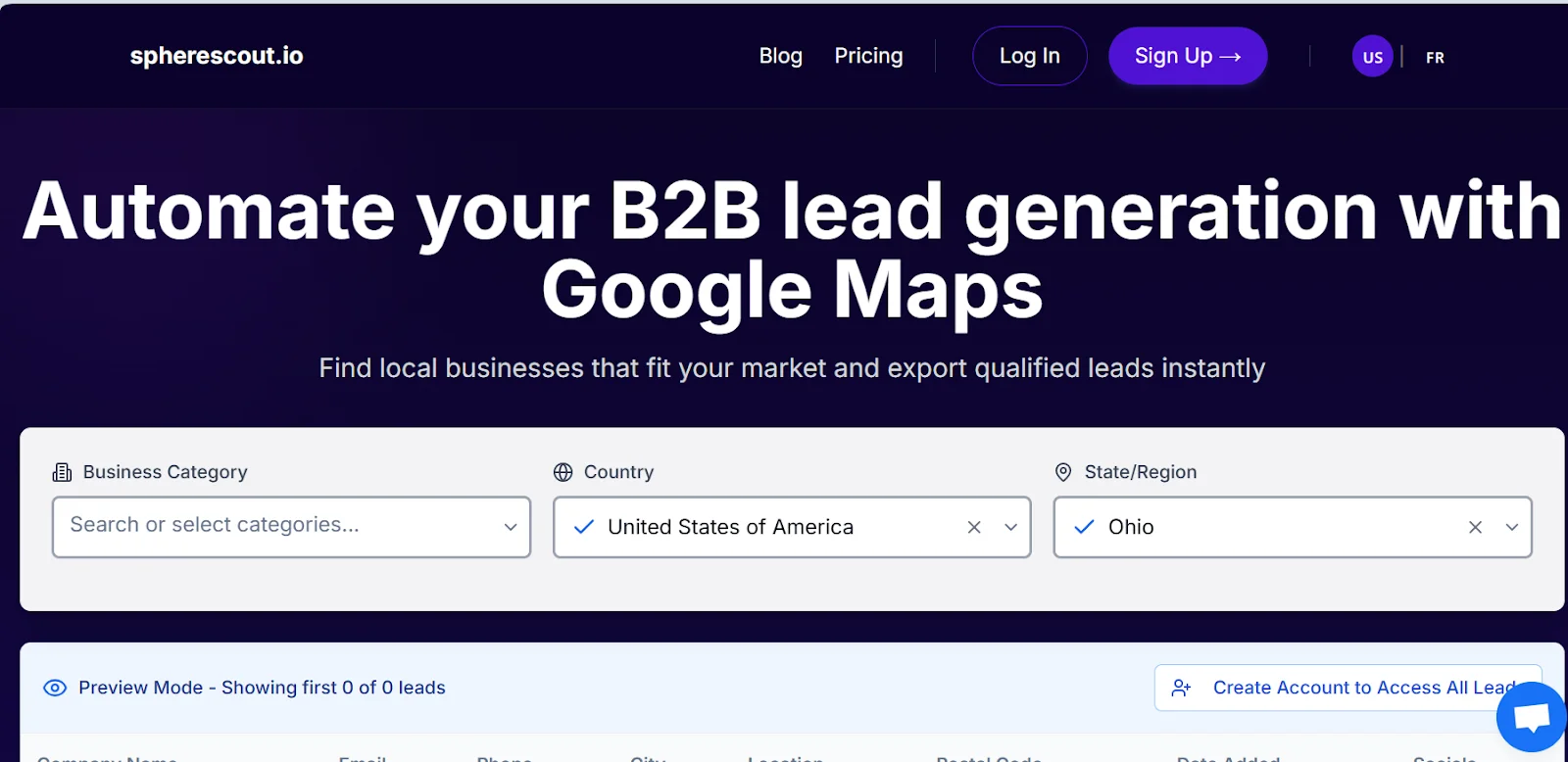
SphereScout gives you access to 200+ millions of local business leads.
It pulls data from Google Maps and is built specifically for targeting small and local businesses.
You can get thousands of leads in seconds.
How does it work?
It’s really simple.
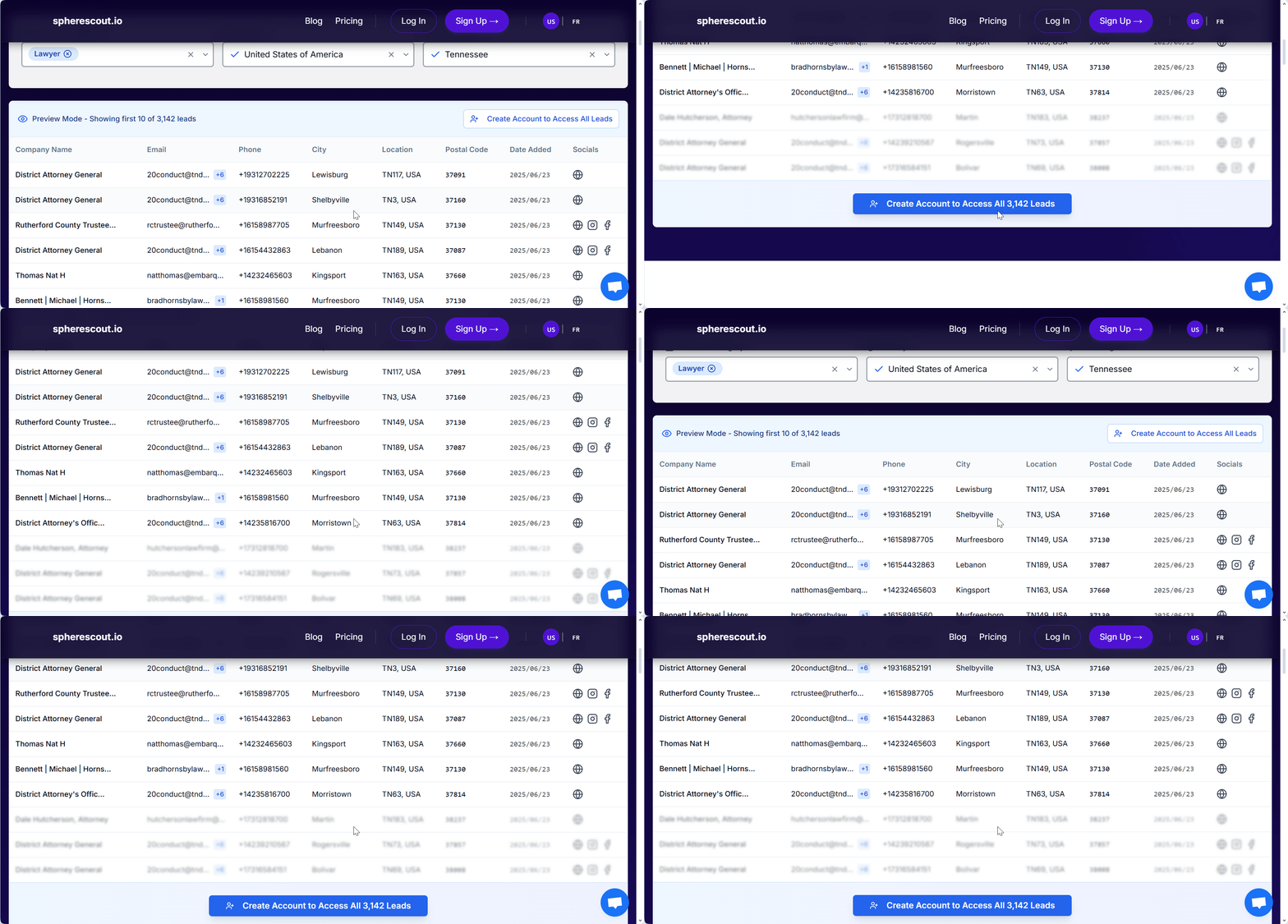
For example, let’s say you’re targeting lawyers in Tennessee.
Open SphereScout, type “Lawyer” as the category, set the location filter to “Tennessee,” then click Search Leads and export the CSV. And you’re done!

You can get more than 3000 leads in less than 10 seconds.
That’s 25x more than what Google Maps gives you for the same search.
Current core coverage (for now) is the US, France and Portugal.
We do, however, plan to expand into more countries, please feel free to email us contact@spherescout.io if you have suggestions or regional needs.
Features
- Monthly data refresh
- Clean, verified local business leads refreshed monthly
- Includes website, phone numbers, emails, and social media handles
- Geo-filters by region, county/department, or city
- Filter leads by available contact methods: email, phone, or mobile
- Filter by online presence: website, Facebook, Instagram
- Filter by customer signals: average rating, number of reviews, and open/closed status
- Export leads to CSV or Excel instantly
Pricing
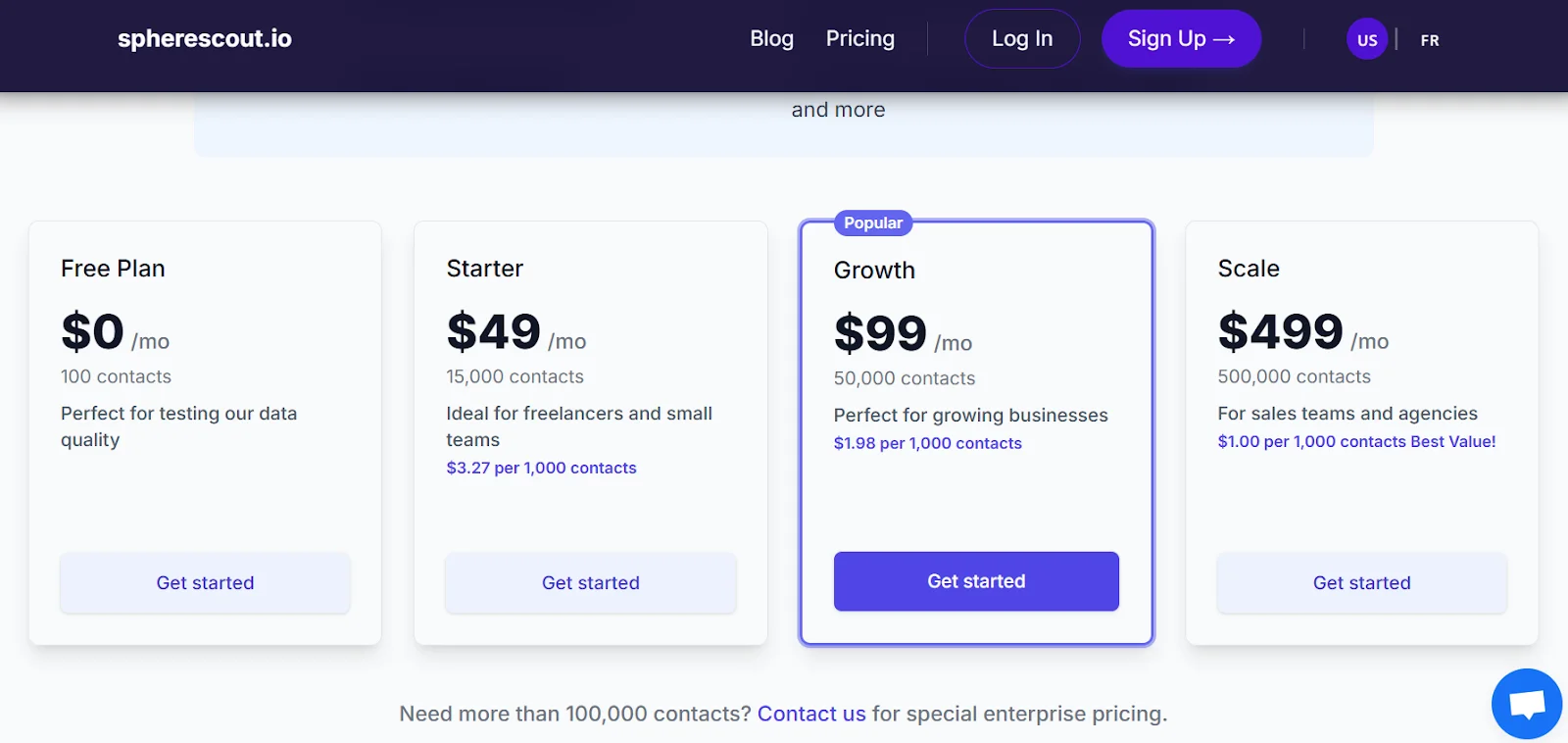
- Free trial with 100 leads per month
- $3 per 1K leads
- At scale, price drops to $1 per 1K leads
Why sourcing isn’t enough for outreach
At this point, I could’ve jumped straight into outreach, but I faced a major problem.
There’s (almost) no individually named email addresses.
At SphereScout, emails are collected from the website of the local business—first found from Google Maps.
It is a generic company email address e.g., contact@company.com.
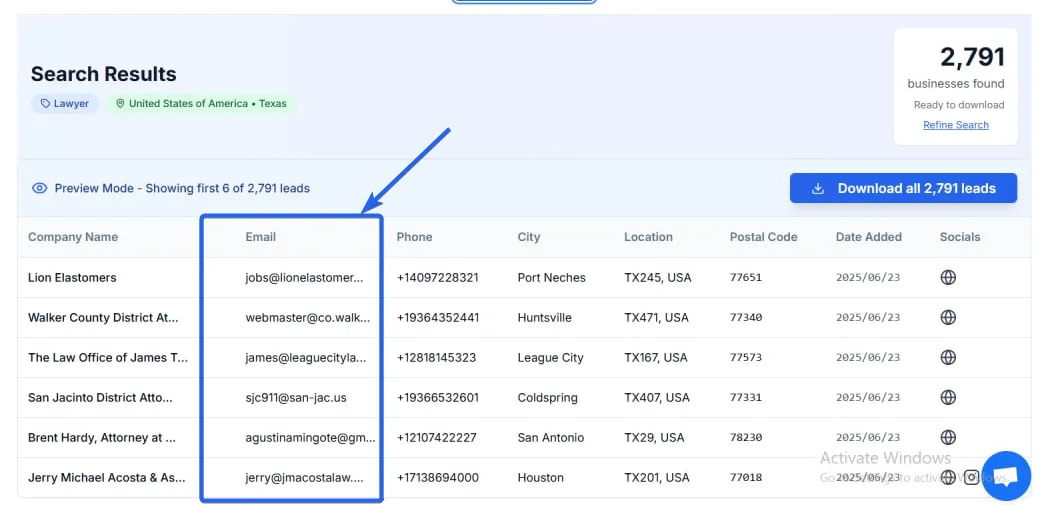
The data also lacks deeper company insights.
Fields like revenue, monthly traffic, or job openings can be useful for personalization.
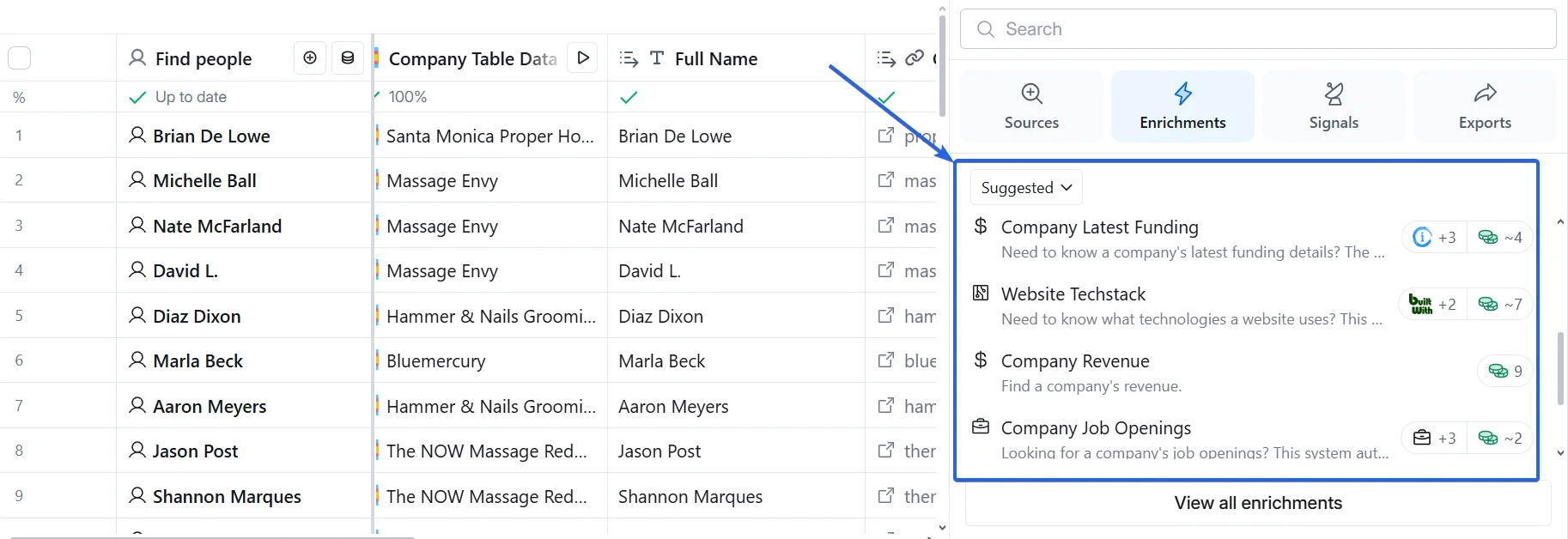
That’s why enrichment is needed.
So how do you actually choose a tool that delivers real value?
Googling “best data enrichment tools” mostly yields feature lists, not real performance insights.
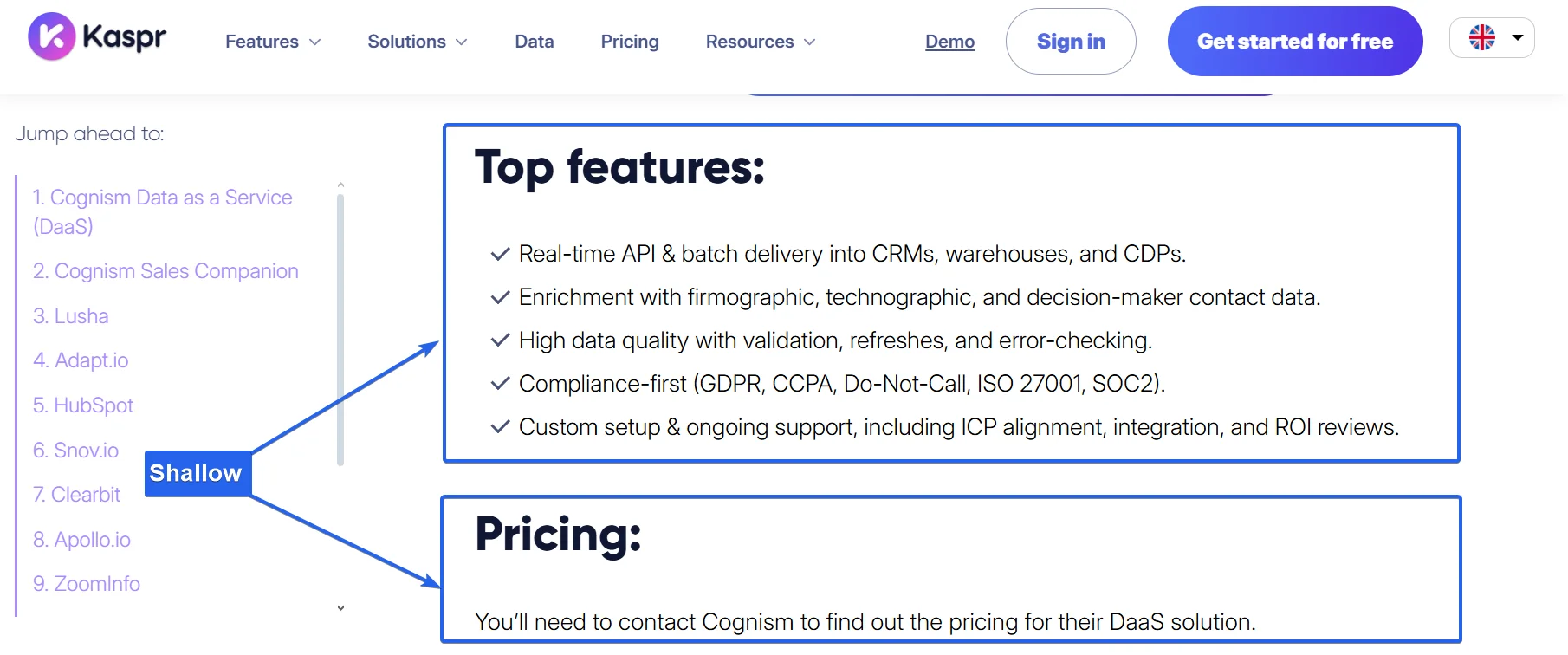
So I reviewed dozens of Reddit threads, user discussions, and verified reviews.
Five key factors stood out, real dealbreakers beyond the marketing fluff.
Don’t choose a tool without checking these 5 things
These are the five things that matter most in a data enrichment tool:
- Accuracy
- Pricing
- Ease of use
- Integrations
- Scalability
Let me show you how I measured each of these in practice.
1. Accuracy
Outdated data is the biggest risk in enrichment.
Businesses close, change ownership, or update their contact details. As a result, B2B data decays rapidly — up to 70% per year.
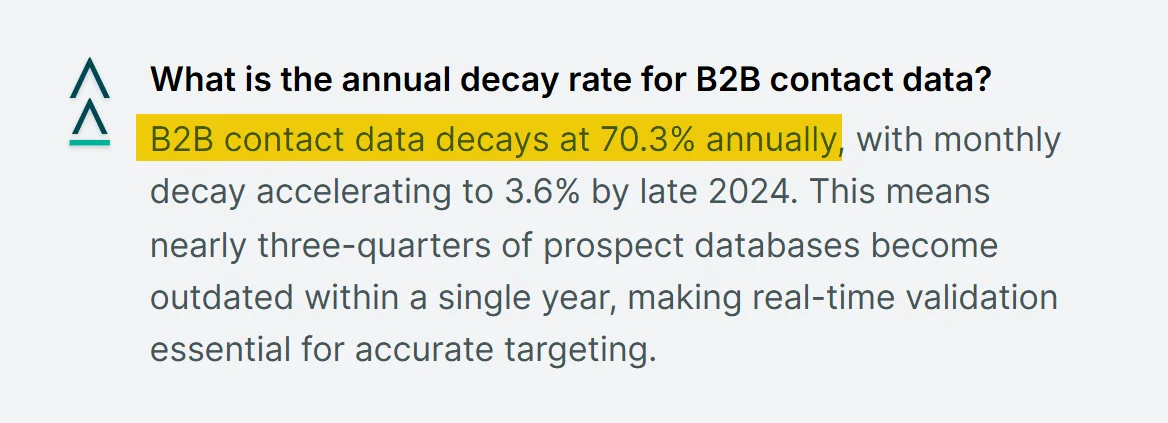
Thus, the data refresh frequency is key.
Yearly, monthly, daily — the best product is the one with the most up-to-date data.
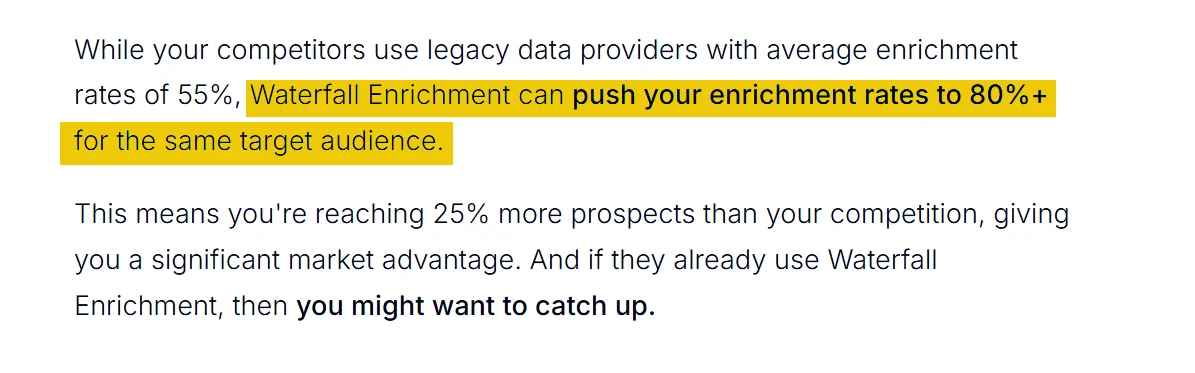
Second, I also looked for tools that support waterfall enrichment.
Waterfall enrichment is the process of leveraging several providers concurrently to achieve a successful enrichment.
For instance, let’s say you're trying to enrich one contact.
Instead of stopping after the first provider fails, waterfall logic keeps trying others until it finds a verified result.
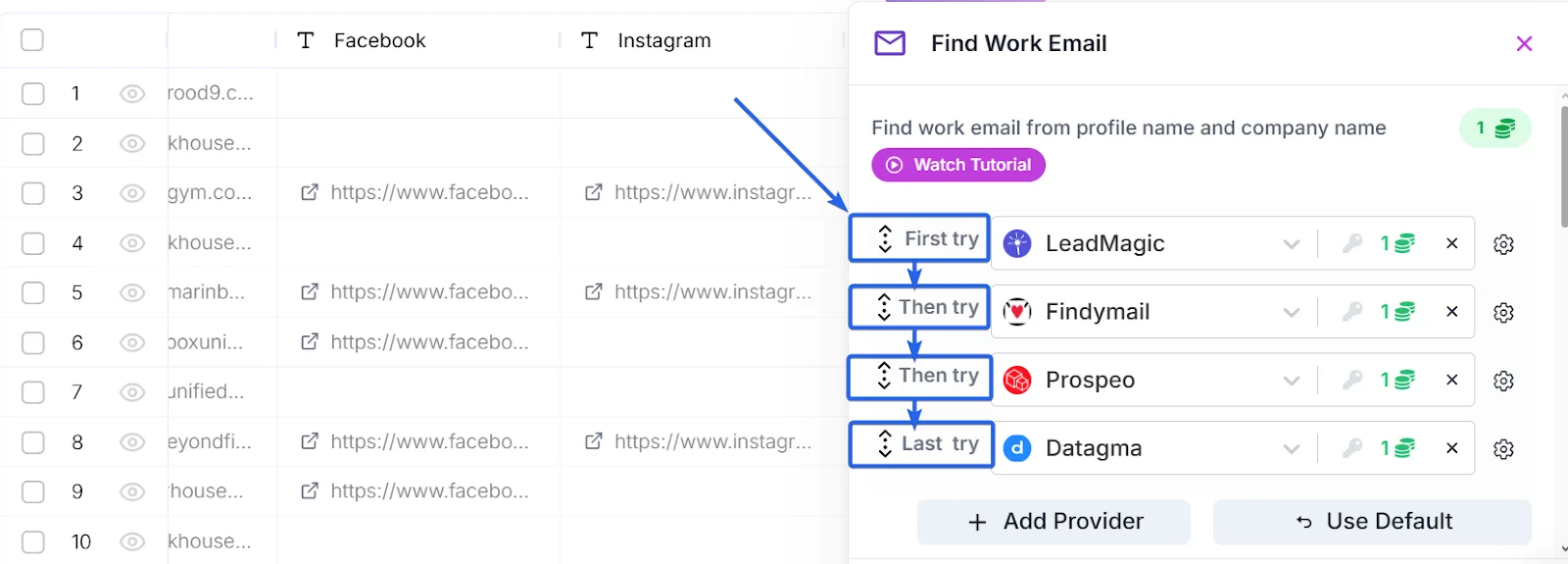
This reduces reliance on a single source and improves both match rate and data completeness.
Once I understood the product-level strengths, I ran a real-world test.
I exported niche, local business records from SphereScout and used each tool to find decision-makers and their contact info.
Then I compared the results side by side.
Looked at how many people each tool returned — and the email enrichment success rate.
I didn’t stop at my own test, I cross-checked my findings at scale.
I reviewed third-party case studies that measured match rates and data completeness across thousands of records.
These helped validate which tools consistently return verified emails and full contact profiles.
Finally, I compared everything with real-user feedback.
I read dozens of reviews from G2 to see what actual users reported about data quality and reliability.

This added context to what I saw in testing, especially around bounce rates.
2. Price
Each platform uses its own credit system, tiers, and definitions of what counts as a “lookup.”
So I broke things down into what really matters — how many full records you can enrich, and at what cost.
First, I looked at how many credits each data point burns — name, email, phone number.
Then I added them up to estimate the credit cost for full enrichment.
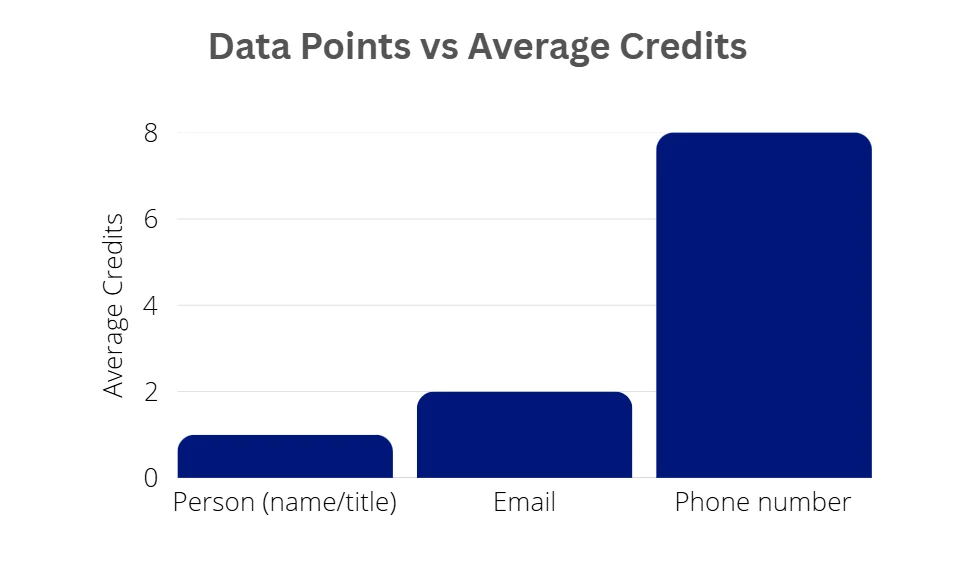
For this comparison, full enrichment means finding a person’s name/role, email, and phone number (the bare minimum for effective outreach).
From there, I mapped how many records you enrich fully on each plan.
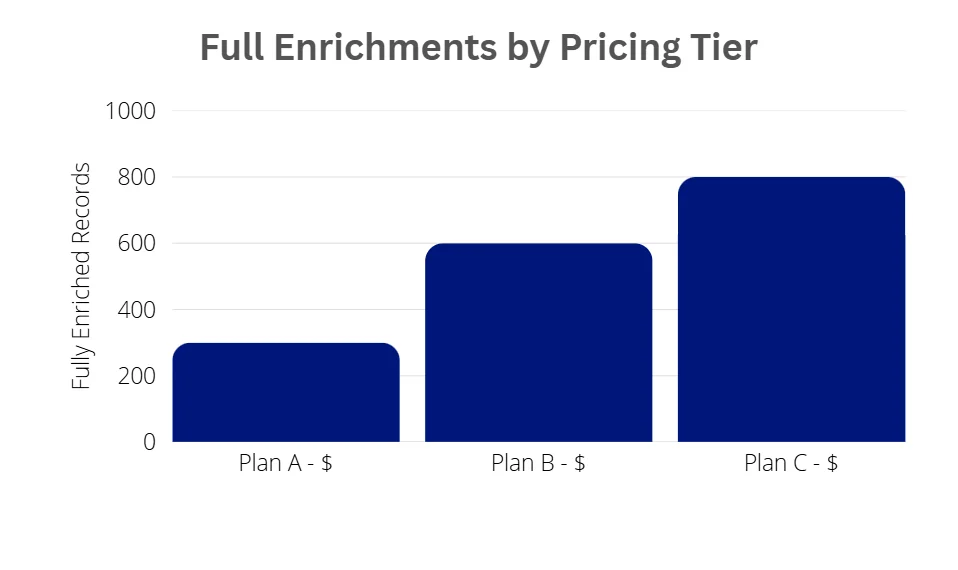
I then standardized the cost per 1,000 full enrichments to create a fair comparison between tools.
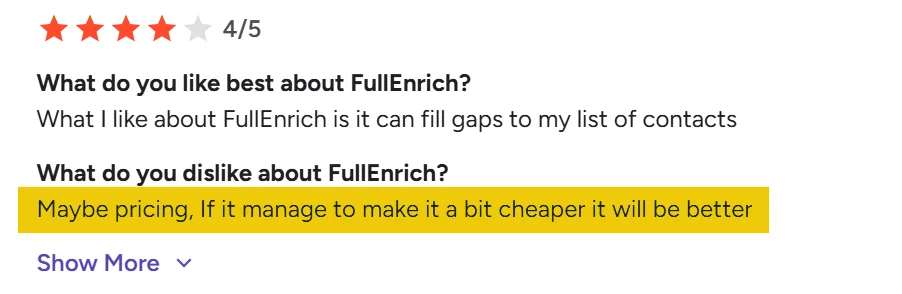
Finally, I looked at user sentiment to see how the pricing is perceived.
3. Ease of Use
A tool is only useful if you can actually use it.
Advanced features don’t matter if the platform creates friction or slows down adoption.
First, I tested how intuitive each platform feels.
I applied a “one-click access” rule, core actions should be one click from the dashboard.
That includes:
- Importing data
- Running enrichments
- Exporting or syncing results

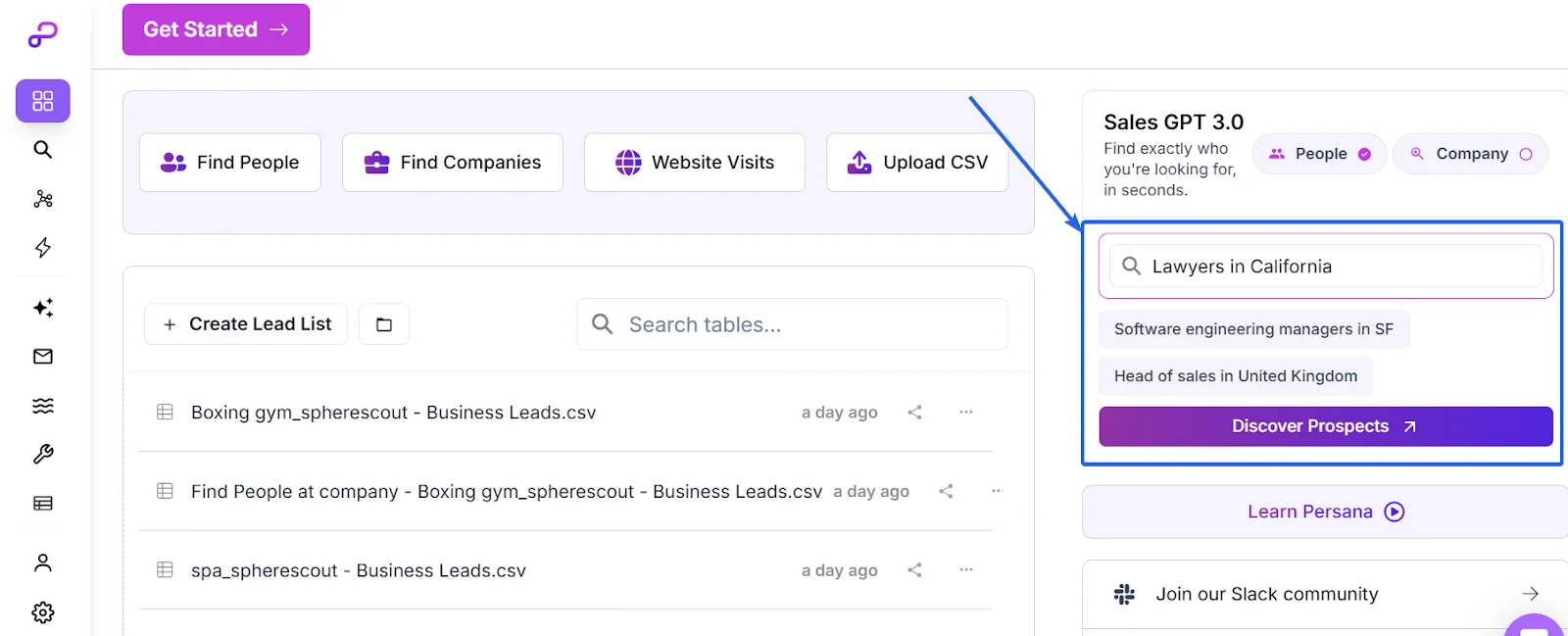
Second, I checked for an AI assistant.
It’s a nice bonus for first-time users—makes lead generation feel less technical.
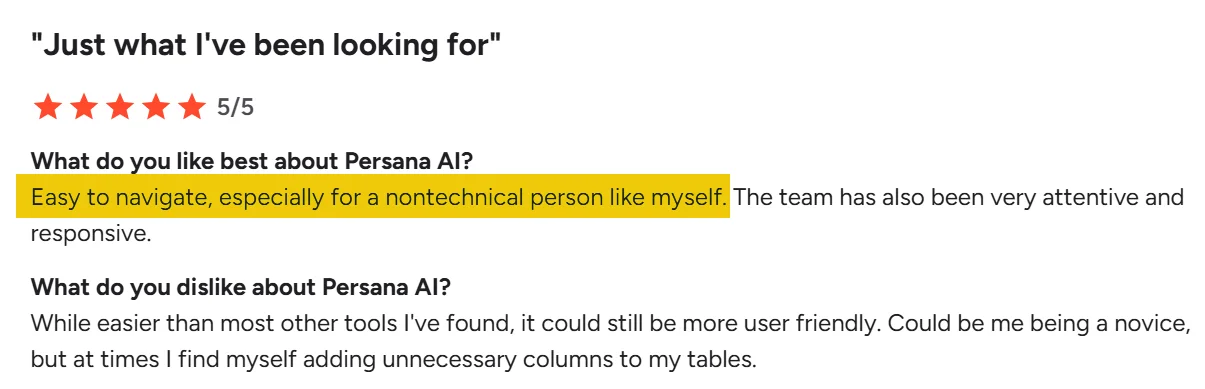
Finally, I backed my impressions with user reviews.
I prioritized feedback from first-time users and small teams, since ease of use matters most when there’s no dedicated ops or data person.
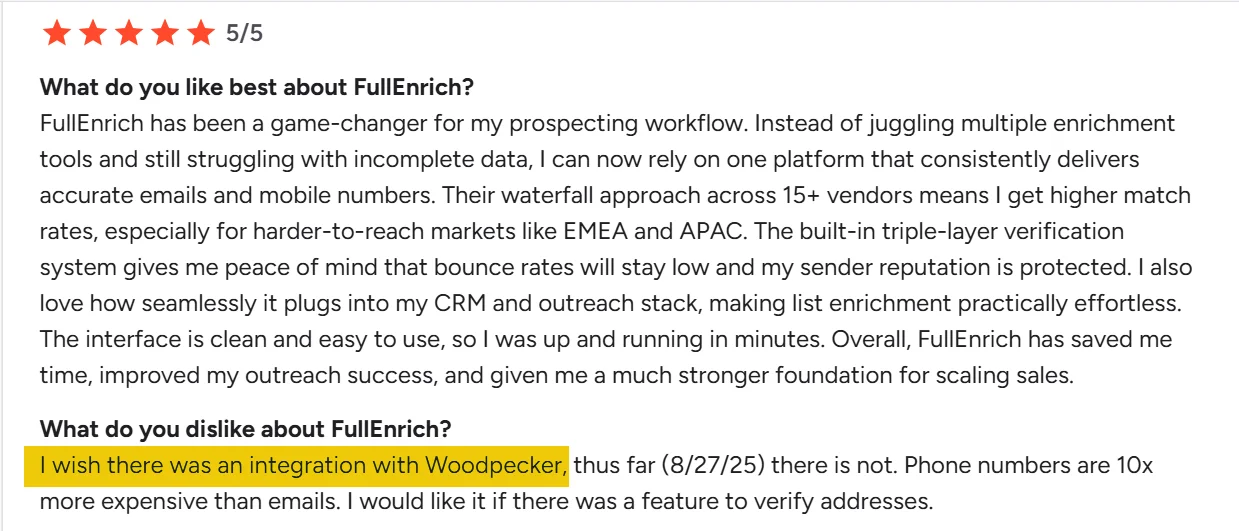
4. Integration
A tool is only as strong as the stack it plugs into.
If your enrichment platform can’t talk to your CRM or other tools, your workflows stall before they start.
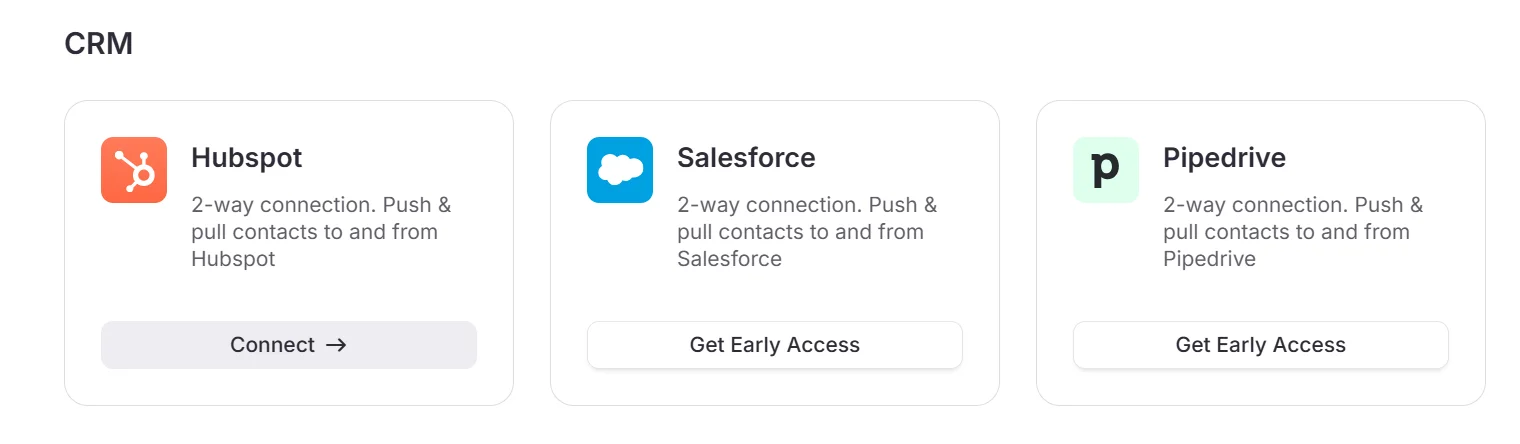
So first, I mapped out which integrations each tool supports.
I looked for native connections with major CRMs like HubSpot and Salesforce.
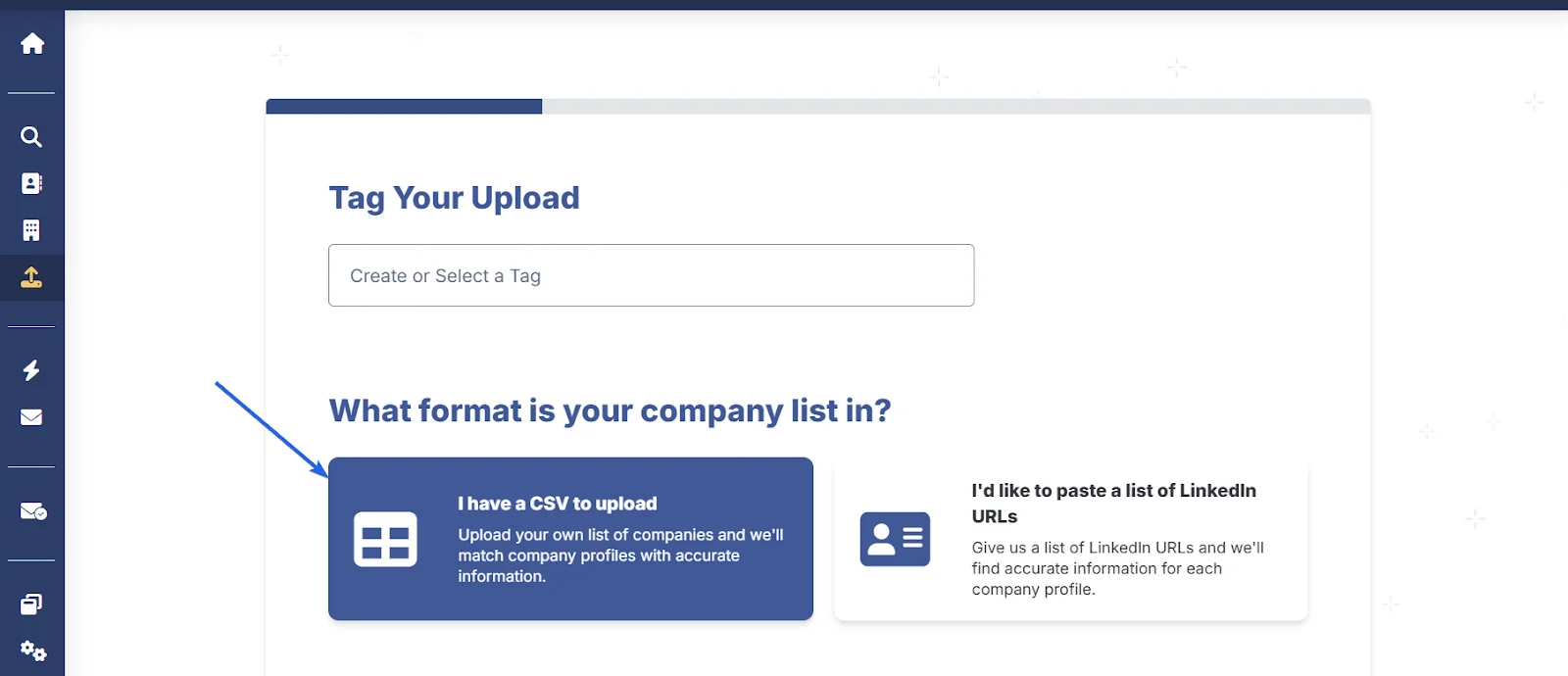
Then, I checked for CSV import/export options.
Many teams still rely on spreadsheets, so flexible file handling is essential for manual workflows.
Lastly, I checked user feedback to see what’s missing—and what’s working.
Features on paper are one thing, but reviews reveal gaps in real-world usage and integration needs.
5. Scalability
If a tool can’t handle volume, it can’t scale with your business.
For high-output teams, enrichment speed and monthly limits are dealbreakers.
So first, I started by checking how many rows each platform can enrich per month, under its standard plans.
Some cap out quickly, while others support tens of thousands of records per month.
Next, I reviewed which tools offer custom or enterprise plans to scale beyond default limits.
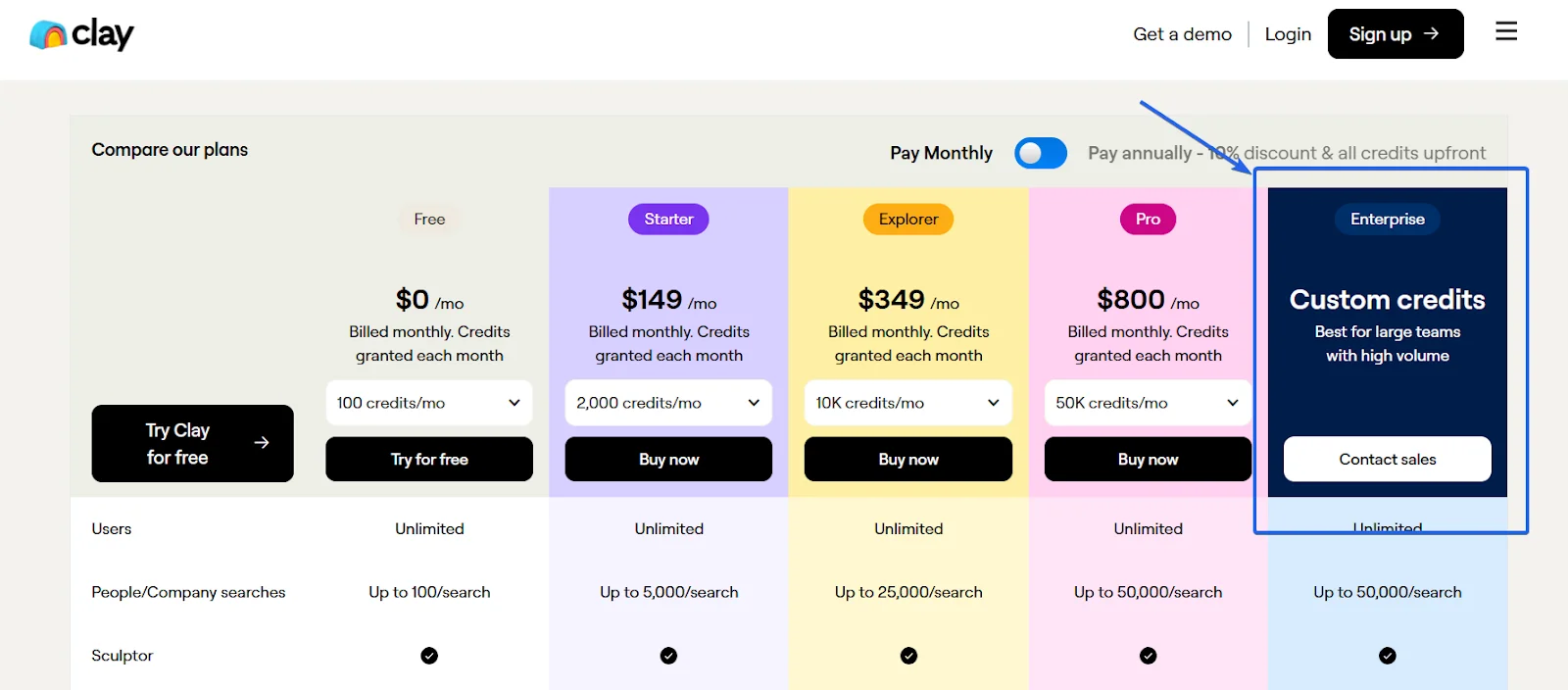
This matters if you're enriching large datasets weekly or syncing entire CRMs.
Finally, I tested enrichment speed, how fast each tool processes records at volume.
Even accurate tools lose their edge if they take minutes per row.
The Best Data Enrichment tool for local lead generation 2025
After testing 10+ tools, I picked only 1 for this list.
Why? Because it actually checks all the boxes that matter.
It’s accurate, scalable, easy to use, and offers solid integrations.
The pricing isn’t low—but the value you get makes it a justifiable investment.
It's ideal for SMBs doing local lead enrichment.
Clay
G2 Rating: 4.8/5 (173)
Clay is a sales intelligence platform that helps sales and marketing teams to find and enrich lead data, automate personalized outreach, and manage workflows.
Features
- AI powered enrichment workflows
- AI prospect research agent
- Outreach automation features
- Intent data
- Account and lead scoring
- Offers lookalike workflows
Accuracy
Clay offers broad coverage.
It claims access to 40M+ companies and 900M+ contacts—impressive for scale, but not a direct measure of accuracy.
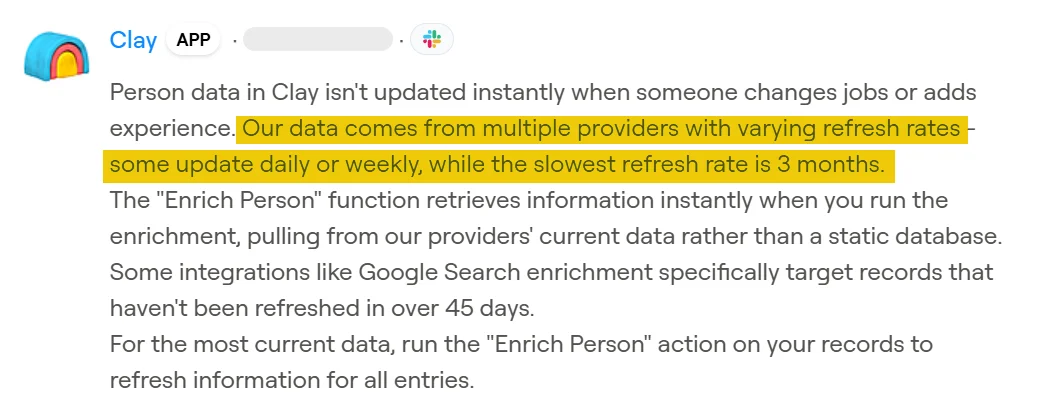
But it emphasizes fresh-pull enrichment.
Meaning, data is pulled fresh at enrichment time
However, the update frequency varies by provider, some daily, others weekly or quarterly, affecting overall recency.
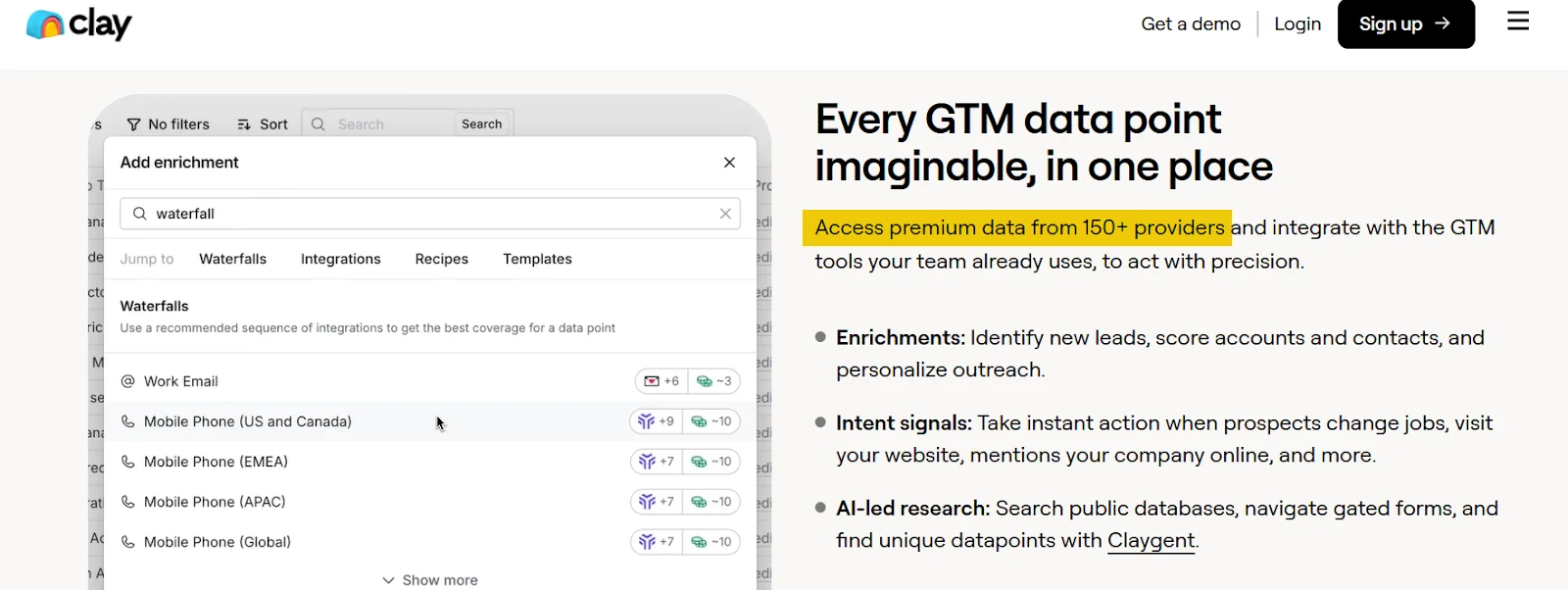
Clay uses waterfall enrichment to improve match rates and reduce single-source errors
It queries over 150 data providers in sequence until it finds a result.
This has a measurable impact on accuracy.
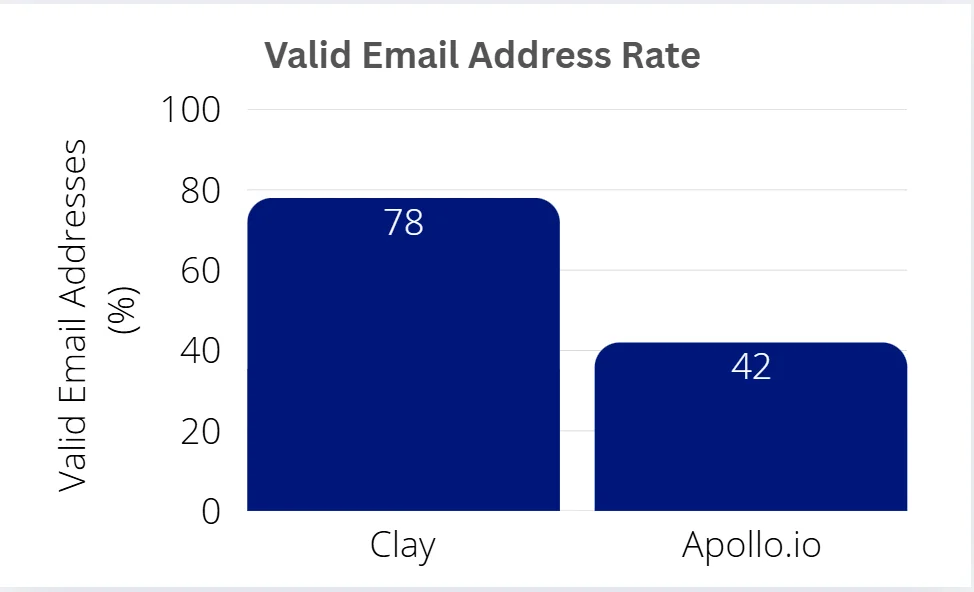
For example, according to hackceleration, they compared 100 prospects side-by-side between Clay with waterfall and Apollo alone.
Clay found valid emails for 78% versus Apollo’s 42%.
After seeing strong third-party comparisons, I ran a small test on Clay.
I chose a local business category — spas in California — to evaluate Clay’s accuracy for local lead enrichment use cases.
From SphereScout, I exported 28 companies based in California, U.S.
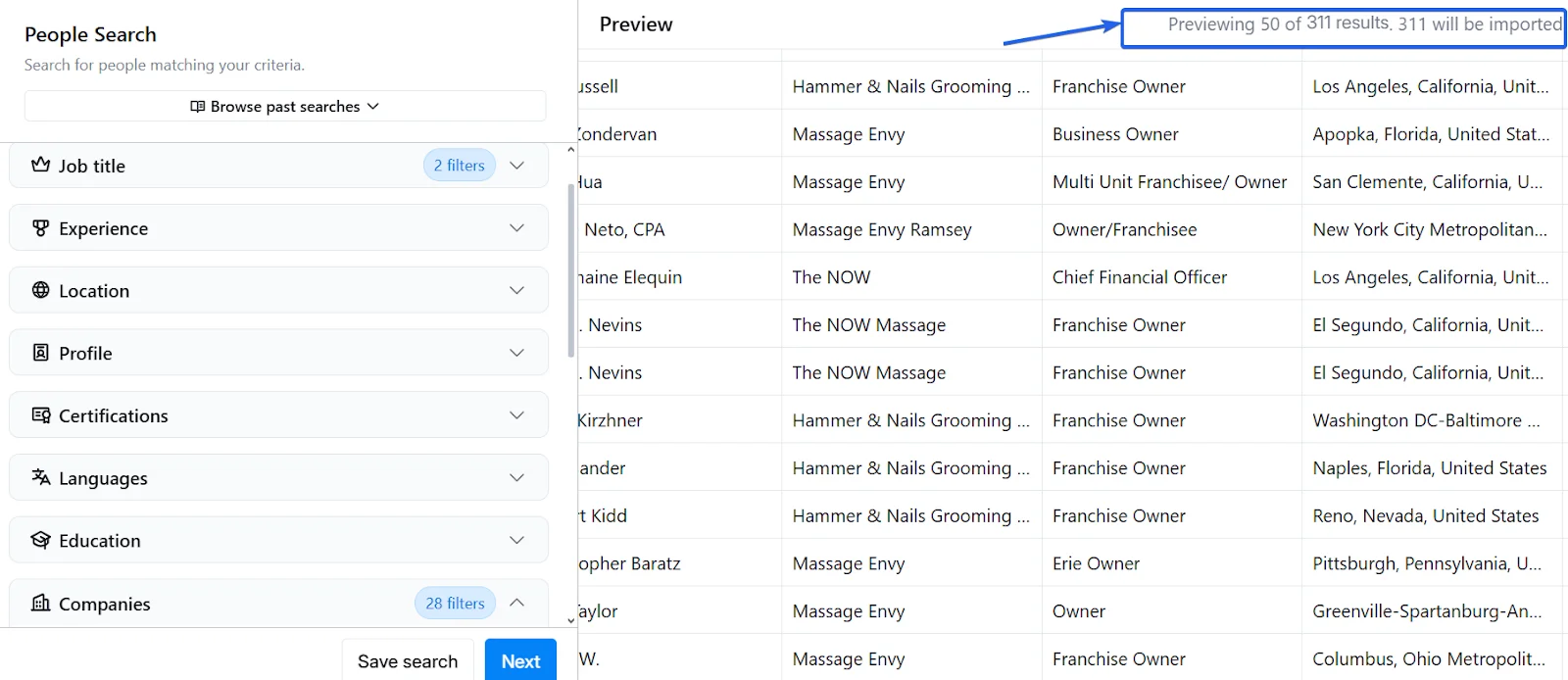
Then, I applied filters for owners and C-suite executives, aiming to enrich key decision-makers only.
That returned 311 people in total.
From those, I selected 50 contacts and enriched them with personal work emails.
It returned 38 verified emails, resulting in a 76% success rate.

That’s a solid signal — especially given the narrow segment and localized nature of the list.
While the sample size isn’t huge, it’s large enough to reveal meaningful patterns — and the early results look strong.
On top, I found that independent reviewers have also validated Clay’s precision.
Anthropic’s internal case study saw lead enrichment coverage jump from ~40% to 80%+ after switching to Clay.

Be careful however, phone number accuracy varies by geography. 65–70% match rate for U.S. mobile numbers, and 30–40% match for EU numbers.
From their side, users consistently vouch for Clay’s data quality.
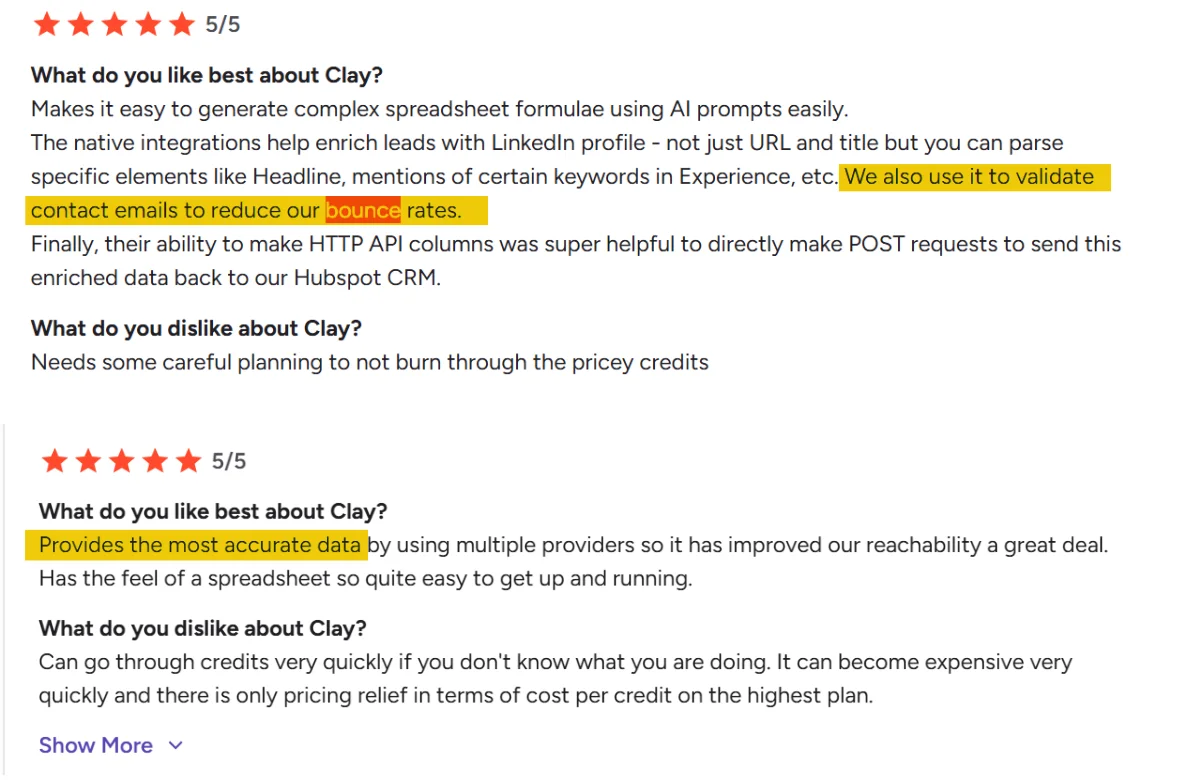
G2 reviews highlight high deliverability, accurate contact info, and low bounce rates in real campaigns.
Pricing
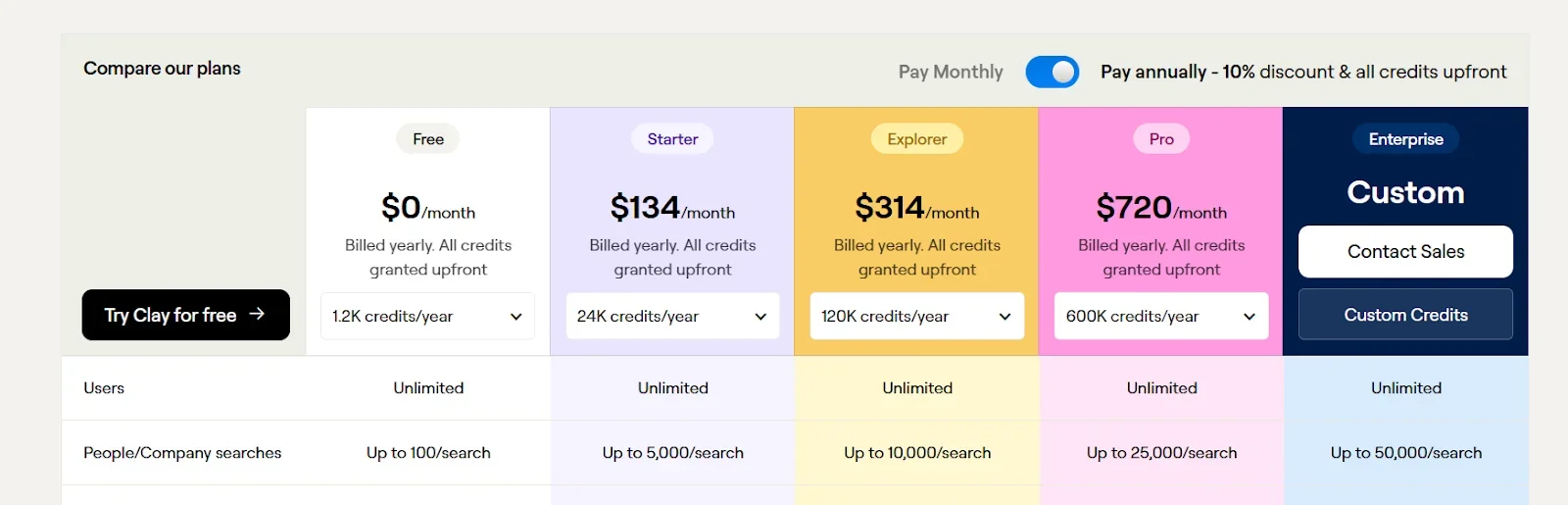
- Free trial with 100 credits per month
- $629 per 1K enrichment
But to understand real costs, you have to look deeper.
Clay uses a credit-based pricing system.
The cost varies depending on the data type and provider you choose.
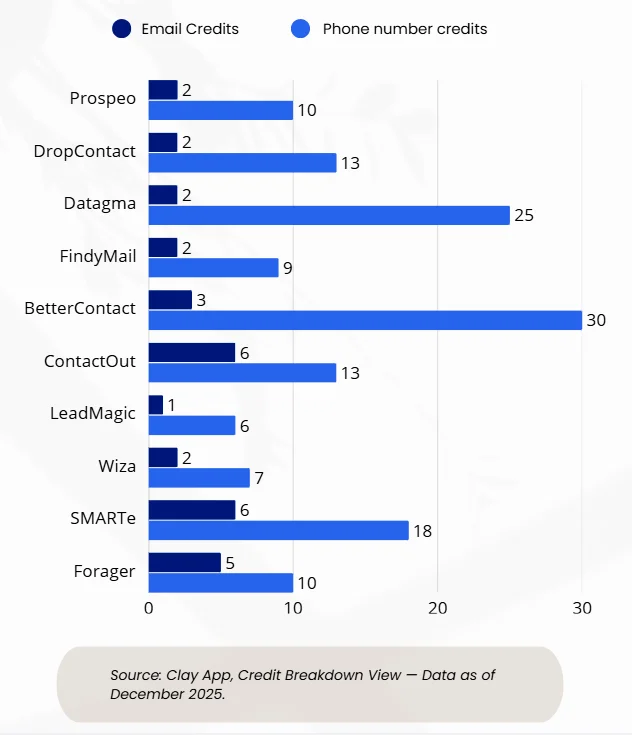
To calculate the real cost, I thus estimated the average credits per data point.
This is what you’d actually spend per lead across typical enrichment fields.
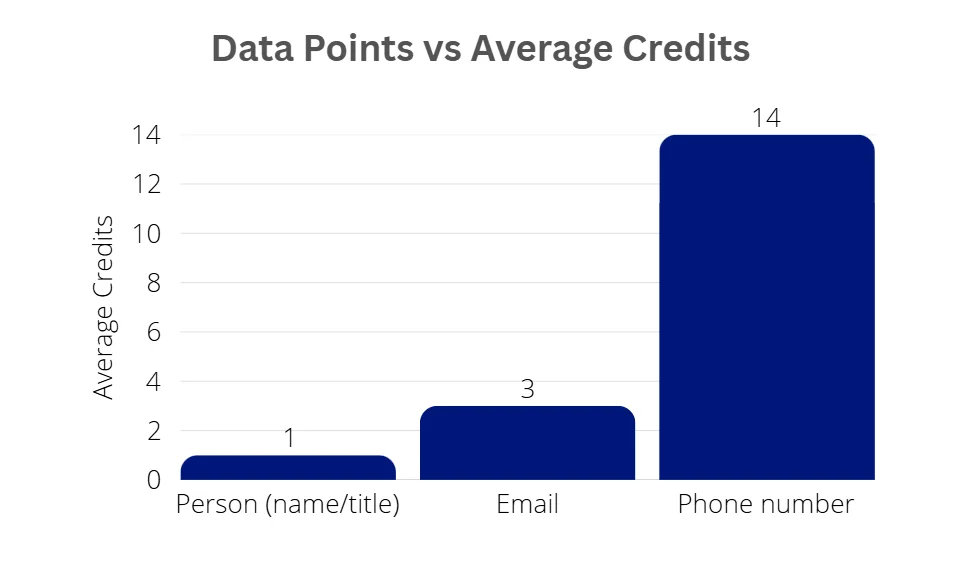
I considered a lead fully enriched if it included:
- Person (name/title)
- Phone number
On average, getting all three takes about 18 credits per lead.
That’s the baseline cost if you're enriching full contact profiles.
Plan Pricing Examples
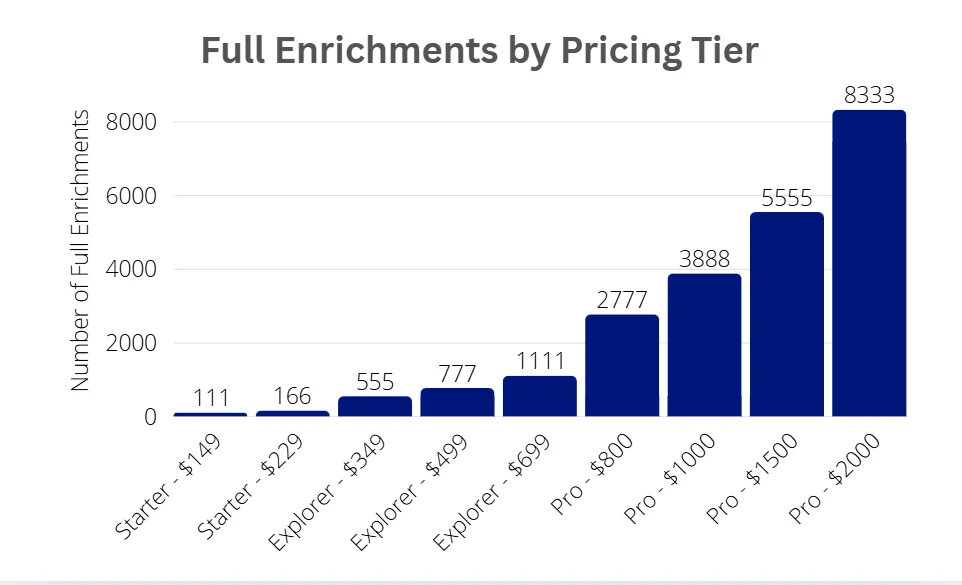
Let’s say you’re on the Starter Plan — $149 for 2,000 credits.
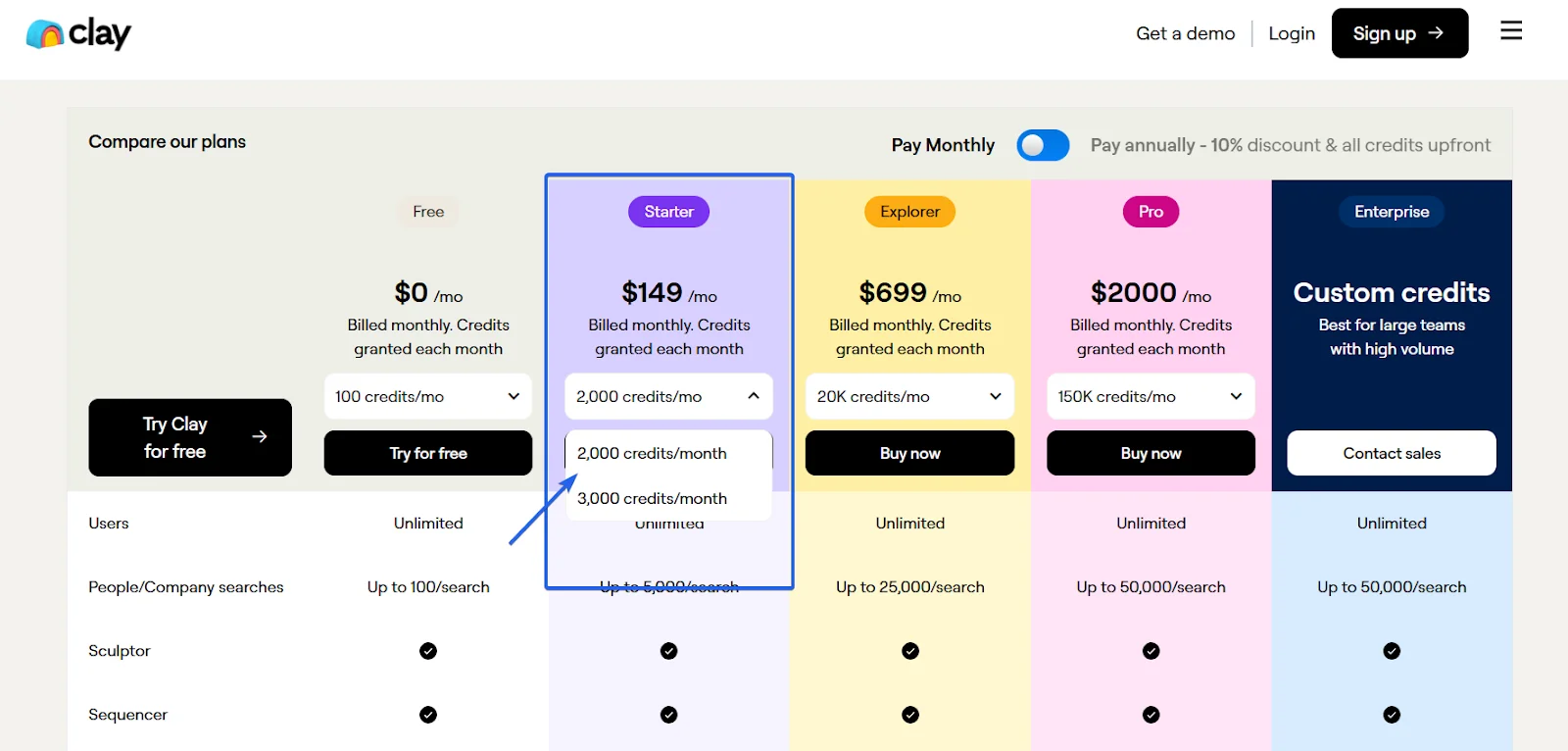
Here’s what that gets you:
- 111 leads full enrichment
- 666 email-only enrichment
- 142 phone-only enrichment
- 2000 people-only enrichment
However, scaling on Clay is not cheap.
As plans rise, so do full enrichments — but cost climbs fast alongside volume.
Price per 1K full enrichments costs $629.
I know… that’s really expensive.
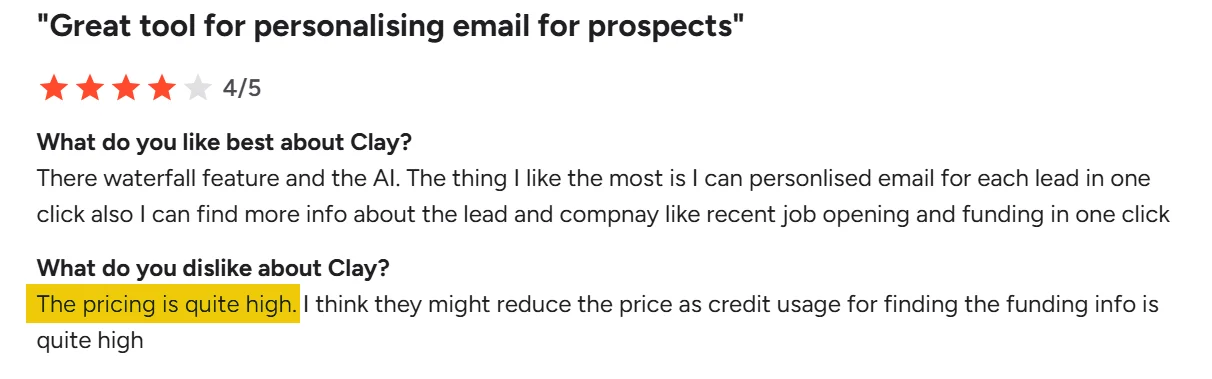
In fact, that’s exactly what most users flag in reviews.
Many G2 users say Clay’s pricing becomes hard to manage.
Ease of use
Clay offers a simple onboarding experience.
You can start a basic enrichment flow directly without needing tutorials or technical setup.
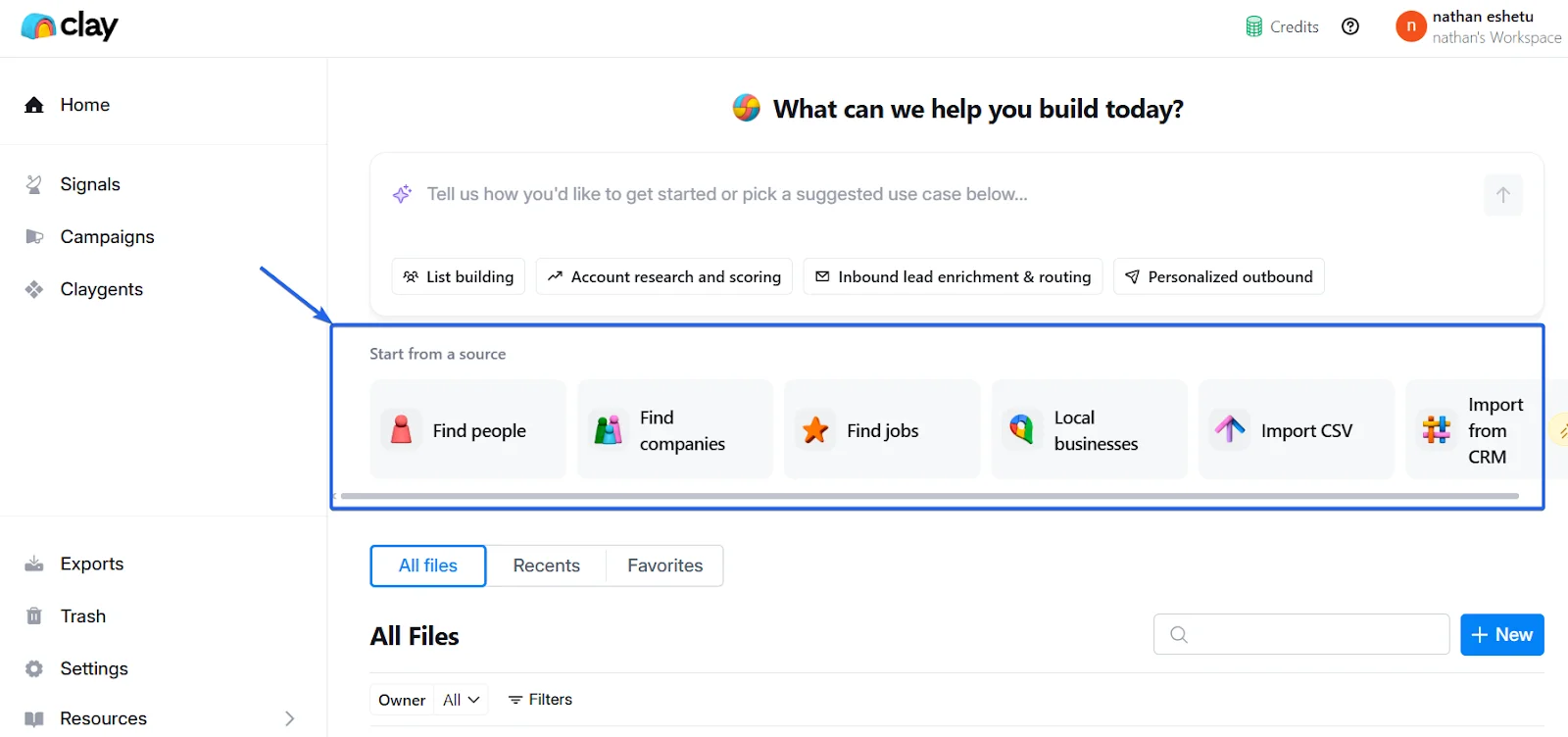
Core actions like import, enrich, and export are one click away.
The dashboard is clean, with clear callouts for each major function, making it easy to run basic enrichment quickly.
If you’re familiar with a Kanban-style layout like Trello or Notion, you’ll find Clay similar to them.
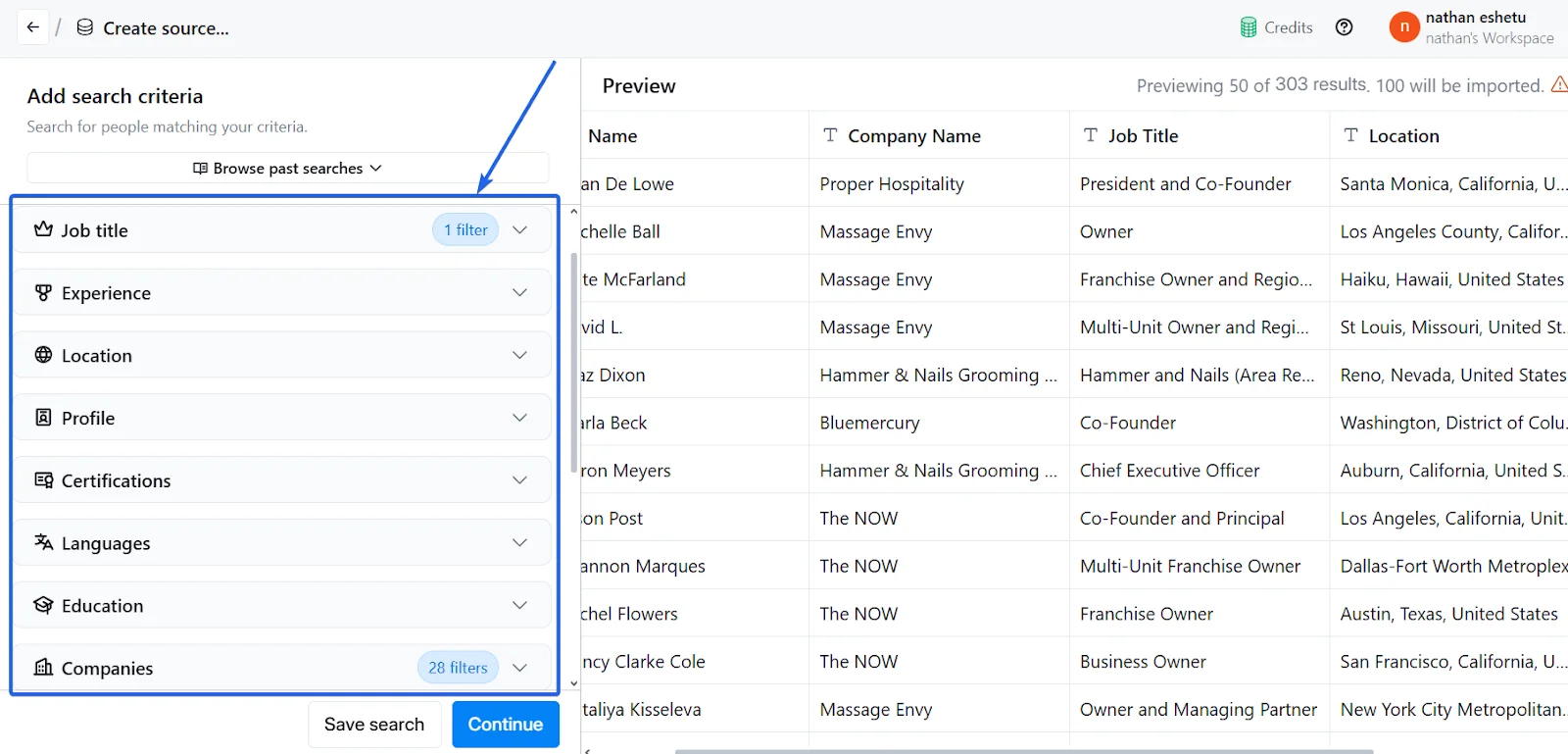
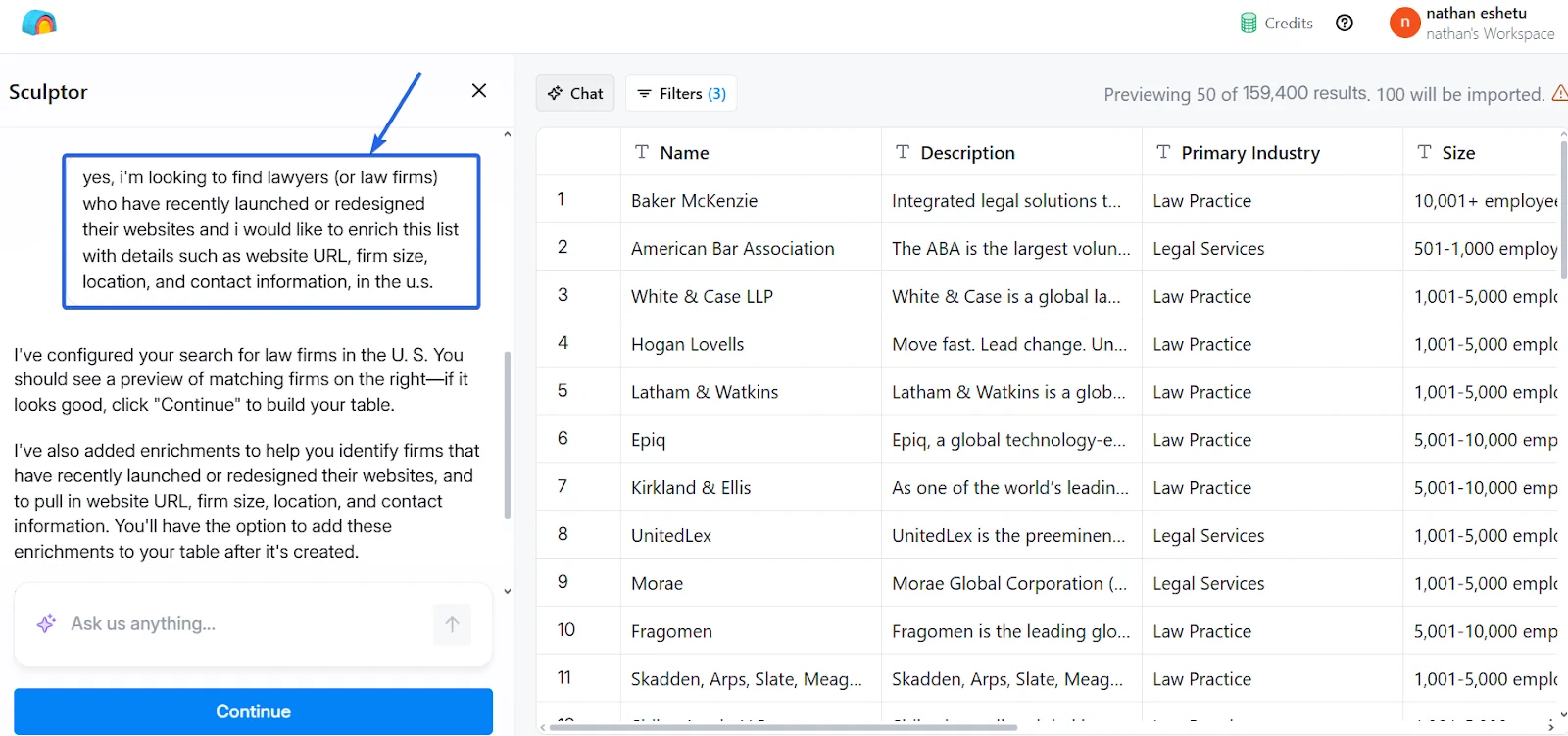
The AI assistant makes lead generation even simpler.
You can describe the kind of leads you want in plain English, and the AI builds the logic behind the scenes.
However, complex workflows take more time to learn.
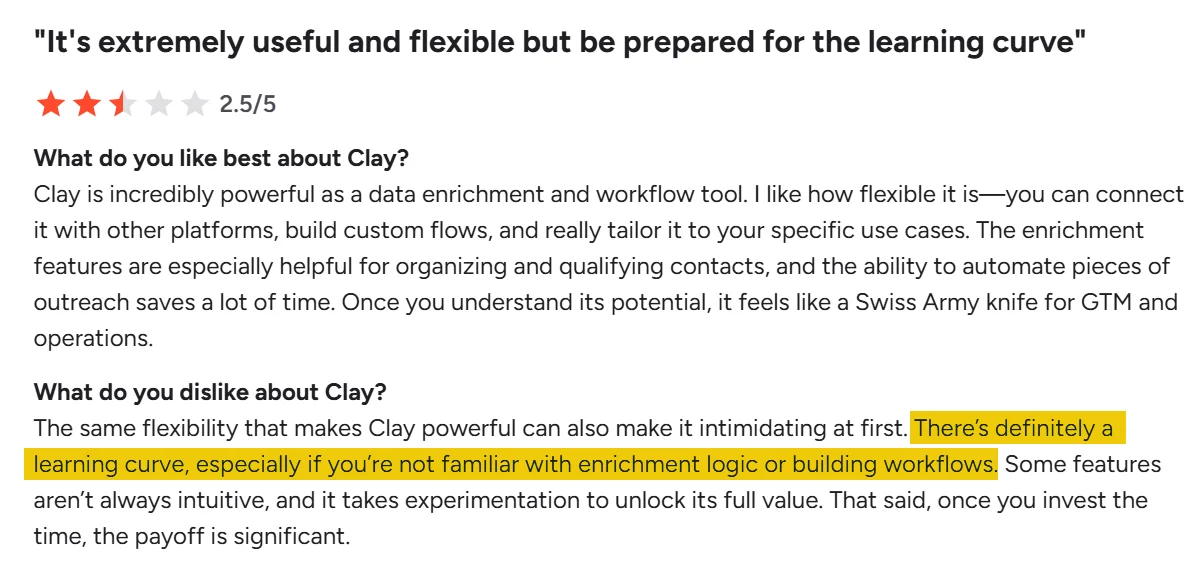
As you move into automations, and enrichment rules, the learning curve becomes more visible.
Many users on G2 mention it takes time to understand enrichment rules and automation logic, especially for first time users.
Integration
Clay offers strong integration coverage.
It connects with major CRMs like Salesforce, HubSpot, Dynamics, and Pipedrive.
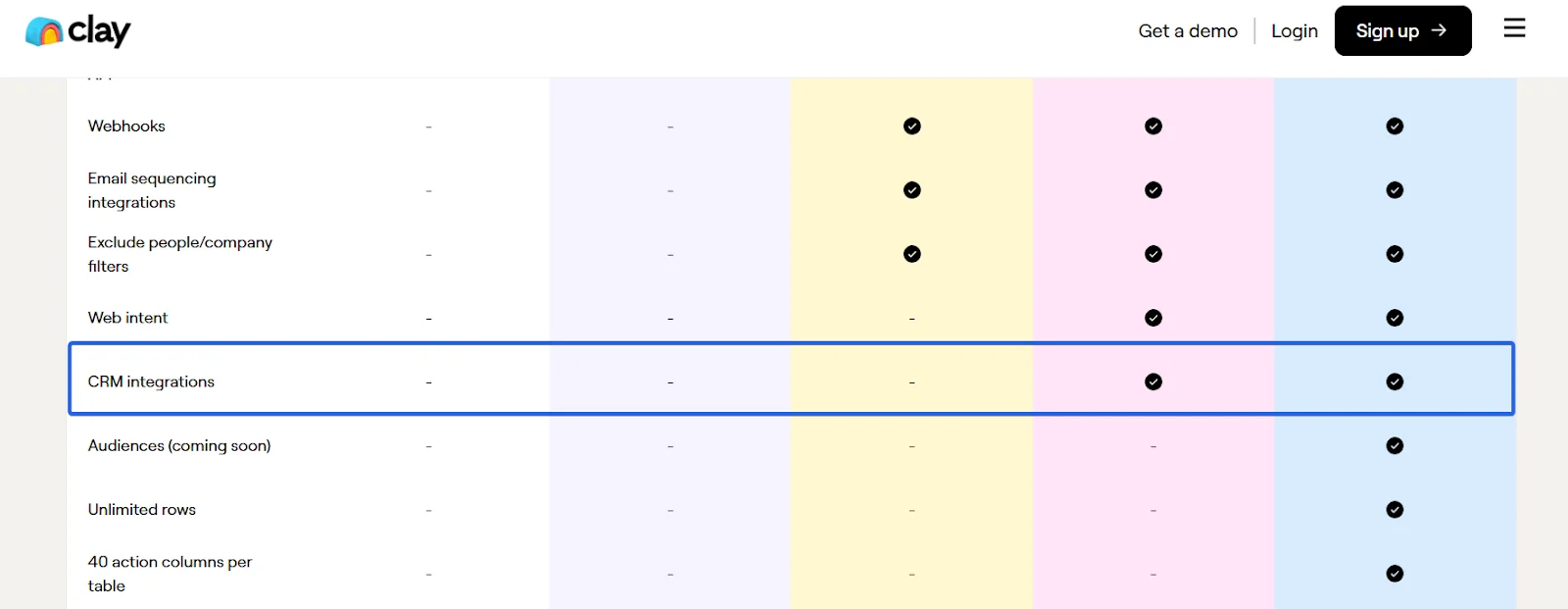
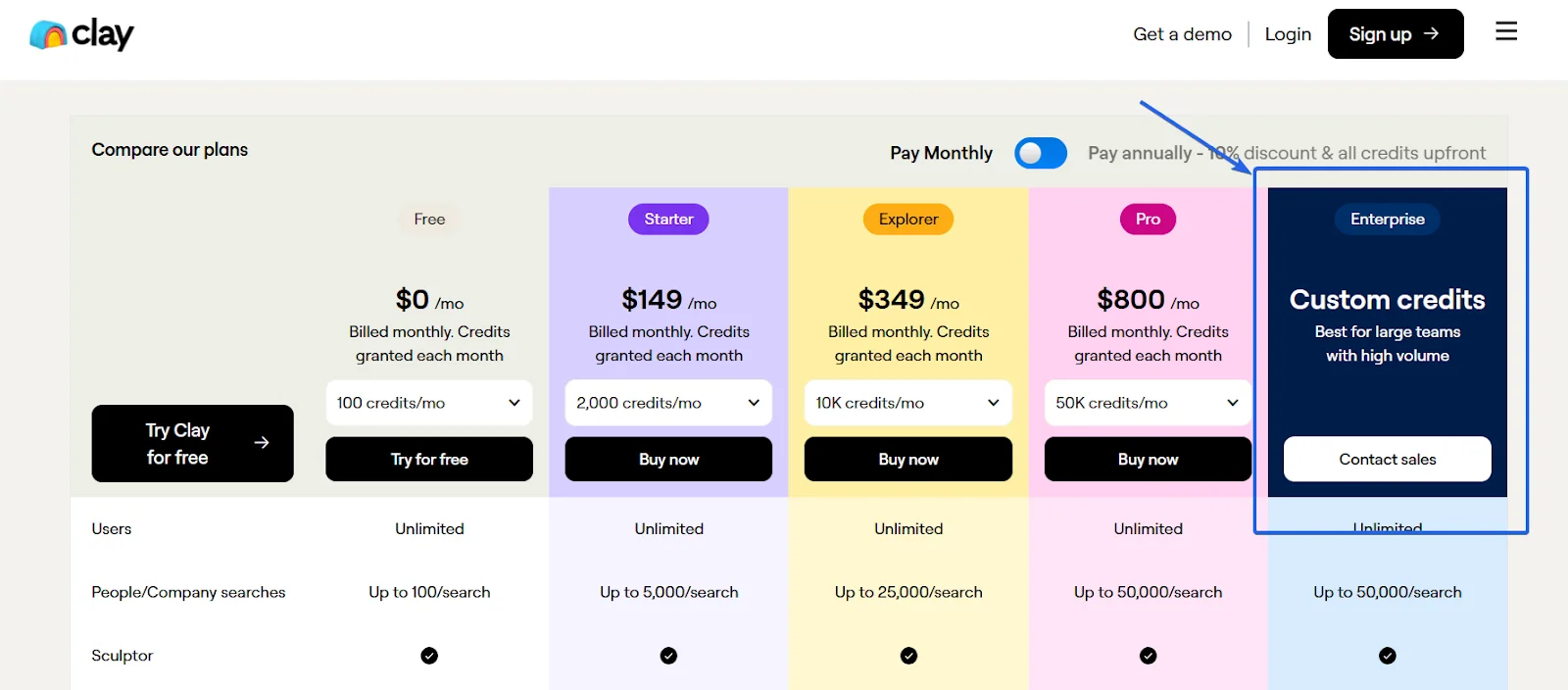
But CRM integrations are only unlocked on Pro plans and above, not available on entry tiers.
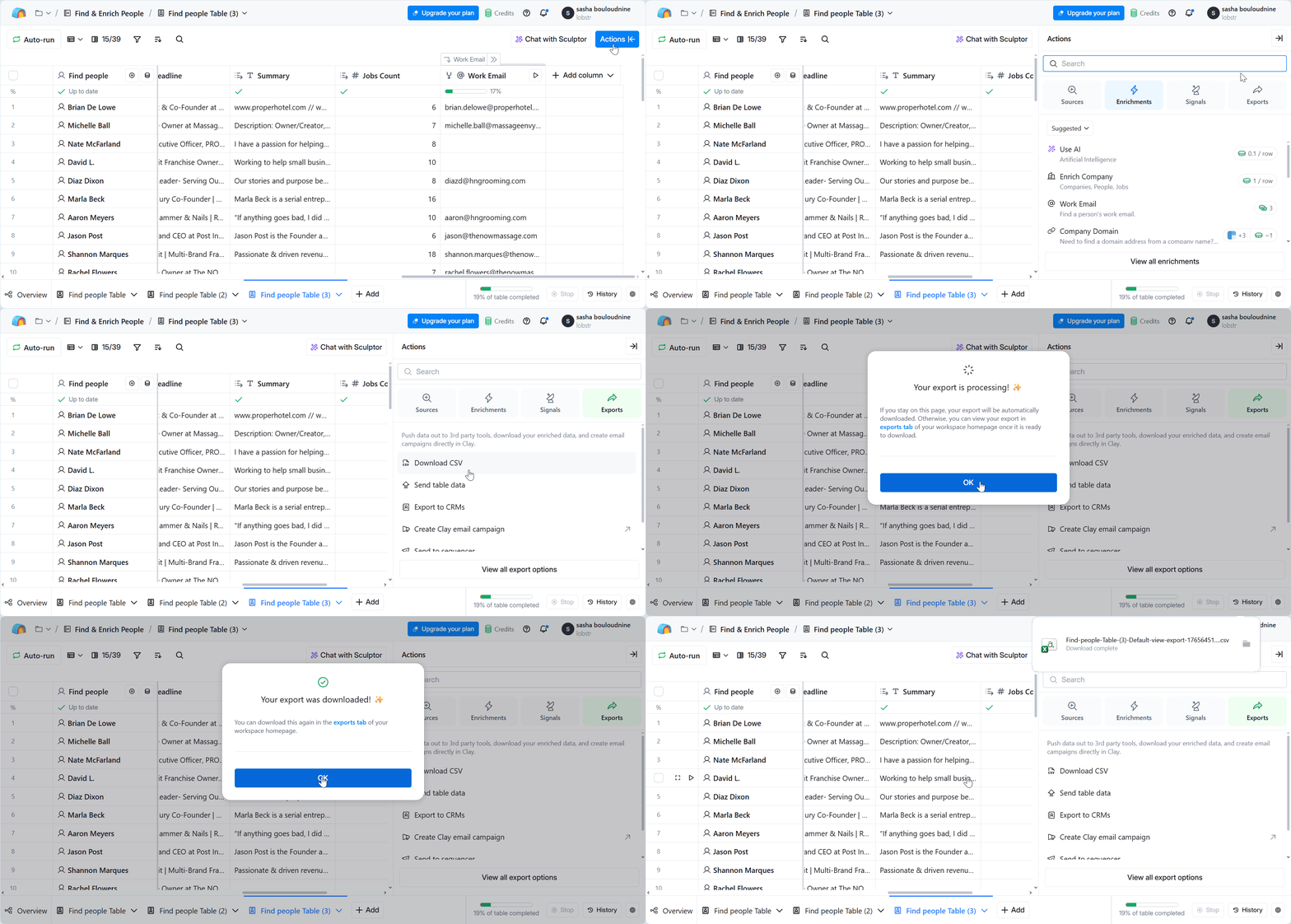
CSV import/export is available across all the plans.
This makes Clay usable for smaller GTM teams right away, even without CRM access.
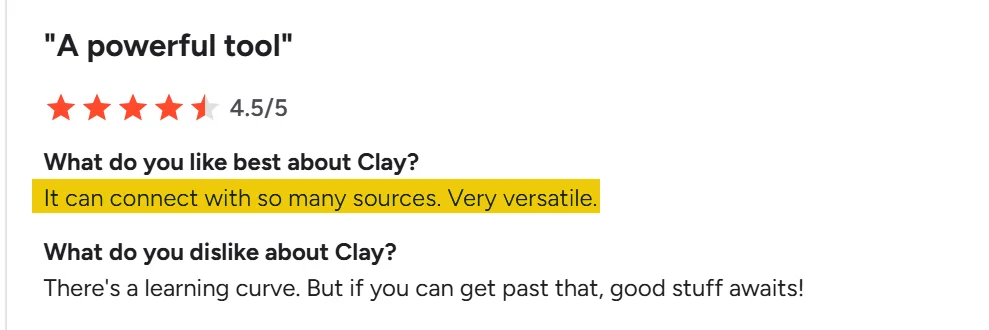
On the user side, reviews highlight Clay’s versatility.
Many users praise how easily it connects with multiple tools.
However, if you’re early-stage, you may not unlock its full potential right away because of the plan gating on integrations.
Full list of Clay’s integrations accessible here.
Scalability
Clay can handle large lead volumes without hitting row limits.
Standard Clay tables handle up to 50,000 rows on paid plans, enough for most SMBs.
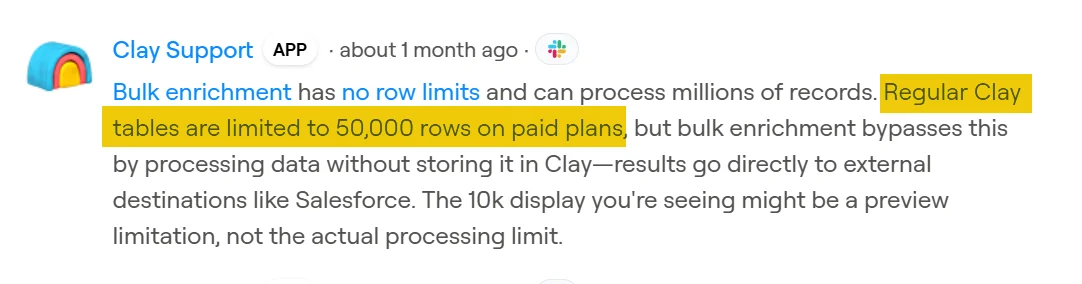
For advanced workflows or larger datasets, it also offers custom plans.
This flexibility makes it a good fit for scaling outbound operations as your needs grow.
Enrichment speed is Clay’s main bottleneck at scale.
In the test I personally conducted, enriching 50 rows took around 4 minutes to complete—roughly 4 seconds per record.
That might seem fine in small batches — but at scale, 4 seconds per record becomes a real drag.
Verdict
Clay is the only tool that passed my local lead gen test.
It returned 76% verified emails from a niche business segment — a strong signal of reliability.
Clay also stands out for its usability, integrations, and flexible workflows.
Once you get the hang of it, you can run multi-step enrichments and automations with precision.
But pricing is the tradeoff — it’s only cost-effective when used strategically.
Tools that didn't make it to my ultimate list
1. Persana.ai
G2 Rating: 4.6/5 (40)
Persana is an AI-driven sales intelligence and enrichment platform for GTM teams, agencies, and outbound workflows.
Features
- AI prospect research agent (Autopilot)
- AI powered enrichment workflows
- AI Signals and rules
- Outreach automation features
- Intent data
- Account and lead scoring
Pricing
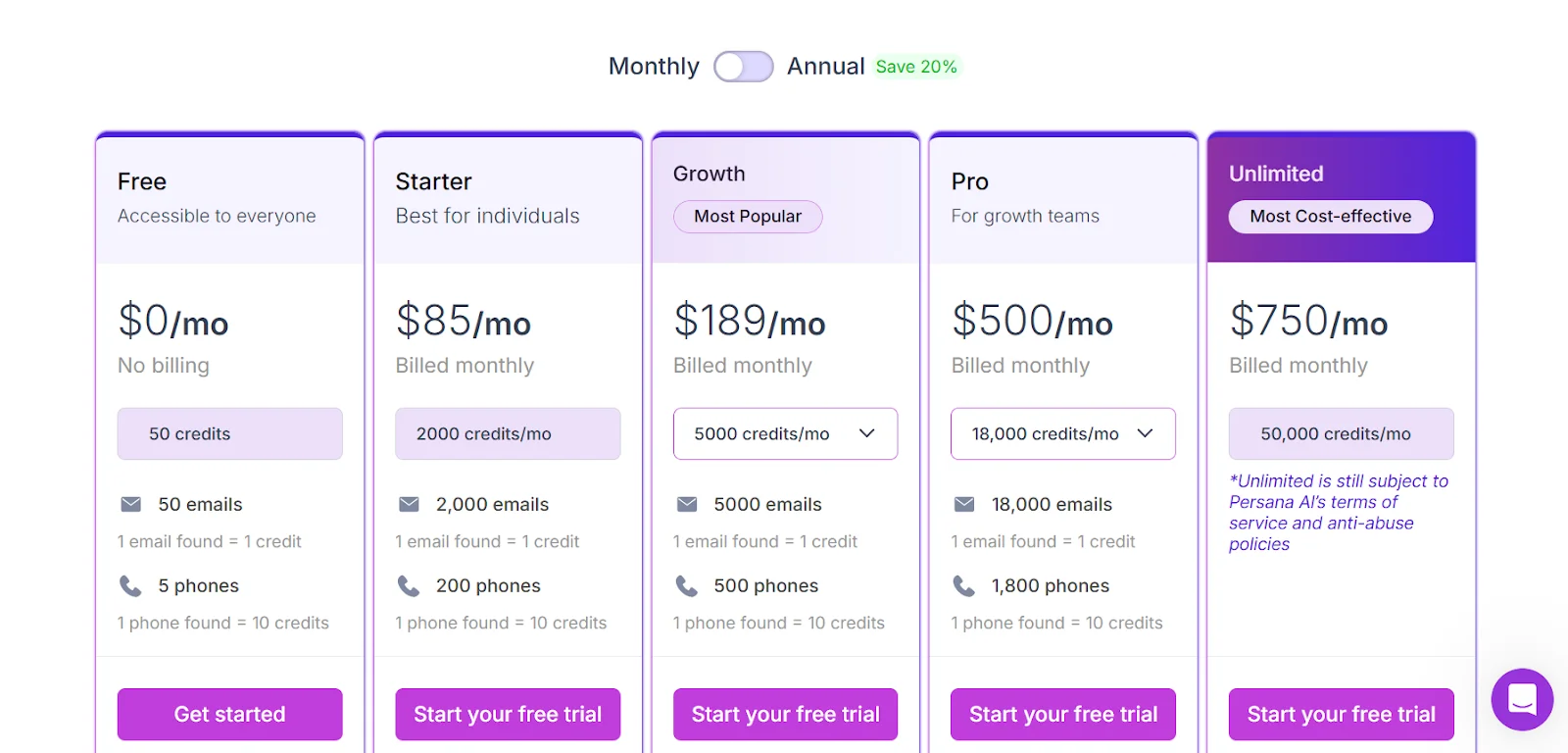
- Free trial with 50 credits per month
- $308 per 1K enrichment
Why Persana.ai didn't make it
Persana almost checked all the boxes that matter.
But when tested on real local business data, it failed to return usable results.
I ran the same enrichment test on Persana using the exact local business list I used for Clay — spa businesses in California.
Persana returned zero people.
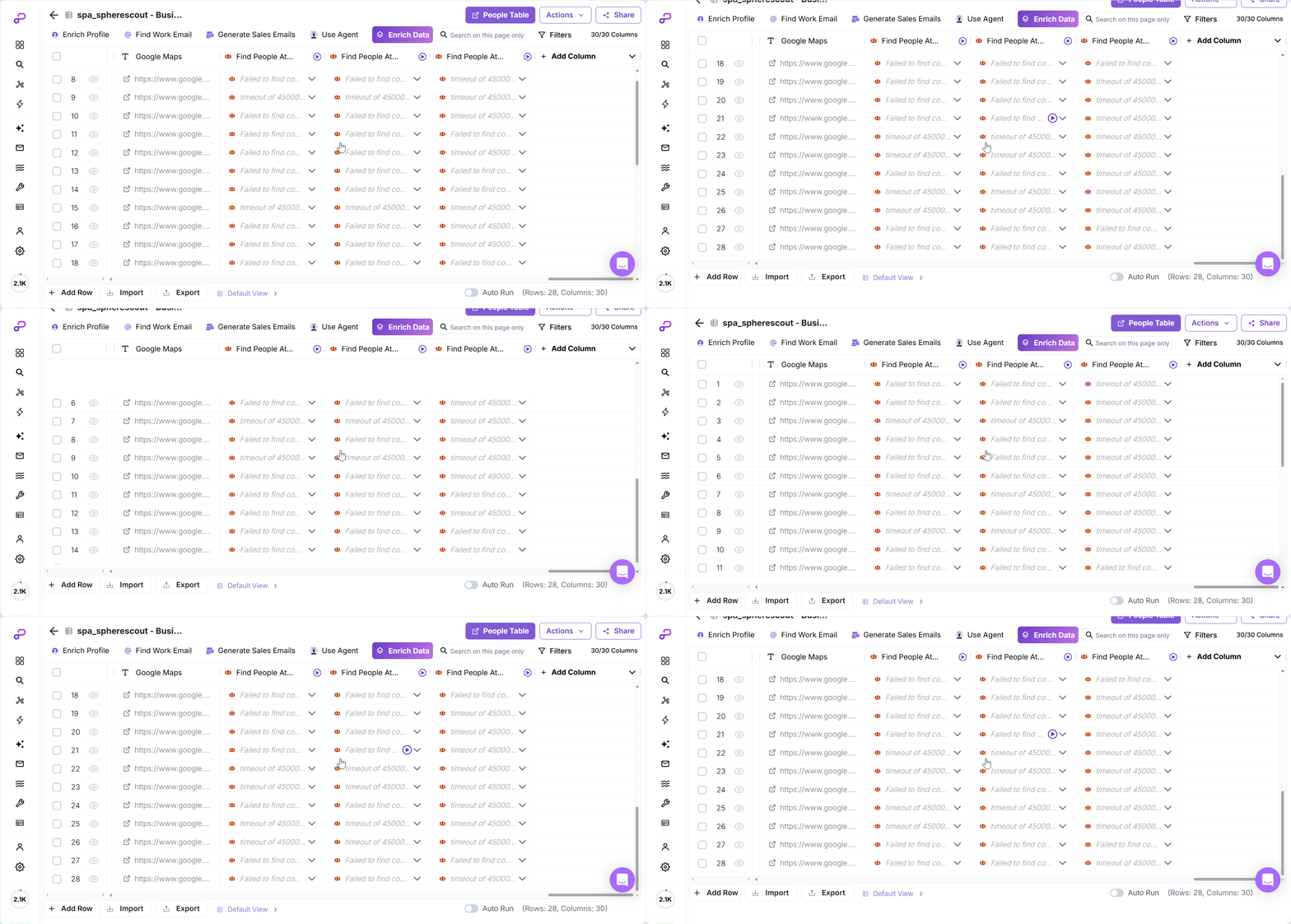
Even when trying enrichment multiple times, I couldn’t get contact data back.
To double-check, I tried a second batch — boxing gyms in California.
The result? Again, zero results.
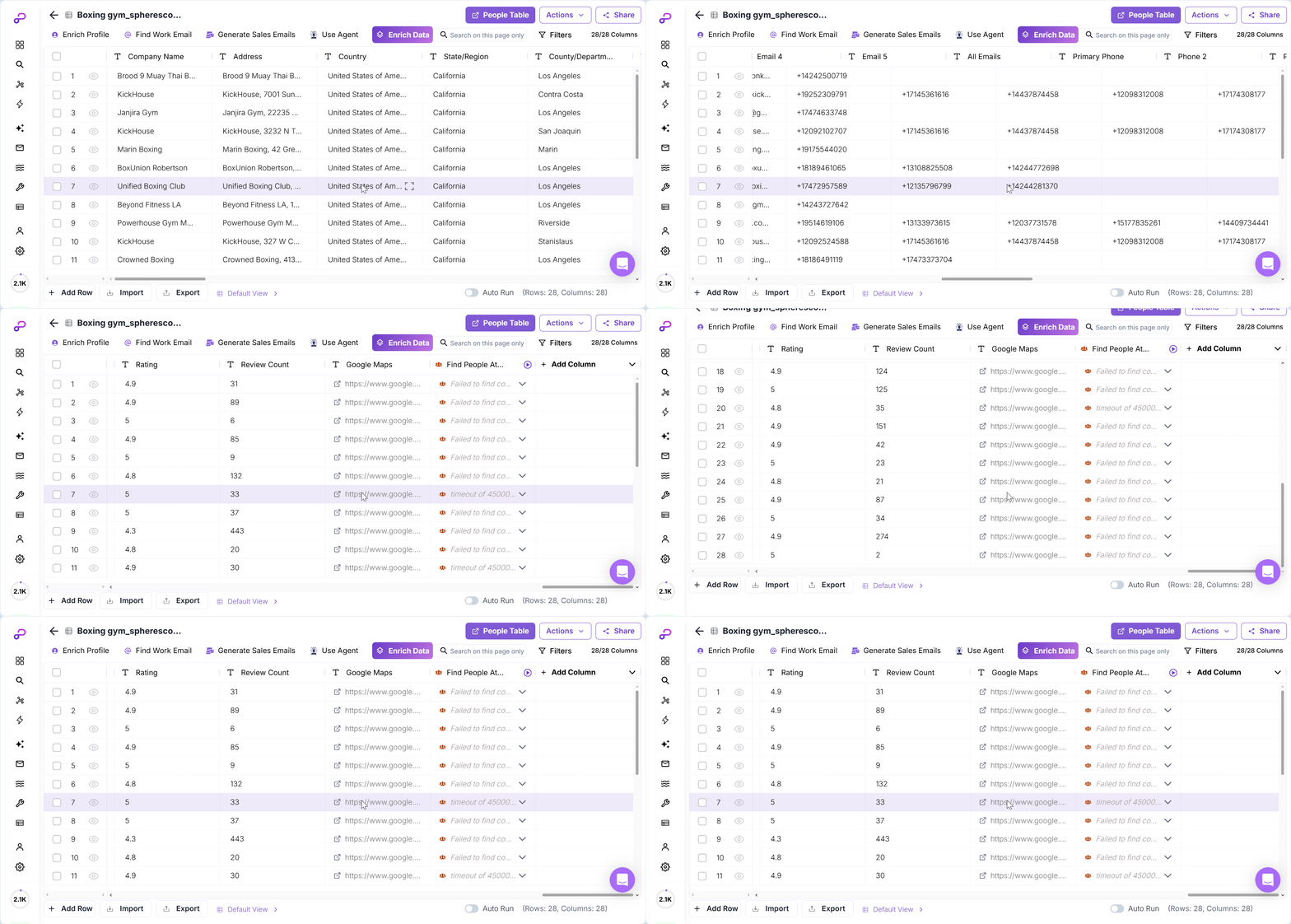
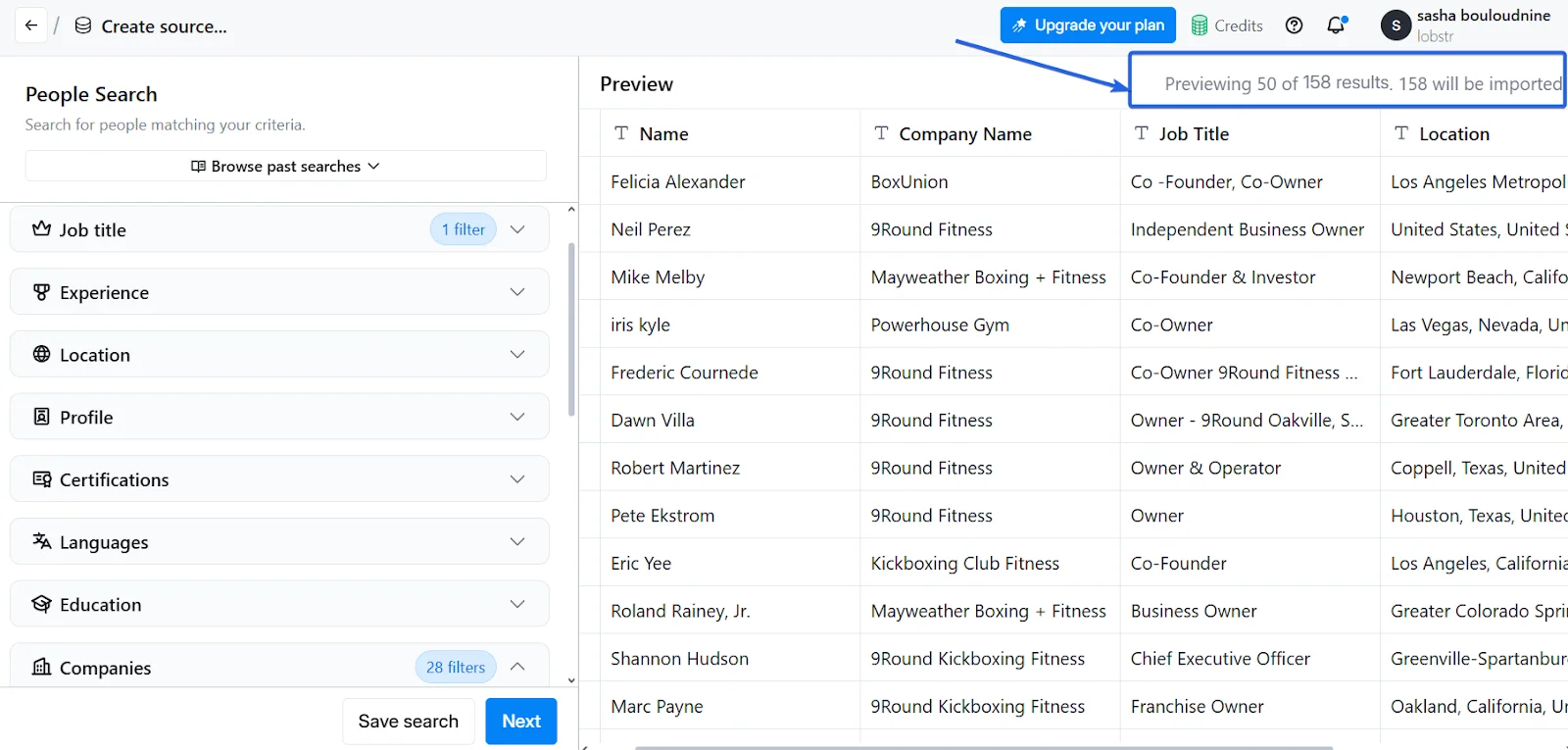
For comparison, I ran the same boxing gym list through Clay.
Clay returned 158 people — instantly.
Persana might be affordable and effective for enterprise use cases.
But when it comes to hyperlocal or SMB categories, it simply didn’t deliver.
It is a poor fit for local lead enrichment.
2. Apollo
G2 Rating: 4.7/5 (9,240)
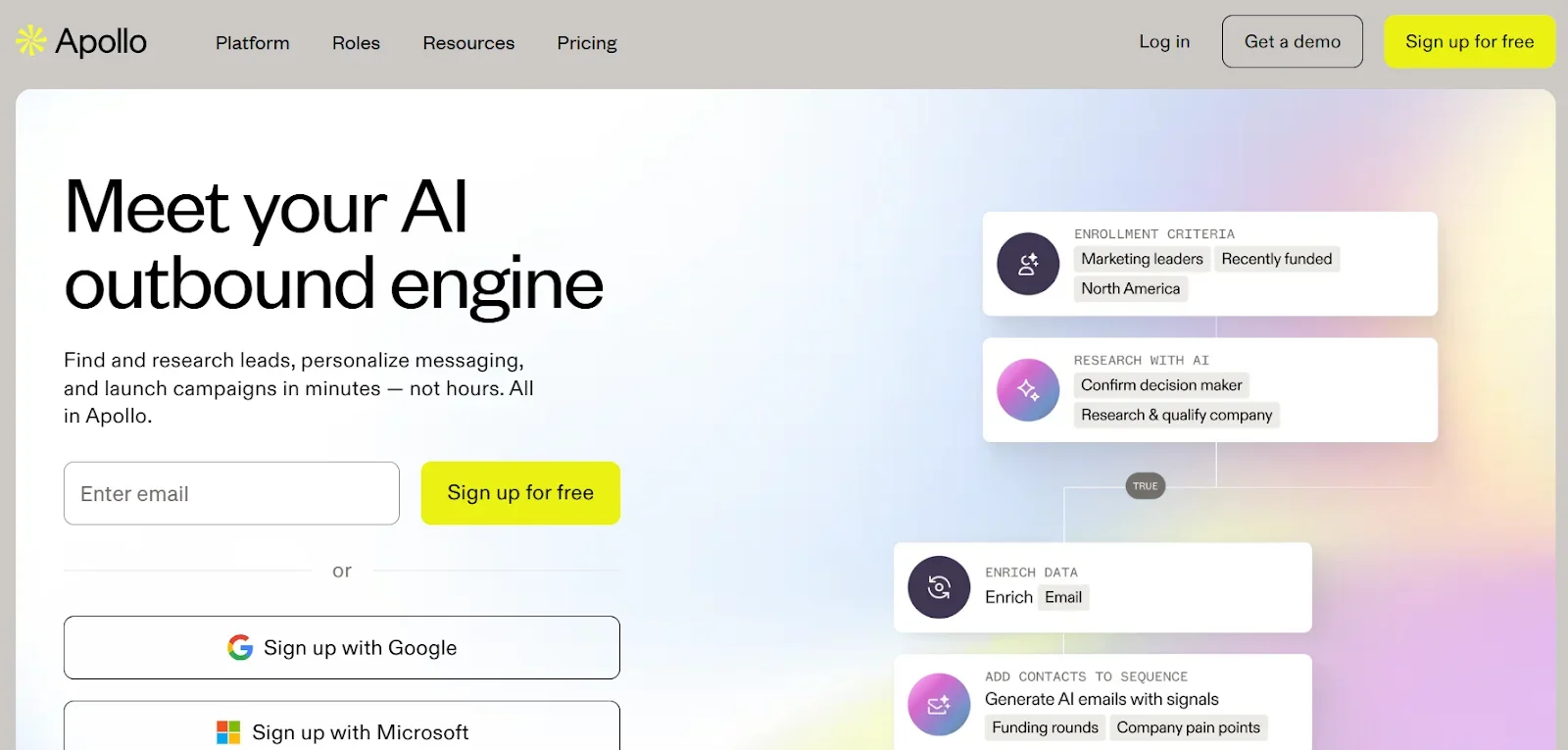
Apollo.io is an all-in-one sales intelligence and outreach platform.
Apollo simplifies prospecting by providing verified lead data and built-in outreach tools, reducing time spent switching between platforms.
Features
- B2B company data and massive contact database (210M+)
- Multiple direct product integrations available
- Automated multichannel outreach features built-in
- Chrome extension for LinkedIn prospecting
Pricing
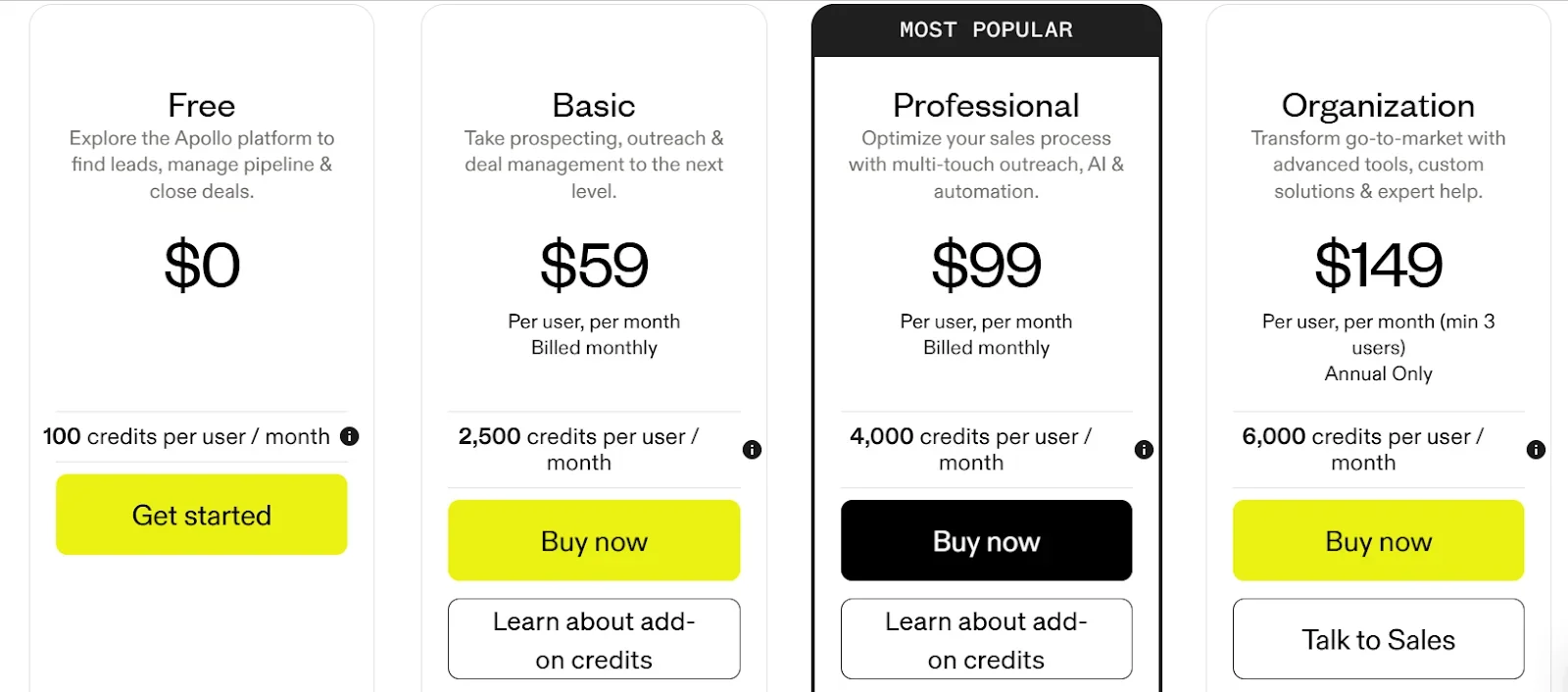
- Free trial with 100 credits per month
- $220 per 1K enrichment
Why Apollo didn't make it
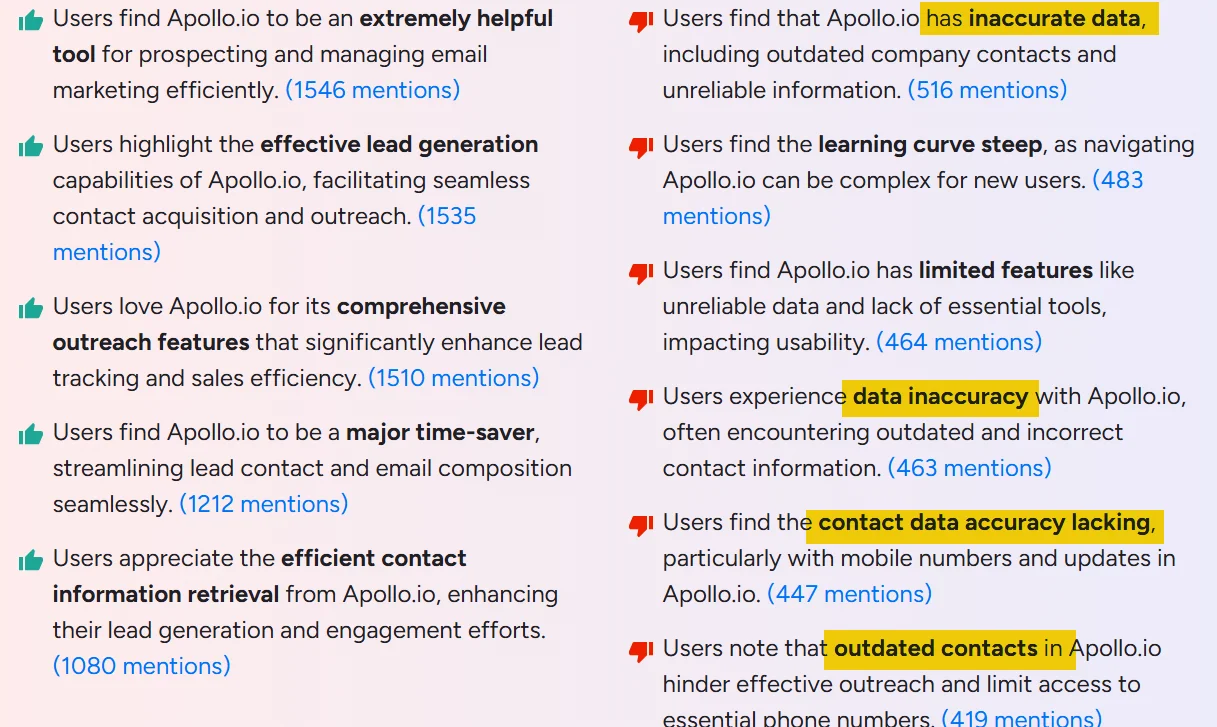
Too many user complaints about stale/outdated contacts.
3. Adapt.io
G2 Rating: 4.6/5 (2,786)
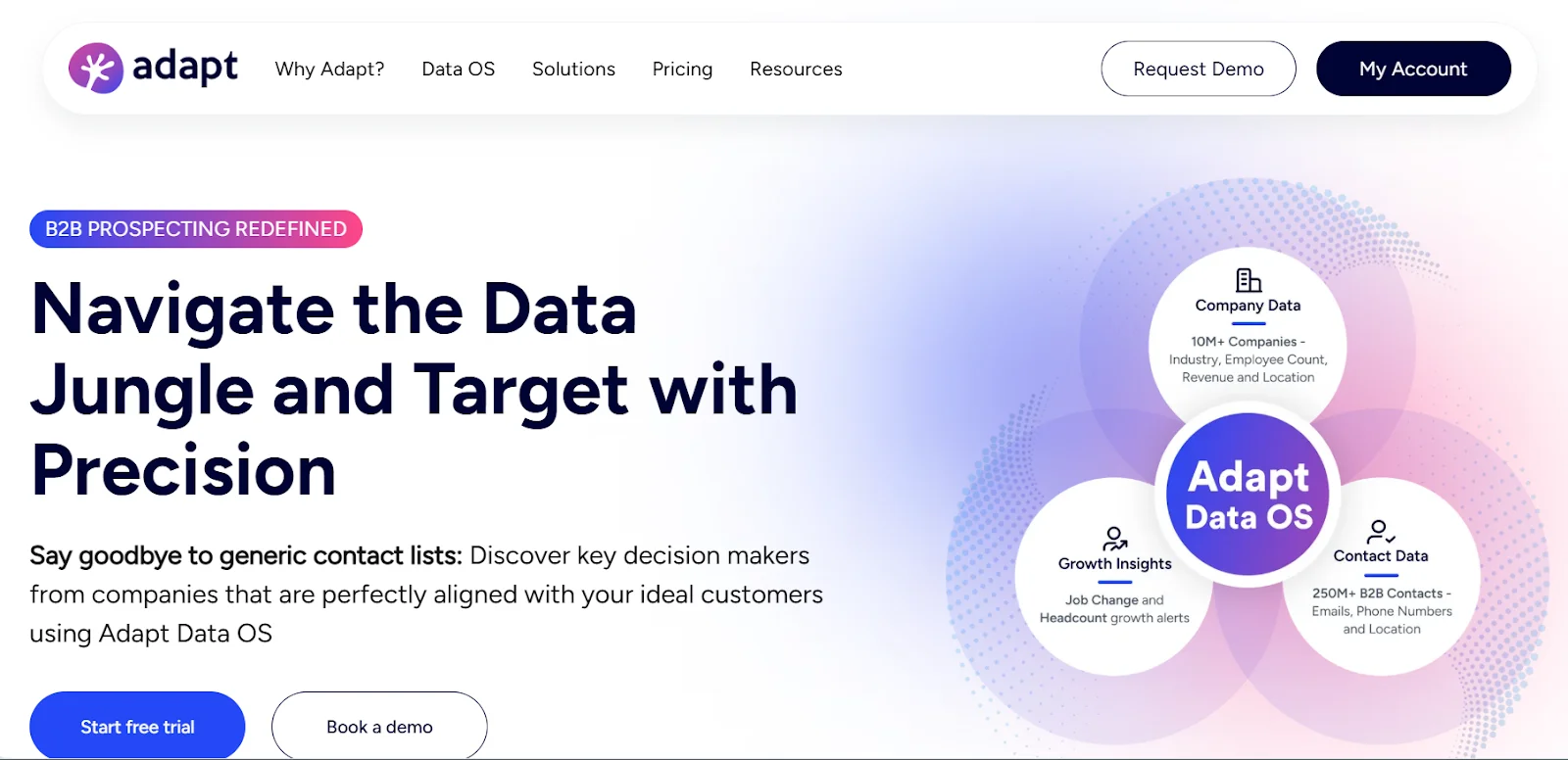
Adapt is a lead intelligence tool that helps sales and marketing teams find and reach the right people more effectively.
Features
- 250M+ contacts, 10M+ companies profiles
- Export to Salesforce, HubSpot, Pipedrive
- Job change alerts for prospects
- ABM list building from domains
Pricing
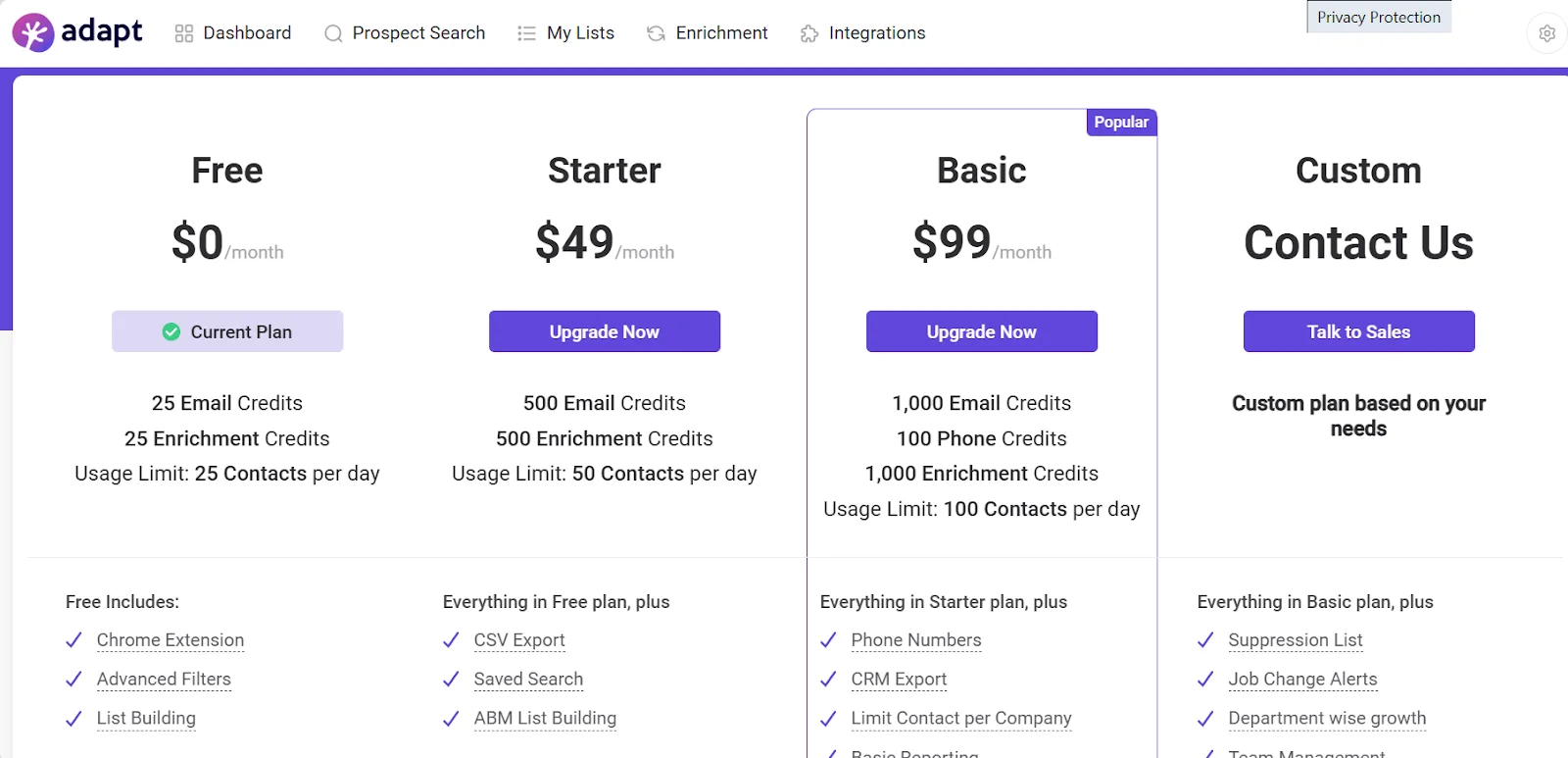
- Free trial with 25 credits per month
- $99 per 1K enrichment
Why Adapt didn't make it
Adapt has a hard daily usage cap on how many contacts you can work with.
You’re basically getting less data than you’d find manually, unless you upgrade to a custom plan.
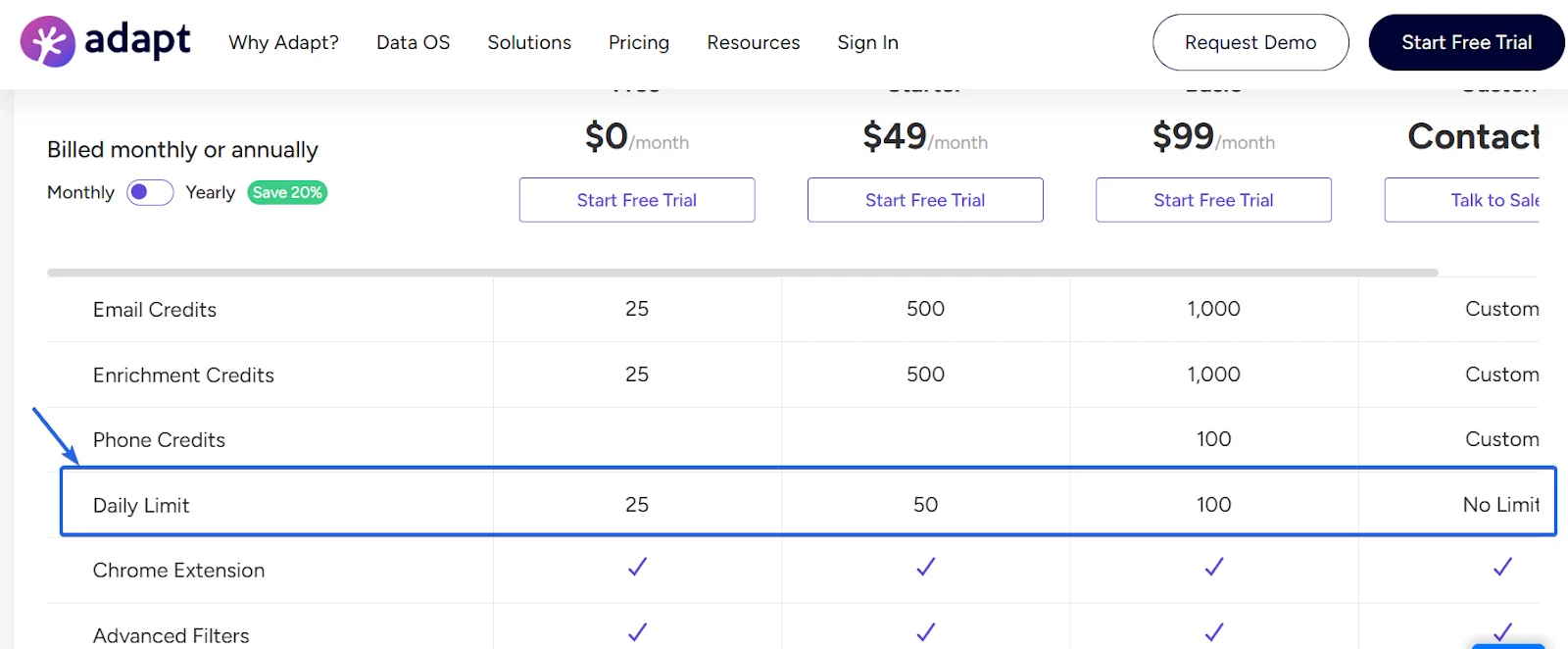
At $99/month, you’re paying just to test the tool.
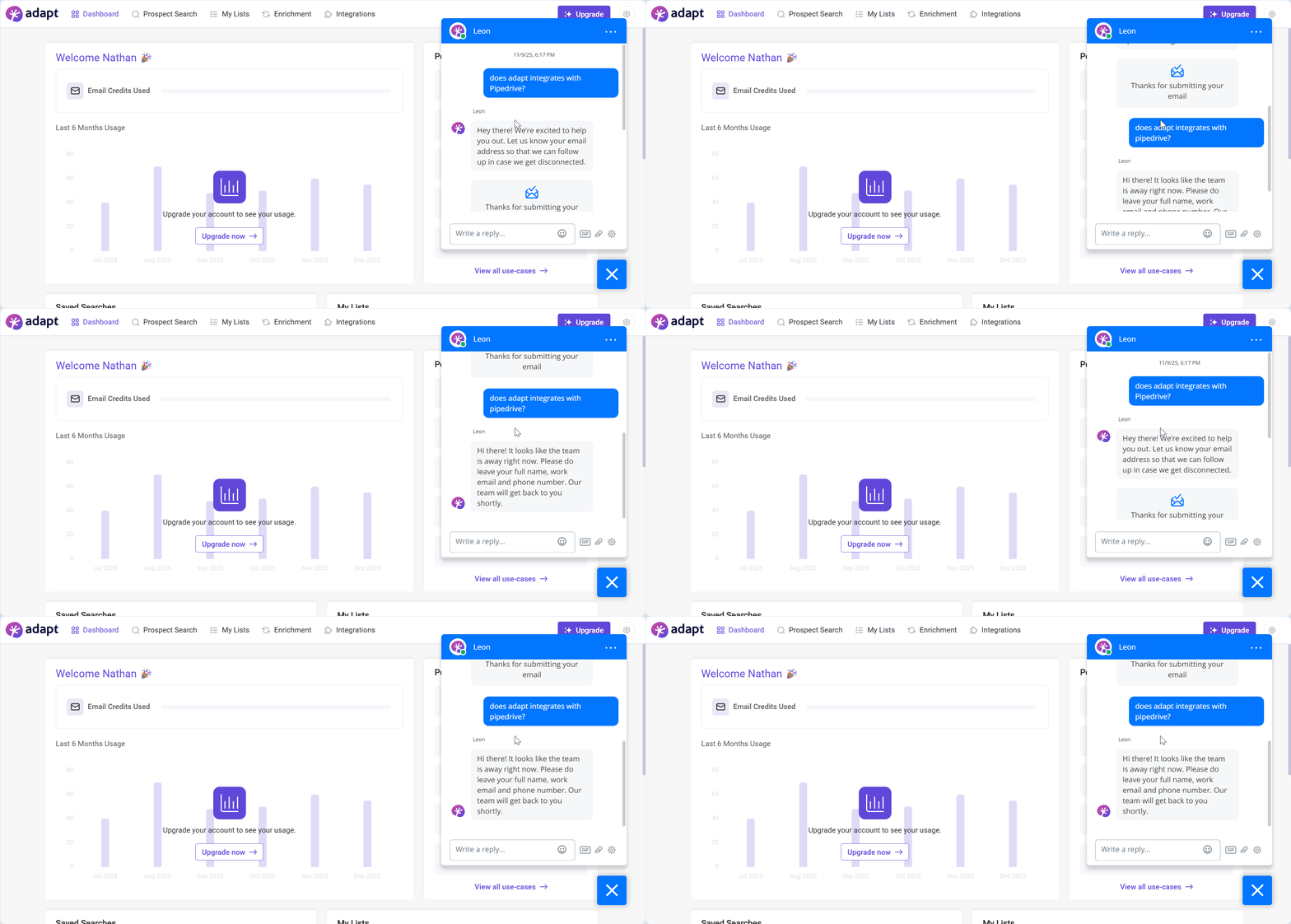
I also couldn’t confirm how it scales beyond default limits.
I contacted support to ask, but was stuck in an unhelpful bot loop that never gave a clear answer.
Whether you're asking about CRM integration or scalability, the response flow is the same.
4. Lusha
G2 Rating: 4.3/5 (1,564)
Lusha helps you find verified emails, phone numbers, and company information for millions of professionals around the world.
Features
- Chrome extension reveals emails, phones
- Prospect on LinkedIn and websites
- Push contacts to CRMs directly
- Bulk enrichment via API available
- Buyer intent signals and topics
Pricing
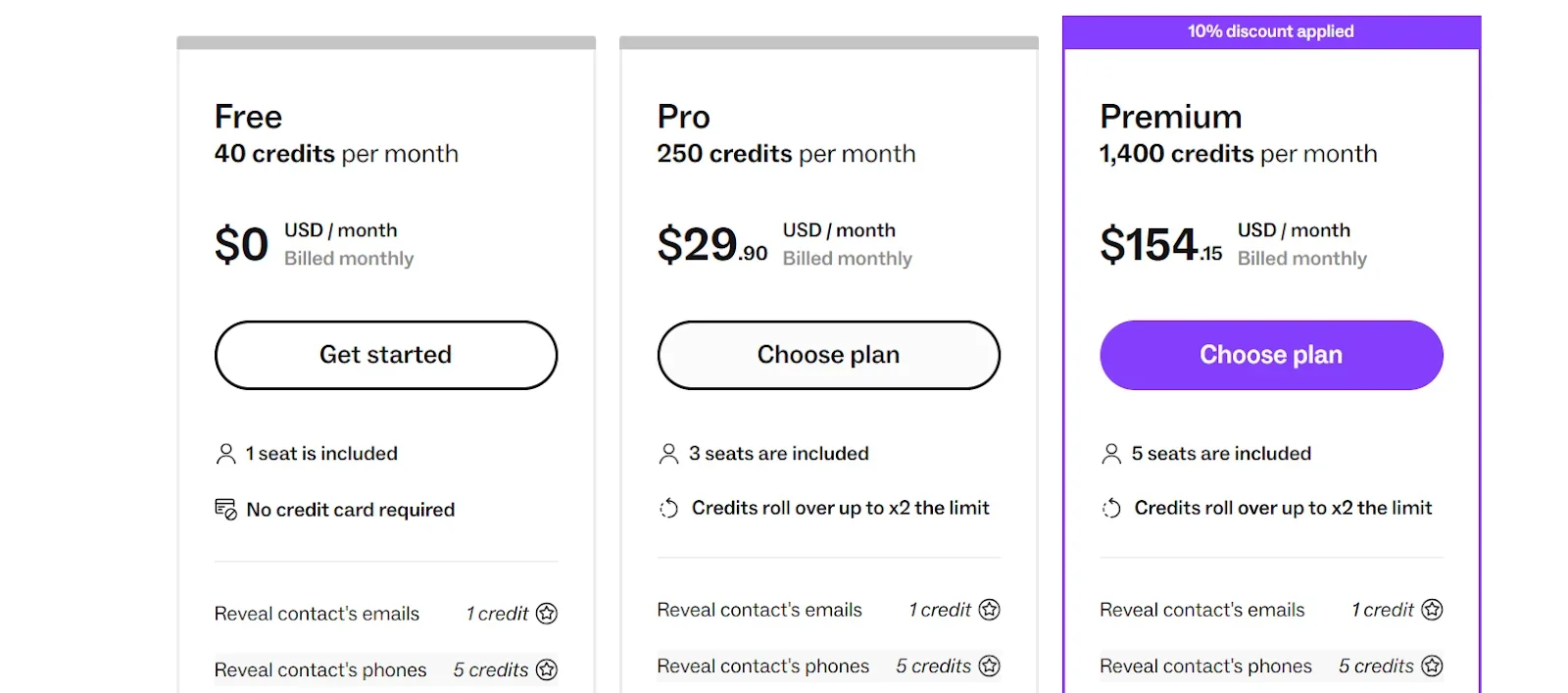
- Free trial with 40 credits per month
- $700 per 1K enrichment
Why Lusha didn't make it
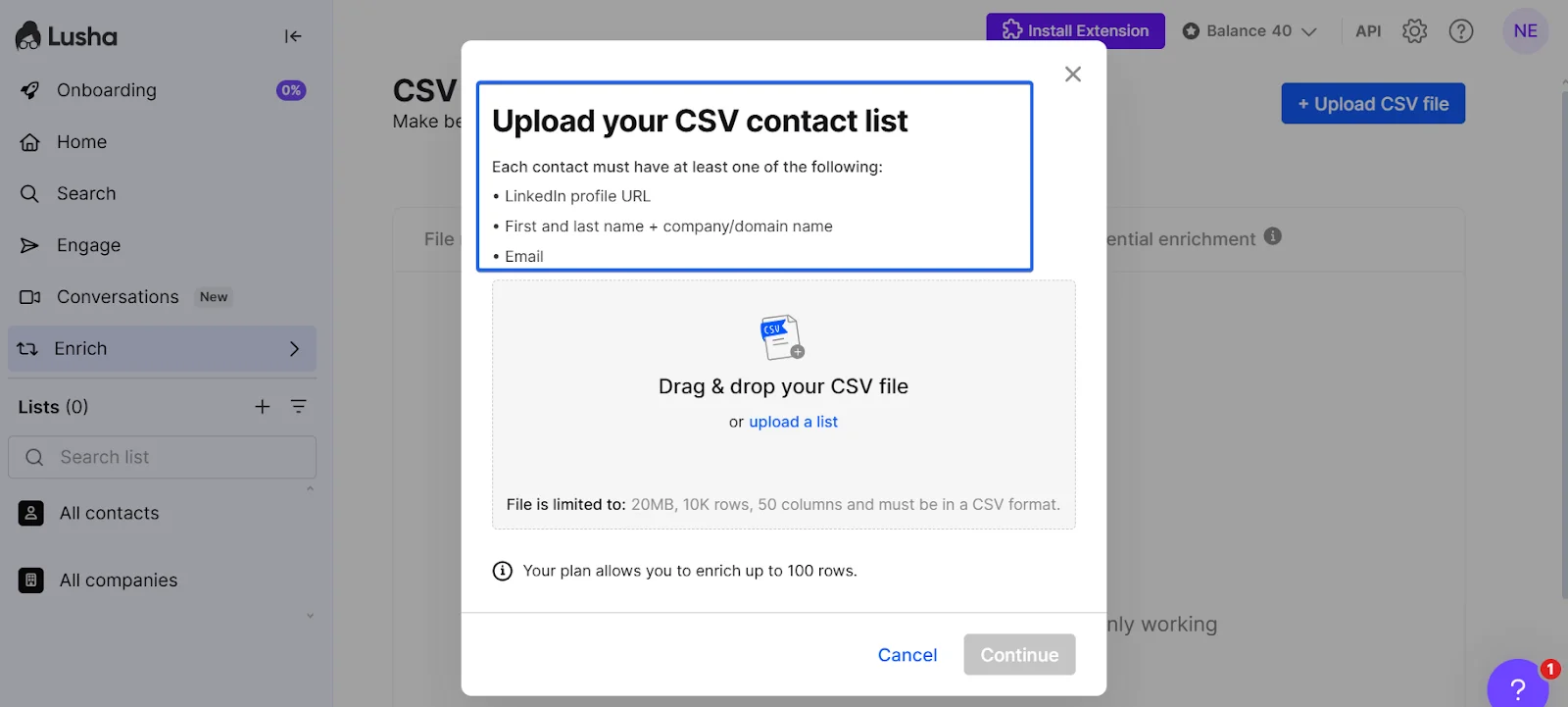
Lusha only works if you already have people-level data or LinkedIn profiles.
That doesn’t fit this use case, where we’re starting from company records, not pre-qualified contacts.
5. Kaspr
G2 Rating: 4.4/5 (828)
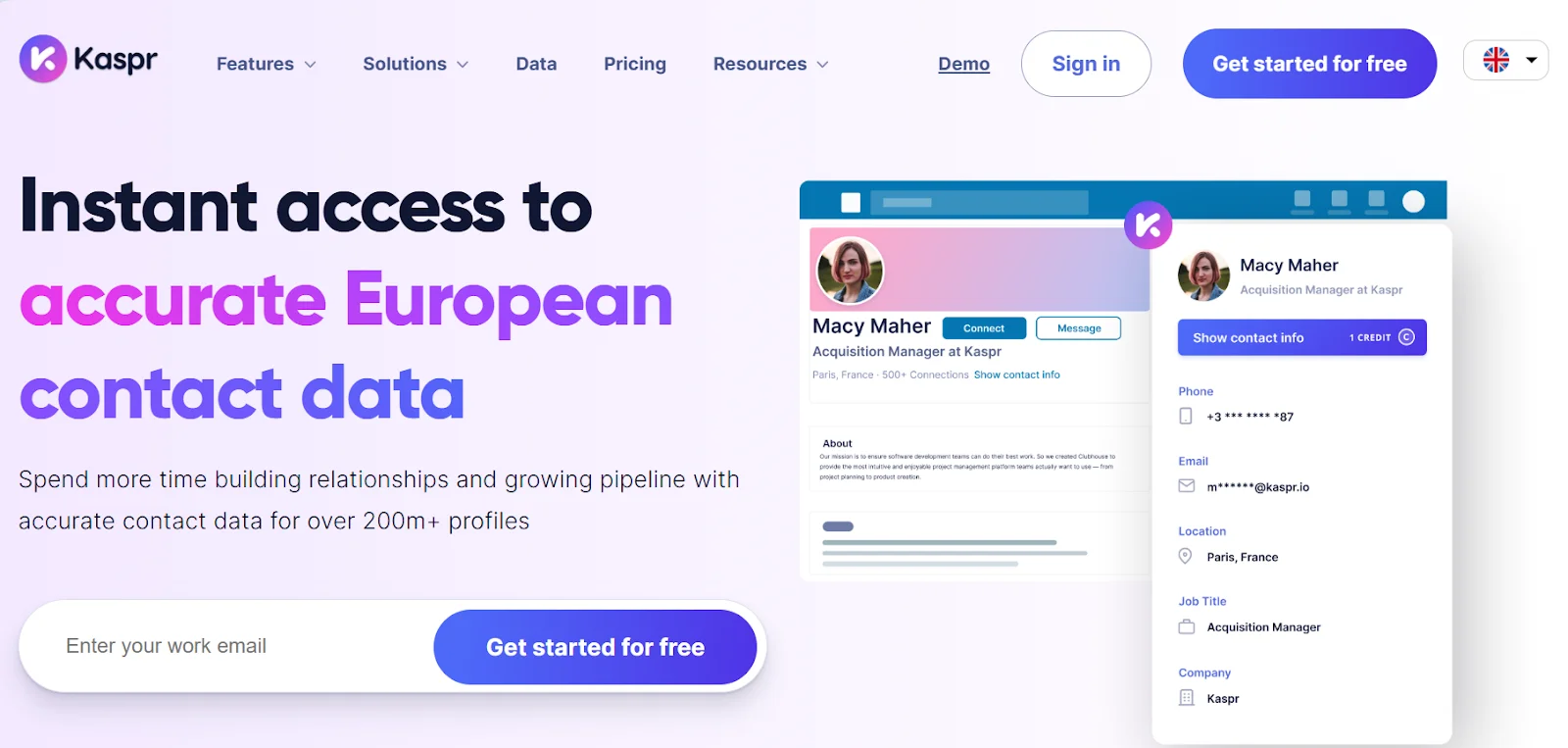
Kaspr is a platform that lets you find your prospect's contact details easily using the Chrome Extension. It automatically retrieves contact details on LinkedIn.
Features
- LinkedIn Chrome extension reveals contacts
- Access emails and direct phone numbers
- Prospect on LinkedIn and Sales Navigator
- Bulk CSV enrichment and list uploads
Pricing
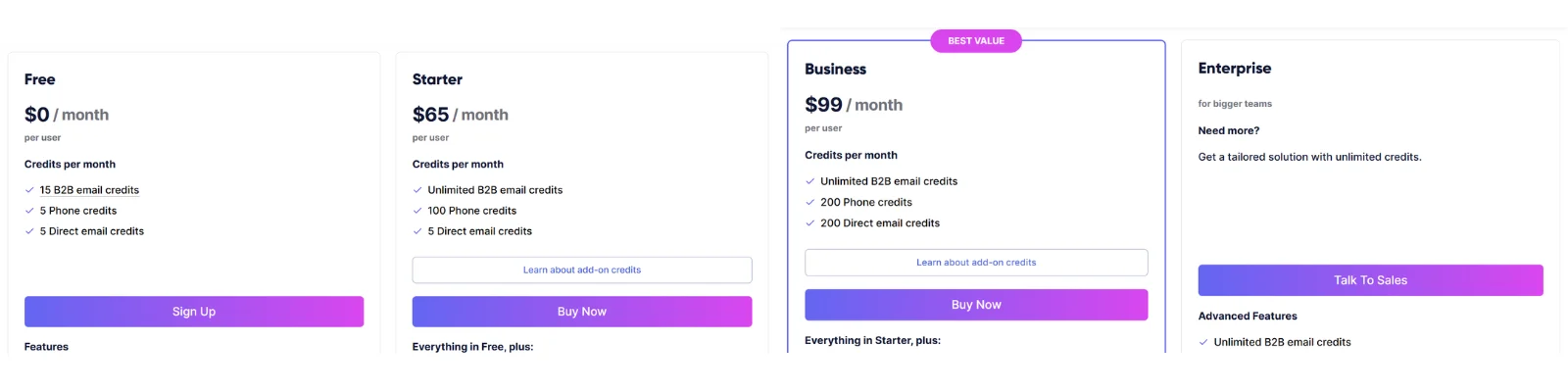
- Free trial with 25 credits per month
- $531 per 1K enrichment
Why Kaspr didn't make it
Kaspr requires you to already know the person. It is stronger when you have a person/LinkedIn URL.
However, it is not feasible for company-only lists that need people discovery first.
6. Fullenrich
G2 Rating: 4.8/5 (138)
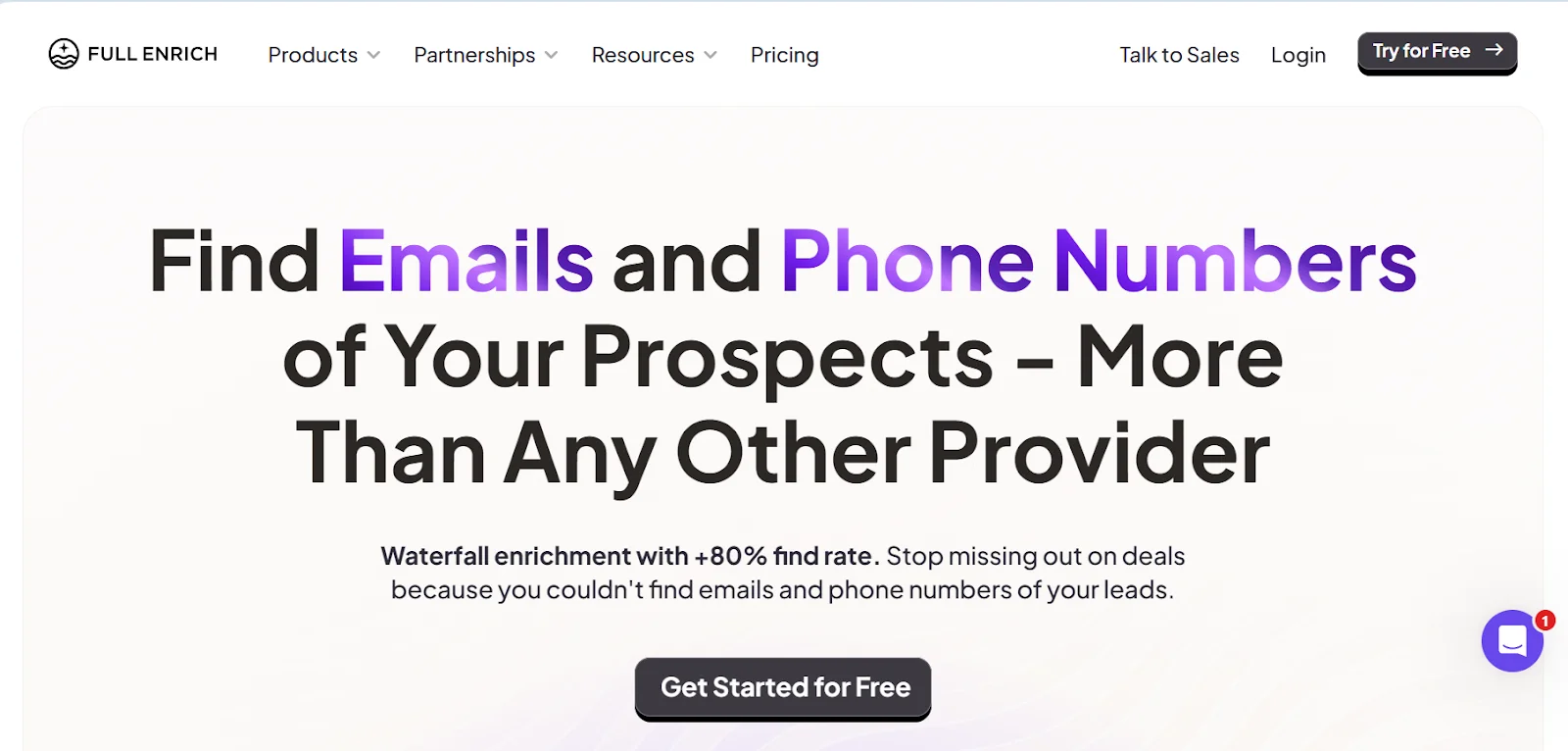
FullEnrich is a B2B data enrichment platform that helps users find verified emails and phone numbers.
Features
- Waterfall enrichment from multiple providers
- Find verified emails and phones
- Email verification (debounce) included
- Bulk CSV and file enrichment
- Export LinkedIn leads at scale
Pricing
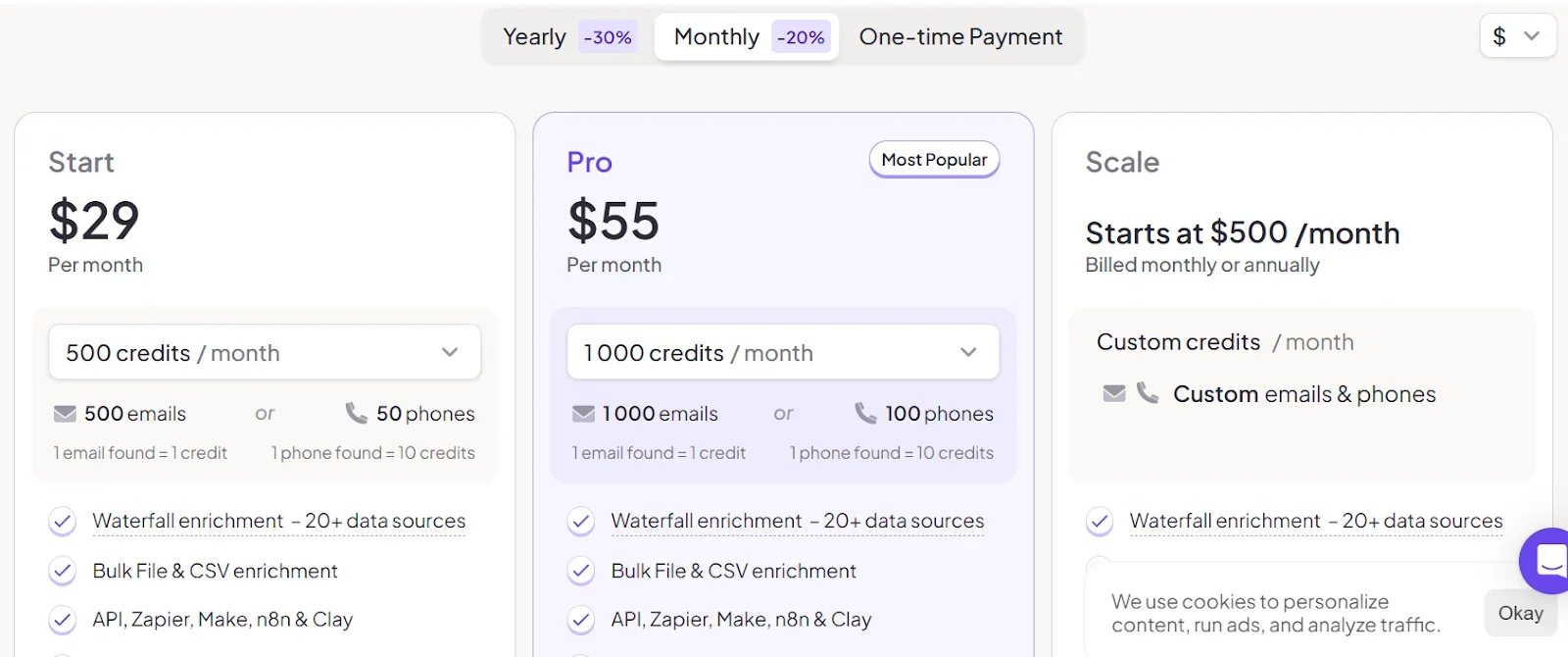
- No free trial
- $605 per 1K enrichment
Why Fullenrich didn't make it
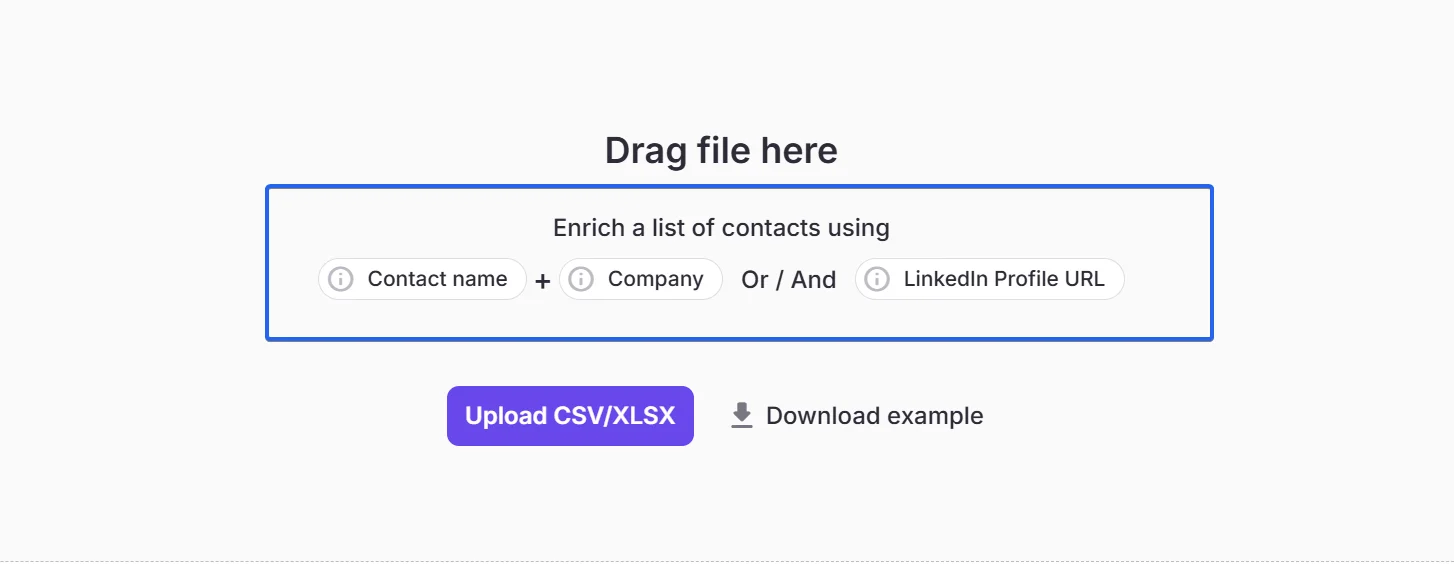
FullEnrich only works when you already have a person’s name/LinkedIn URL.
It’s designed to enrich known contacts, not to help you discover decision-makers from company records.
7. RocketReach
G2 Rating: 4.4/5 (1085)
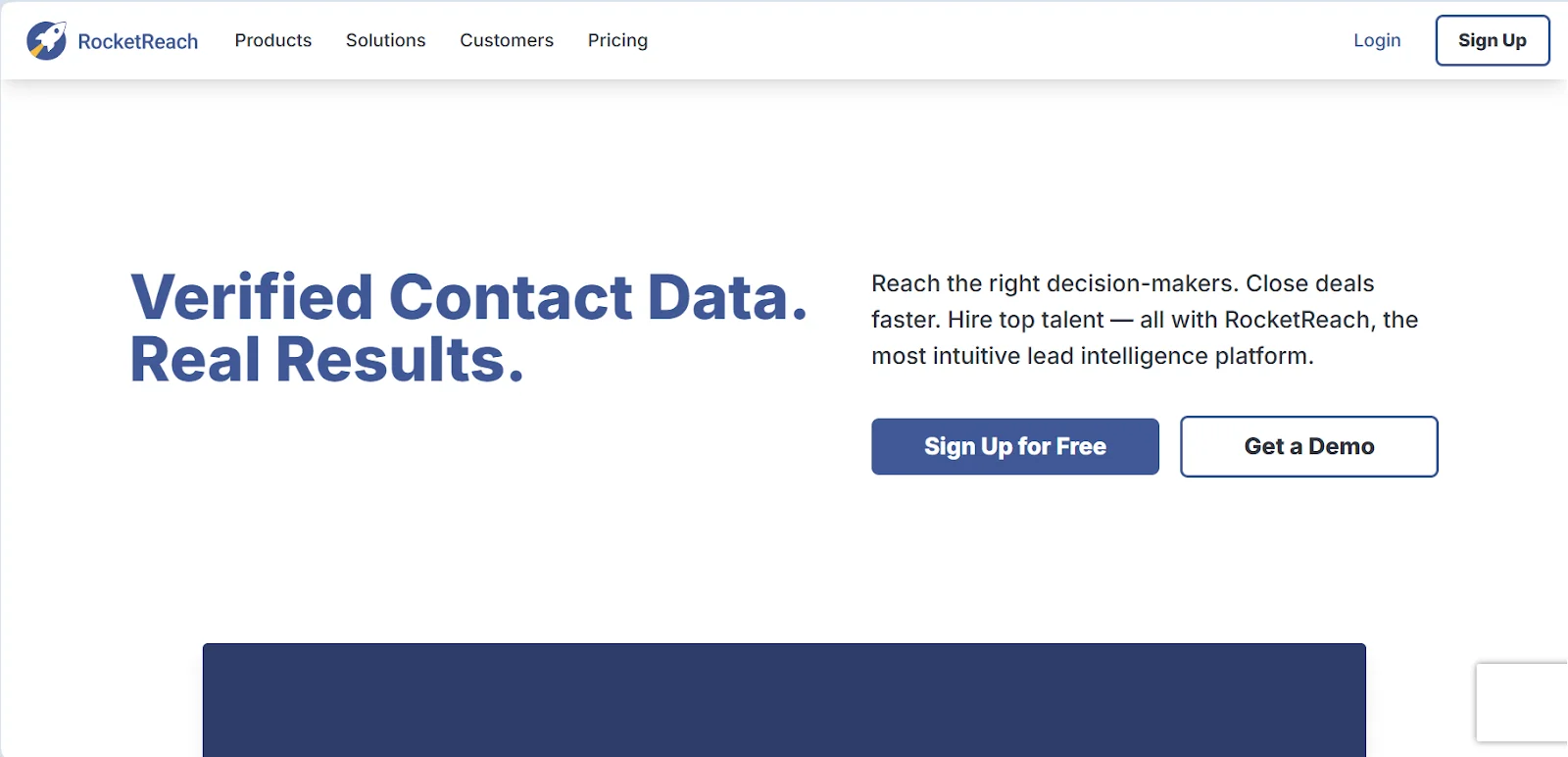
RocketReach is a data platform that helps you find verified emails, phone numbers, and social profiles, and help you reach the right decision-makers.
Features
- AI-powered lead recommendations
- Browser extension (Chrome/Edge)
- Bulk Lookup & List Builder
- Built-in email verification
Price
- 5 free lookups
- $175 per 1K enrichment
Why RocketReach didn't make it
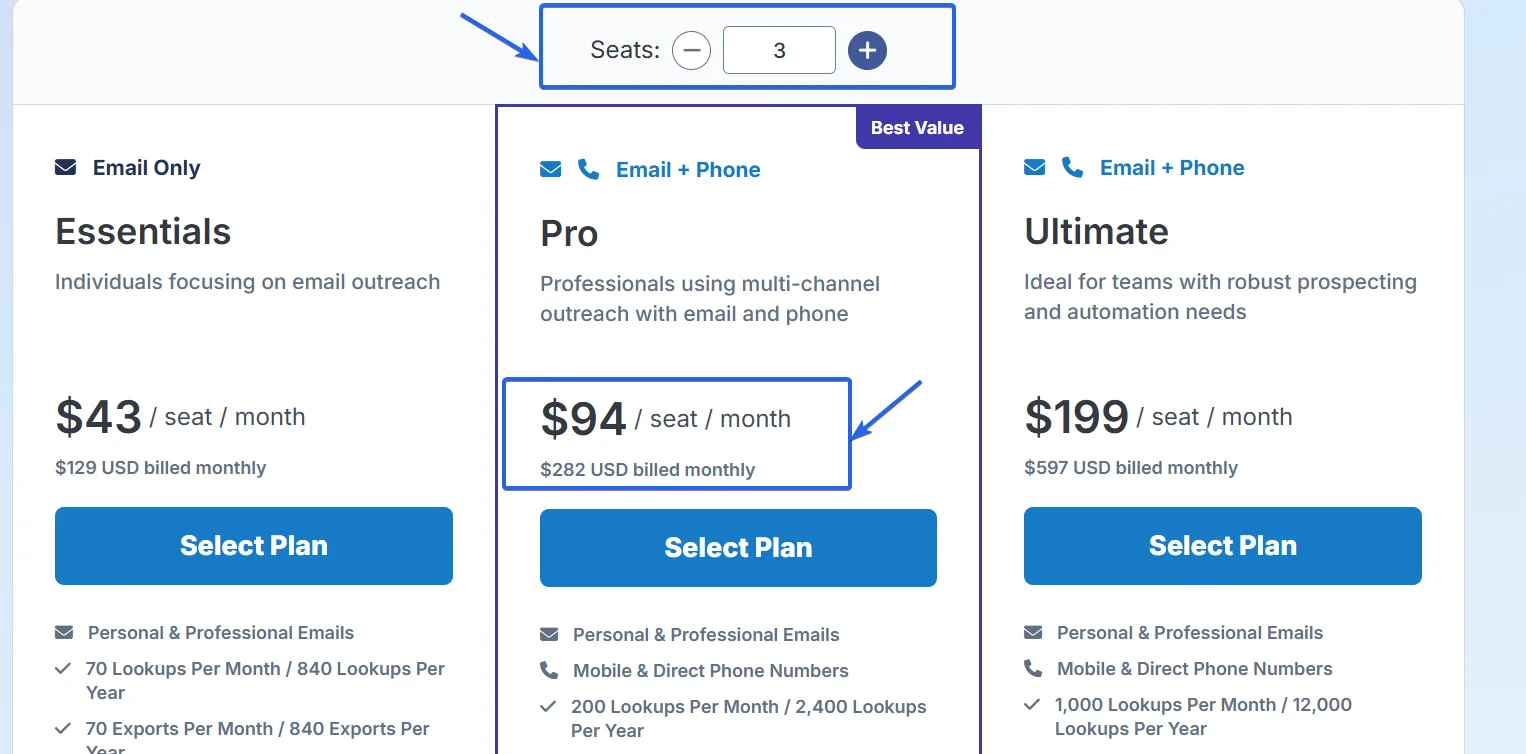
Pricing is seat-based, which penalizes team growth.
As your team scales, the cost rises linearly, and that makes it harder to collaborate.
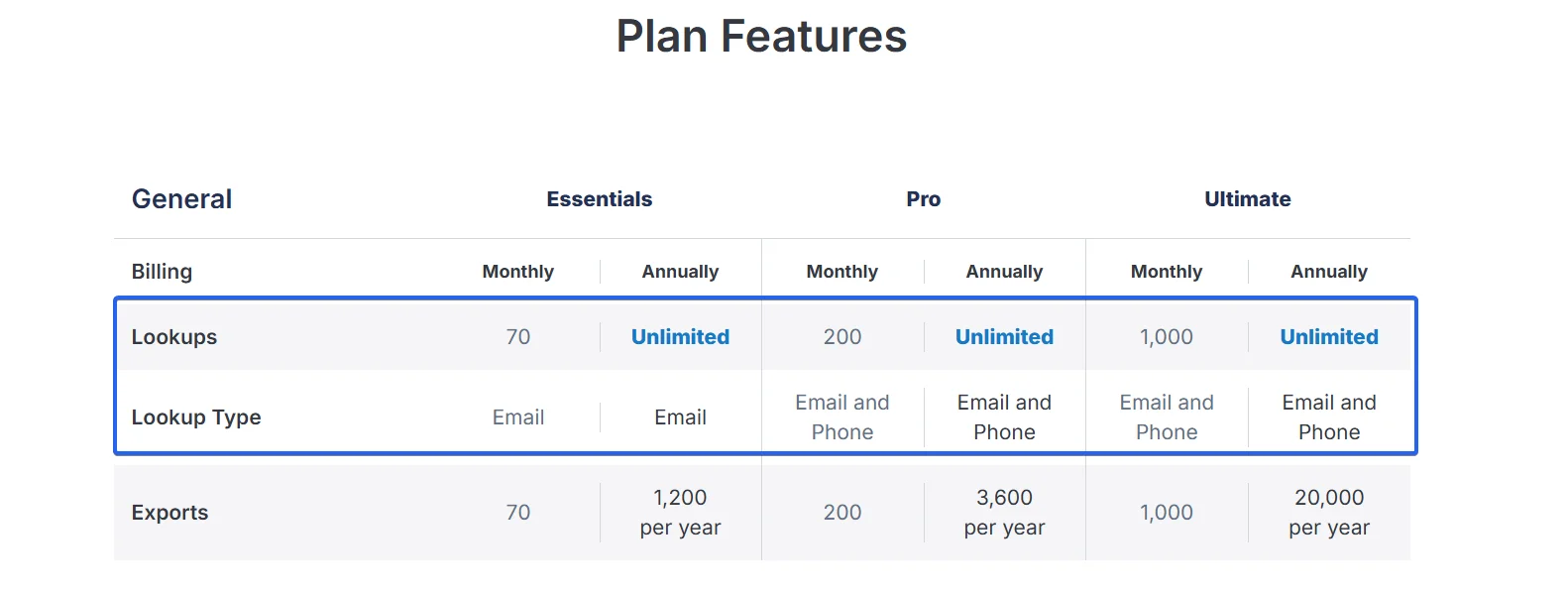
And mainly, there is a horrendous scalability problem.
You’re capped on both lookups and exports, making it difficult to work with high-volume lists.
FAQ
Why aren’t ZoomInfo, Clearbit, or Cognism included?
Pricing isn’t transparent.
And data quality is too inconsistent — especially for local or SMB leads.
Too many reports of outdated or missing contacts.
Why use SphereScout instead of Clay for local lead generation?
Clay is great for enrichment—but limited for local business discovery. No deep geo filters, no exhaustive coverage.
It’s also very expensive. 1,000 raw leads on Clay = $75. On SphereScout? Just $3.
Plus, SphereScout gives you filters Clay can’t—like city-level targeting, contact method filters, and customer signals such as reviews and ratings.
Do I still need enrichment if I got leads from SphereScout?
Yes. SphereScout gives you company data like company name, phone, website, and location.
But you still need lead enrichment to get decision-makers’ personal contact info—like names, emails, and phone numbers.
You also get company details such as revenue, monthly website traffic, and more.
Is Clay too complex for beginners?
If you're not used to data enrichment workflows or logic-based tools, Clay can feel complex at first.
Conclusion
That’s a wrap.
I tested over 10 data enrichment tools for local lead generation.
After testing over 10 platforms, Clay was the only tool that consistently delivered — with solid accuracy for local businesses.
It’s not the cheapest, but it’s the most capable.
✨